
Connect to Source - Kafka
This block enables you to define the Kafka server details. Below is the screenshot showing the fields in the block.
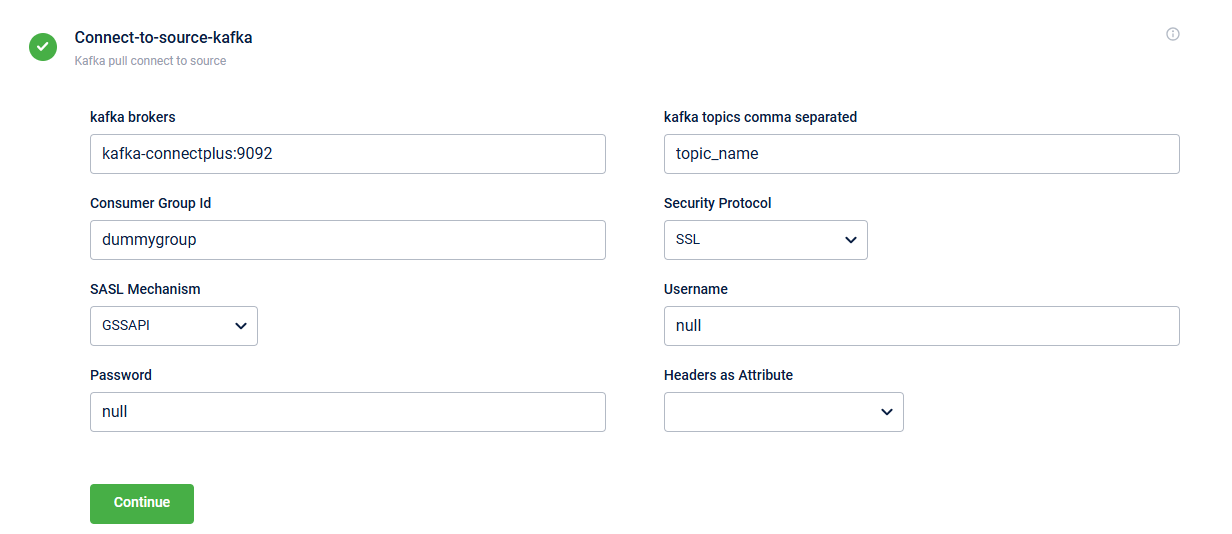
The table below describes the fields in the block:
| Field Name | Description |
|---|---|
| kafka brokers | Kafka server URL. The URL is a combination of the server address and the port number.
|
| kafka topics | Predefined topic name from which you consume messages. These topics must already exist in your Kafka system. You can list multiple topics separated by commas. |
| Consumer Group Id | Specifies the predefined consumer group ID used for access control. Note: Configure a distinct groupId for each dataflow. If multiple dataflows share the same groupId, only one will consume the messages. |
| Security Protocol | Specify the security protocol you want to use to exchange data between the Kafka client and server. The supported protocols are:
|
| SASL Mechanism | Specify the authentication method used to connect to Kafka. The supported mechanisms are GSSAPI, PLAIN, SCRAM-SHA-256 |
| Username and Password | Username and password to access the Kafka server. |
| Headers as Attribute | Choose the headers to be used as attributes. Kafka message headers can contain metadata such as user ID, priority, and source system. Connect+ extracts these headers as data attributes and makes them available to all steps in the flow. You can use these attributes for:
|
Updated 5 months ago
Did this page help you?