
Create Zalo Template
You can use the Zalo notification service (ZNS) to send messages through Zalo, a popular communication channel in Vietnam.
Prerequisite
An official Zalo account (OA) is required.
Configuring the template
Configuration of the Zalo template can only be done through the Capillary Gateway support team.
Approval of Zalo templates
The Zalo template needs to be approved and whitelisted by Zalo. This approval process is handled by the Capillary Gateway team/vendor. You can filter the Zalo templates in the Creatives by their status.
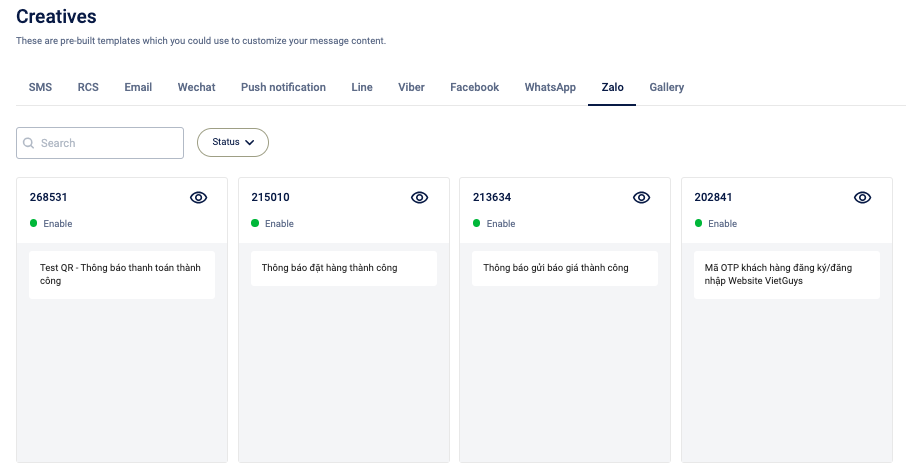
Using uploaded template
To use a uploaded template perform the following steps below:
- From the Engage+ homepage, navigate to the Creative section and select Zalo as the engagement channel.
- On the Zalo listing page, you can view the uploaded templates. Based on your needs, navigate to a Zalo template and select Overview.
- A modal appears where you can edit the Zalo template. However, you can update only the variable portion of the template.
- You can replace variables with static text or labels. Each variable field
({#var#})supports a maximum of 50 characters. If a label resolves to more than 50 characters, the message is not sent and is skipped for that user. - On the right side of the modal, select Open Preview. You are redirected to a tab where you can preview the Zalo content.
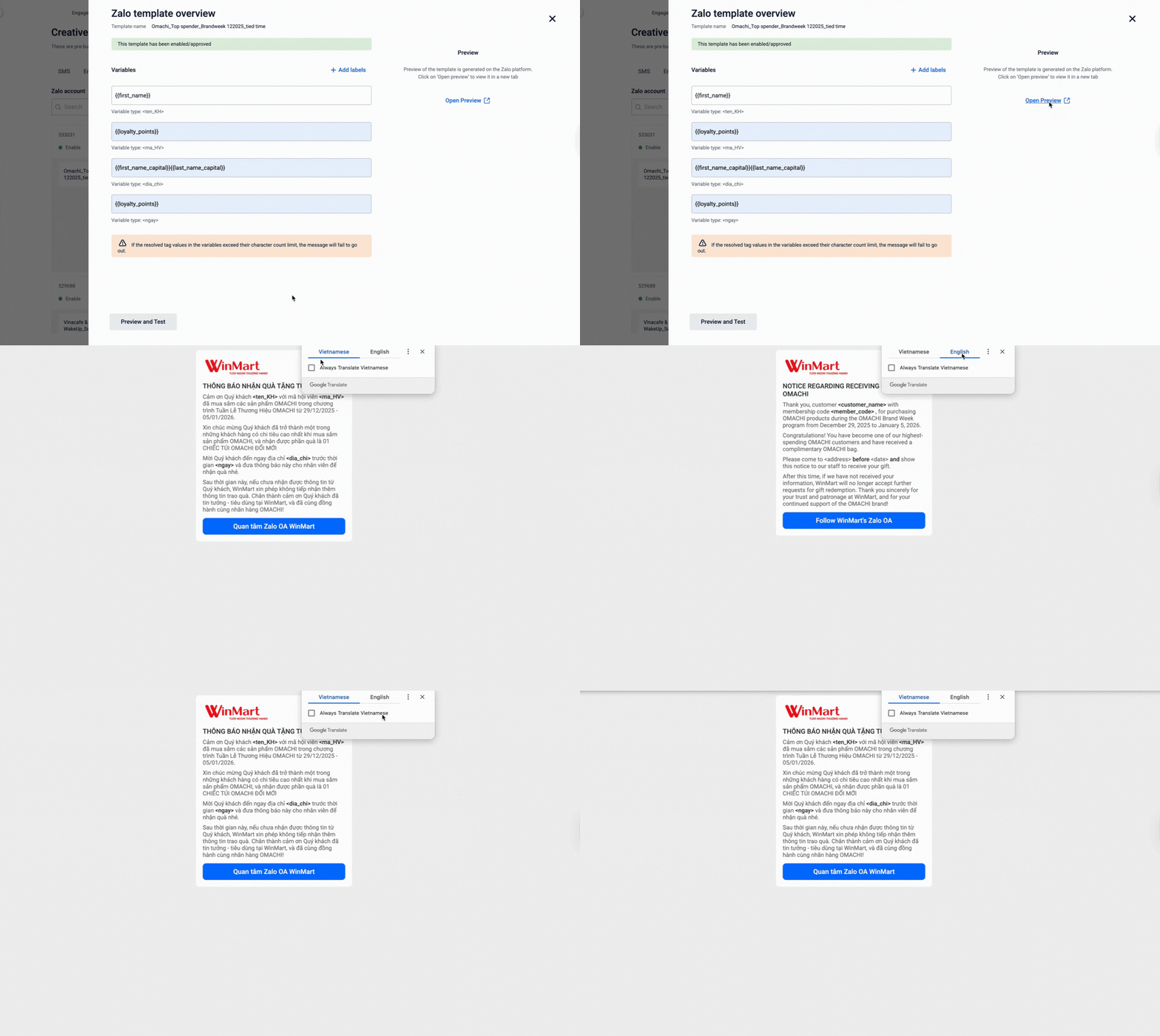
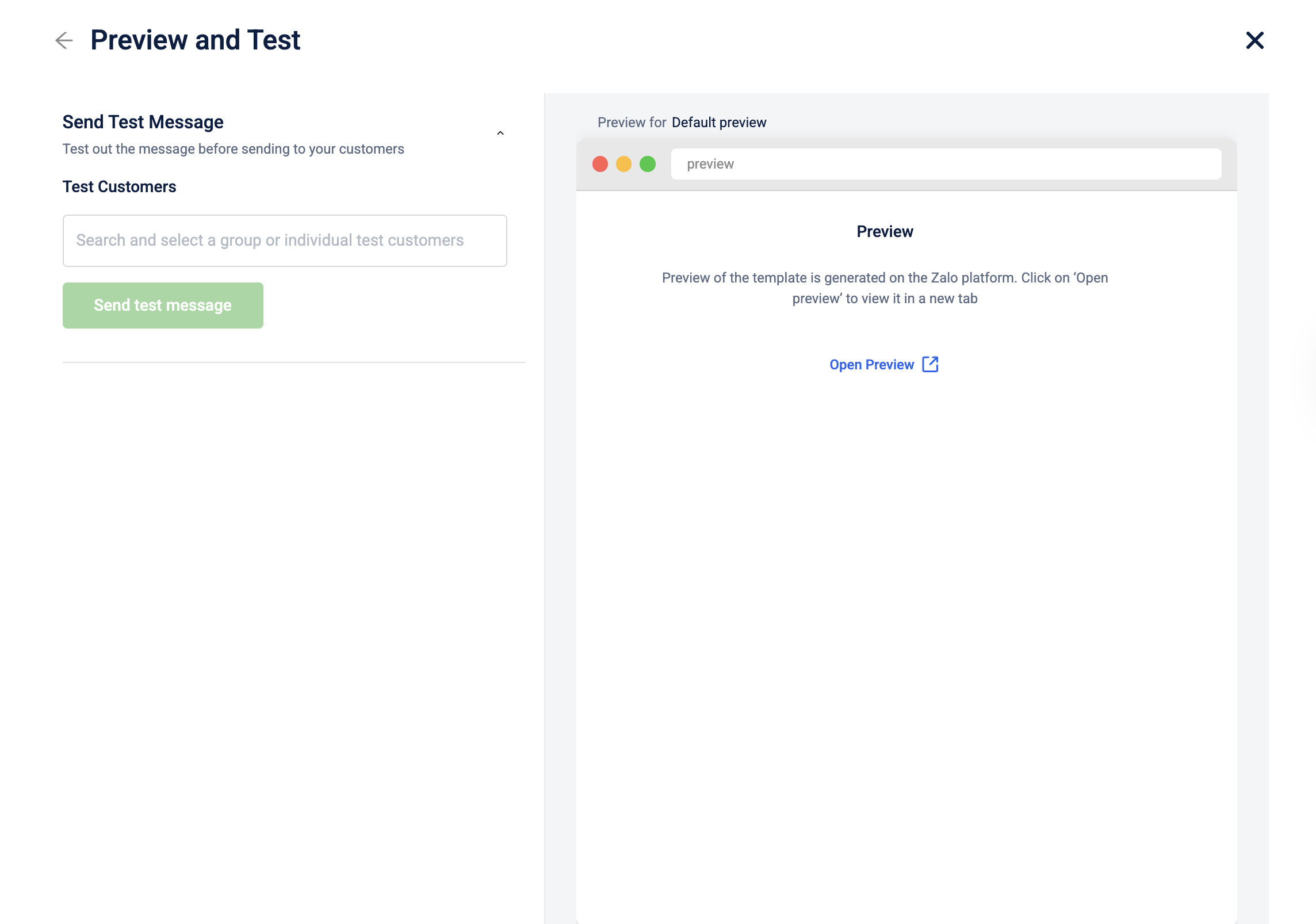
- (Optional) Select Preview and Test to preview the message content and test it with a set of Test customers before sending it.
Note
Tag-filling functionality is not available in Preview and Test. You can only send a test message.
Updated 4 months ago
Did this page help you?