
Transform (Headers) block
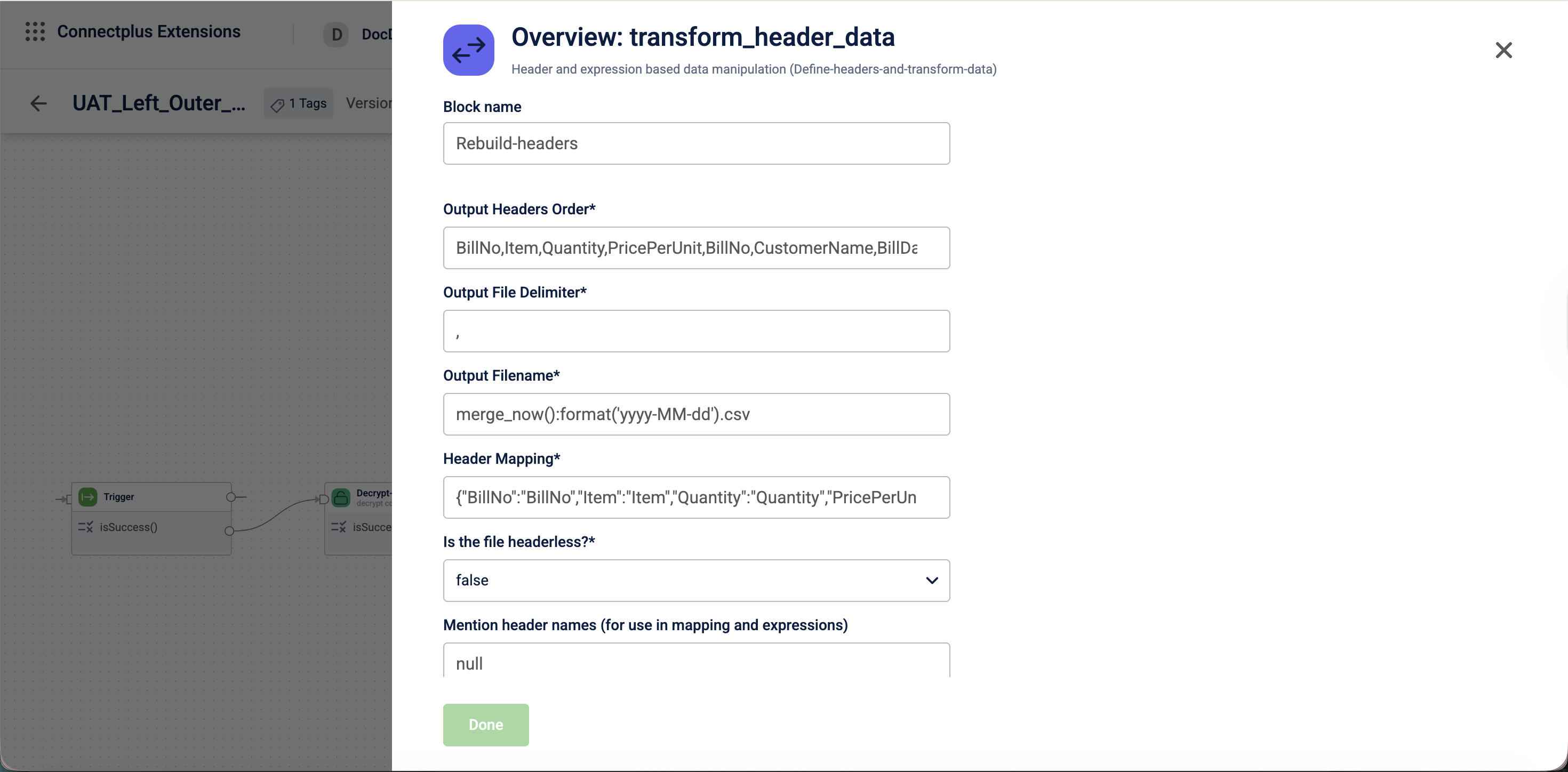
The transform_header_data block manipulates and remaps CSV column headers using header mappings and expressions as a transformation block in a Connect+ dataflow. It defines the structure and order of the output file, supports headerless input files, and passes the transformed data to downstream blocks.
When to use this block
Use this block when your source file's column headers need to be renamed, reordered, or derived from expressions before the file is passed to downstream blocks.
Prerequisites
Before configuring this block, make sure you have:
- A list of the desired output column headers in the required order
- A mapping from output headers to input headers
- If the input file is headerless, a list of column names to assign to the input columns
Configuration fields
| Field name | Required | Description |
|---|---|---|
| Block name | Yes | A name for the block instance. The name must be alphanumeric. There is no character limit. |
| Output Headers Order | Yes | The comma-separated list of output column headers in the order they should appear in the output file. For example, TAmount,bill_name,BillID. |
| Output File Delimiter | Yes | The delimiter used to separate fields in the output file. Default value: ,. |
| Output Filename | Yes | The name of the output file including its extension. Default value: ${filename}. |
| Header Mapping | Yes | A JSON object that maps output column headers to input column headers. Default value: {}. |
| Is the file headerless? | Yes | Determines whether the input file has column headers. Select true or false from the dropdown.Default value: false. |
| Mention header names (for use in mapping and expressions) | No | Defines the column header names when the input file is headerless, for use in mapping and expressions. For example, TAmount,BillID. |
Updated 3 months ago
Did this page help you?