
S3 (Read) block
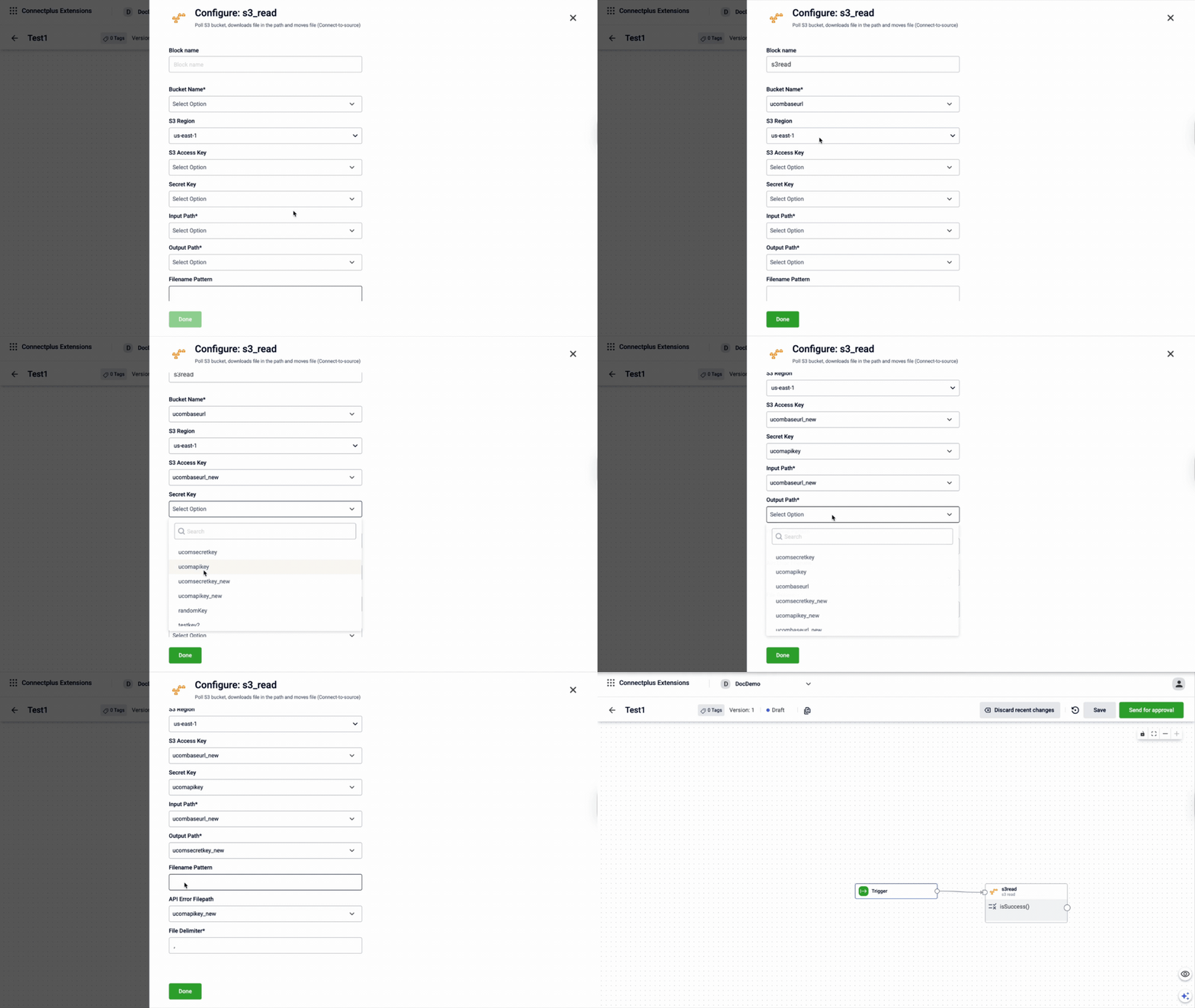
The s3_read block retrieves files from an Amazon S3 bucket and brings them into your Connect+ dataflow for processing. It acts as the source or Connect to Source block in a Connect+ dataflow. It uses AWS credentials to connect to the specified bucket, picks up files matching a defined filename pattern, and moves them to an output path once downloaded. Any errors that occur during processing are written to a designated error file path for review.
When to use this block
Use this block when your input files are stored in an Amazon S3 bucket and need to be retrieved on a scheduled basis.
Prerequisites
Before configuring this block, make sure you have:
- AWS access key ID and secret access key with read permissions on the bucket
- The S3 bucket name and AWS region
- An input path and an output (processed) path within the bucket
- A regex pattern that matches your input filenames
Configuration fields
| Field name | Required | Description |
|---|---|---|
| Block name | Yes | A name for the block instance. The name must be alphanumeric. There is no character limit. |
| Bucket Name | Yes | The name of the S3 bucket to poll. Select a value from the dropdown. The list shows all values configured in the Extension Configuration section of the Dev Console. |
| S3 Region | Yes | The AWS region where the S3 bucket is located. Select a value from the dropdown. The list shows all values configured in the Extension Configuration section of the Dev Console. Default value: us-east-1. |
| S3 accessKey | Yes | The AWS access key ID used to authenticate with the S3 bucket. Select a value from the dropdown. The list shows all values configured in the Extension Configuration section of the Dev Console. |
| Secret Key | Yes | The AWS secret access key used for authentication. Select a value from the dropdown. The list shows configurations marked as secret in the Extension Configuration section of the Dev Console. |
| Input Path | Yes | The path within the S3 bucket where the input files are located. Select a value from the dropdown. The list shows all values configured in the Extension Configuration section of the Dev Console. For example, data/incoming/. |
| Output Path | Yes | The path within the S3 bucket where files are moved after being downloaded. Select a value from the dropdown. The list shows all values configured in the Extension Configuration section of the Dev Console. For example, data/processed/. |
| Filename Pattern | Yes | The regex pattern used to match files in the input path. File pattern: .*.csv |
| API Error Filepath | Yes | The path where API error files are stored. Select a value from the dropdown. The list shows all values configured in the Extension Configuration section of the Dev Console. For example, data/errors/. |
| File Delimiter | Yes | The delimiter used for file validation. Default value: ,. |
Updated 3 months ago