
Transform (CSV to JSON) block
The convert_csv_to_json block transforms CSV files into JSON format. It acts as a transformation block in a Connect+ dataflow, sitting between the source and destination blocks to convert ingested CSV data into structured JSON.
When to use this block
Use this block when your dataflow ingests CSV files and needs to convert them to JSON before posting to a Capillary API or another destination.
Prerequisites
Before configuring this block, make sure you have:
- A clear understanding of the CSV column headers and the desired output structure
Standard properties
| Field name | Required | Description |
|---|---|---|
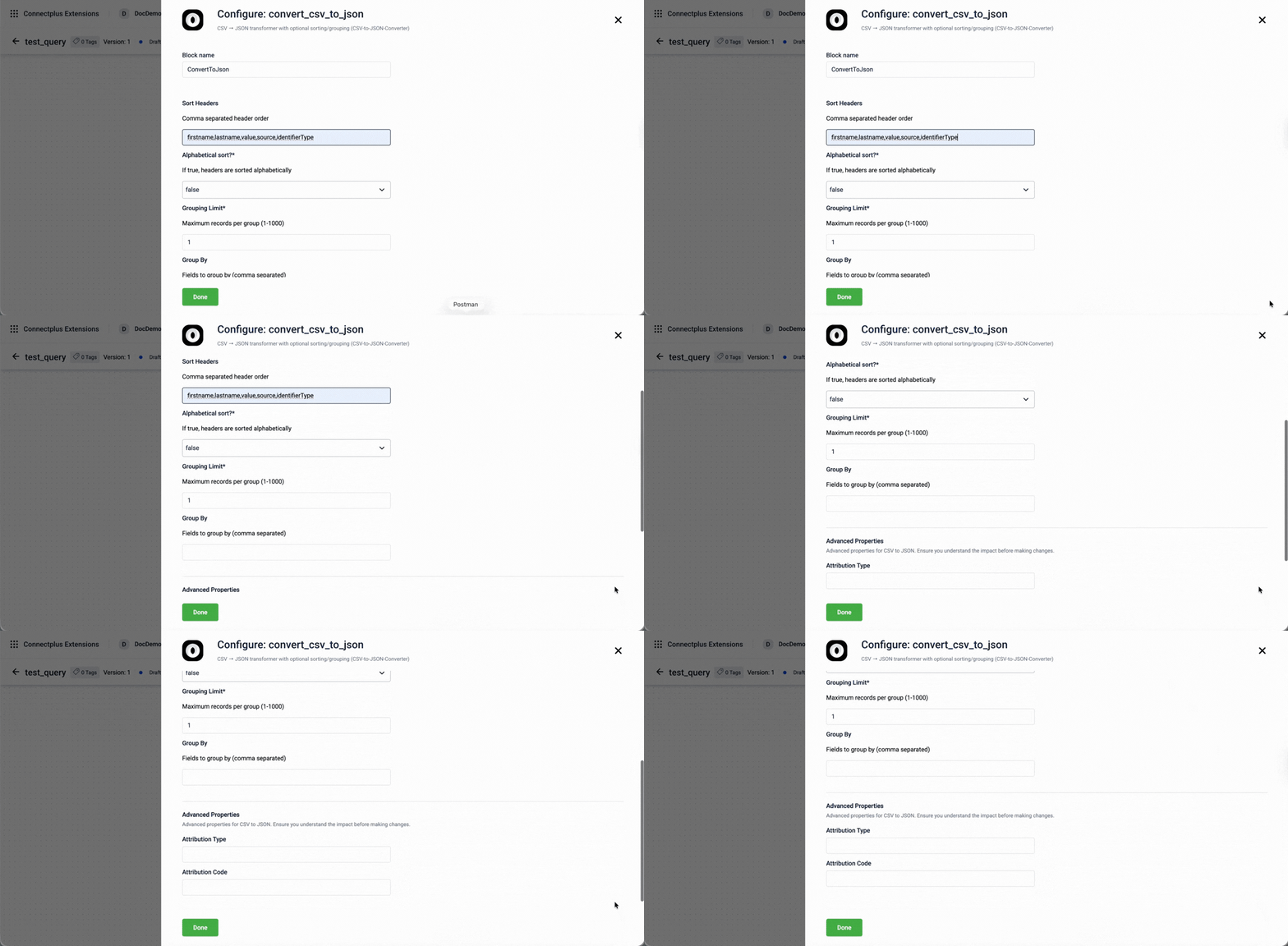
| Block name | Yes | A name for the block instance. The name must be alphanumeric. There is no character limit. |
| Sort Headers | No | A comma-separated list of header names that defines the order in which columns appear in the JSON output. For example, billId,itemId. |
| Alphabetical sort? | Yes | Determines whether headers are sorted alphabetically in the JSON output. Select true to sort headers alphabetically. Select false to keep the original column order. Default value: false. |
| Grouping Limit | Yes | The maximum number of records to include in each group. Accepts values between 1 and 1000. Default value: 1. |
| Group By | No | A comma-separated list of fields to group records by before passing them to the next block. For example, billId. |
Advanced properties
⚠️ Advanced properties for CSV to JSON. Ensure you understand the impact before making changes.
| Field name | Required | Description |
|---|---|---|
| Attribution Type | No | The type of entity to attribute the records to. This value forms part of the X-CAP-API-ATTRIBUTION-ENTITY-TYPE header. For example, TILL. |
| Attribution Code | No | The identifier of the entity specified in Attribution Type. This value forms part of the X-CAP-API-ATTRIBUTION-ENTITY-CODE header. For example, store_till_001. |
Updated about 1 month ago
Did this page help you?