
Promoting Dataflows Across Organizations
Copy approved dataflows from one organization to another
The Promote feature in Neo allows you to push an approved or live dataflow from one organization to another within the same cluster. Unlike the copy-paste feature in aiRA Coder, Promote is built for controlled deployment; it checks permissions in both the source and target organizations, enforces organization type hierarchy, and transfers the complete dataflow configuration.
Use Promote when you want to move an approved, production-ready dataflow to one or more target organizations so that teams in those organizations can use or build on it.
Currently, the Promote feature cannot be used for a dataflow that includes a block from the library.
Note
The current release supports single dataflow promotion within the same cluster.
Promote vs. copy-paste
Both Promote and Copy-Paste (via aiRA Coder) allow you to move dataflow logic across organizations. The table below describes how they differ.
| Aspect | Copy-Paste (aiRA Coder) | Promote |
|---|---|---|
| Access method | Natural language prompts in aiRA Coder | Promote option on the dataflow version page |
| What is transferred | Block structure only; Trigger block and tags are excluded | Complete dataflow; block structure, configurations, method, URL, and API request block headers |
| Eligible source versions | Any saved version | Approved and Live versions only |
| Target dataflow state | Draft | Approved. A Draft version is also created automatically for further editing. |
| Validations | Minimal | Validates organization registration, organization type hierarchy, module access, and user permissions in both organizations |
| Target destination | Any dataflow canvas in the target organization | A custom application in the target organization |
| Governance | No hierarchy restrictions | Enforces organization type promotion hierarchy |
| Primary use case | Moving logic during development; quick transfers across organizations | Propagating approved dataflows across environments in a controlled manner |
Key concepts
Organization type
Every organization using the Promote feature must be Neo-enabled and assigned an organization type. The organization type defines the organization's role in the deployment pipeline.
| Organization type | Description |
|---|---|
| Dev | Development environment |
| SIT | System Integration Testing environment |
| UAT | User Acceptance Testing environment |
| Automation | Automated testing environment |
| Prod | Production environment |
Organization type hierarchy
The organization type hierarchy controls which organization types can promote to which target organization types. This prevents untested dataflows from being pushed directly to production.
| Source organization type | Can promote to |
|---|---|
| Dev | DEV, UAT, SIT |
| SIT | SIT, PROD, AUTOMATION |
| UAT | UAT, PROD, AUTOMATION |
| AUTOMATION | None |
| Prod | None |
Note
Downward promotion, for example, Prod to UAT is not permitted and you cannot skip organization types in the hierarchy.
Organization mapping
An organization mapping defines a directional relationship between a source organization and one or more target organizations. You must set up organization mappings before you can use the Promote feature.
Relationship types
When you add an organization mapping, you select a relationship type that describes how the source and target organizations are related.
| Relationship Type | When to Use |
|---|---|
| Sibling | This relationship term is Neo-specific. Use when both organizations are at the same level in the hierarchy, for example, two Prod organizations or two UAT organizations that need to share dataflows. |
| Default | Use as a general-purpose relationship type. |
Note
All organization mappings are unidirectional in the UI. You define the relationship from the source organization's perspective.
Prerequisites
Before you use the Promote feature, complete the following:
- Neo must be enabled on both the source and target organizations.
- The source organization must be registered on the Organization mappings page with an assigned organization type.
- The target organization must also be registered on its own Organization mappings page.
- An organization mapping must exist from the source organization to the target organization.
- A custom application must exist in the target organization. You cannot promote to the Default or Middleware application.
- The user must have the Neo Promote permission set in both the source and the target organization.
Registering your organization and adding organization mappings
Step 1: Navigate to the organization mappings page
- Open the Neo extension portal:
{host url}/extensions/neo/ui. - Select your organization.
- Using the burger icon, navigate to the Org Mapping page.
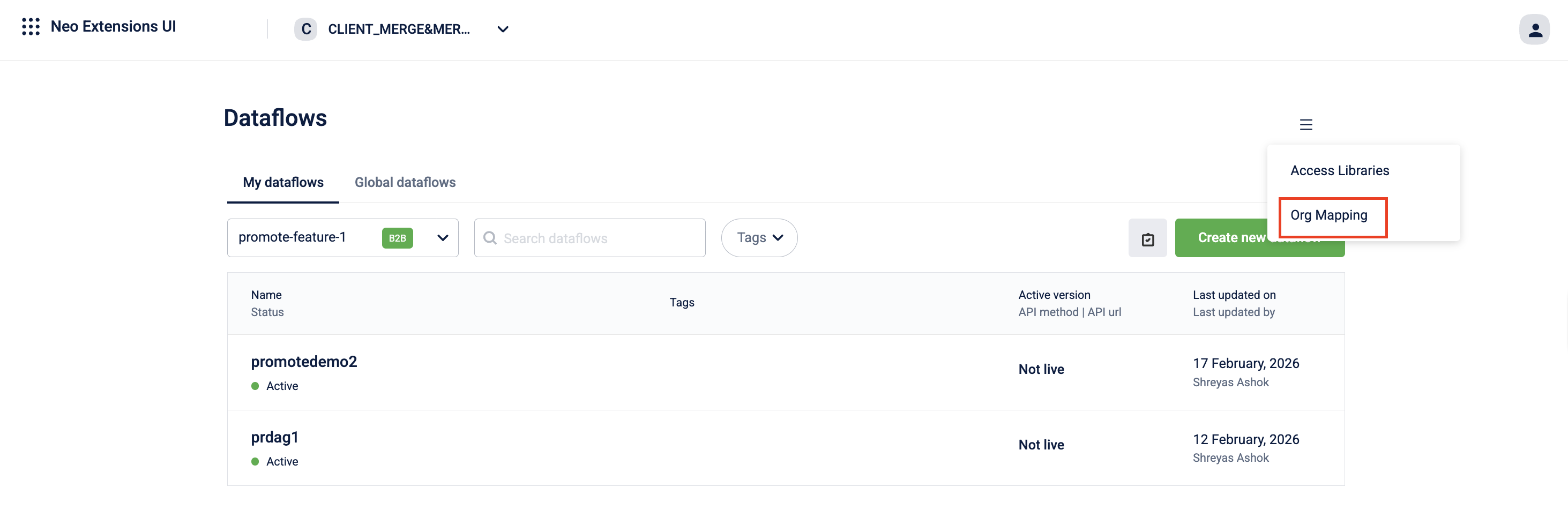
The Organization Mapping Management page opens.
Step 2: Register your organization
- Navigate to the Current Organization tab on the Organization Mapping Management page.
- From the Organization Type dropdown, select the type that applies to your organization.
Available options are Dev, SIT, UAT, Automation, Demo, and Prod. - Click Register Organization Mapping.
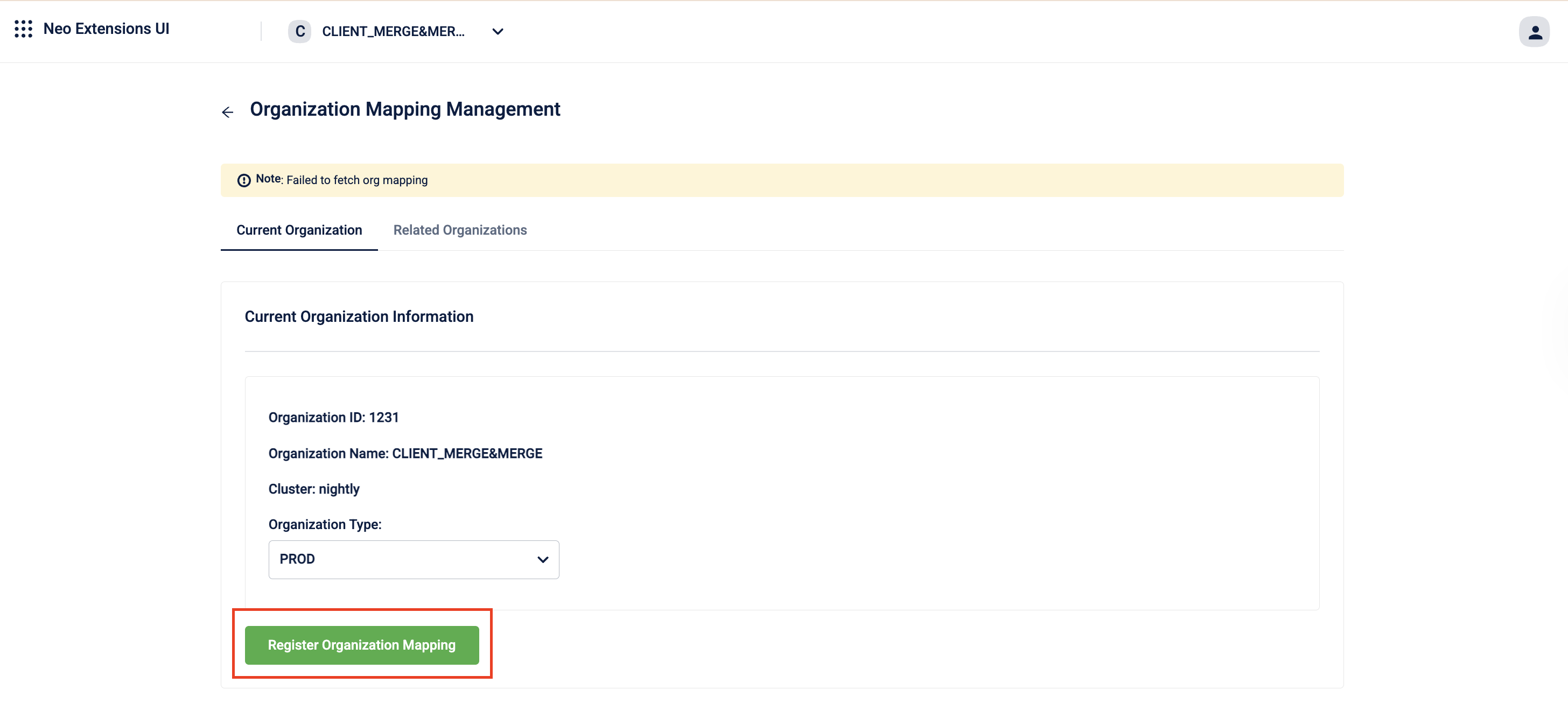
The organization is registered with Neo and assigned the selected organization type.
Note
An organization with Neo enabled must still be explicitly registered on this page. Until it is registered, Neo does not recognize the organization for promotion, and you see an error when you attempt to add a mapping that includes it.
Step 3: Add a related organization mapping
-
Navigate to the Related Organizations tab on the Organization Mapping Management page.
-
Click Add Relation.
Add Related Organization modal opens.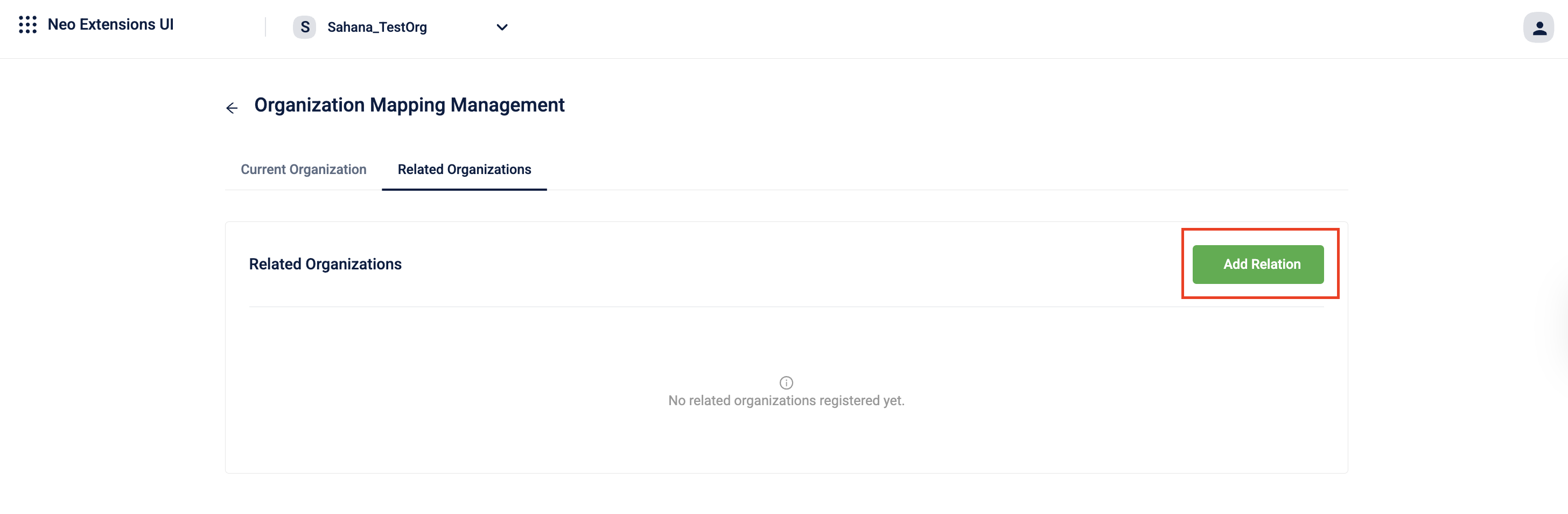
-
Select the Target Organization from the drop-down.
Note: If the target organization is not yet registered with Neo or does not have Neo enabled, an error appears. Register the target organization first before adding the mapping.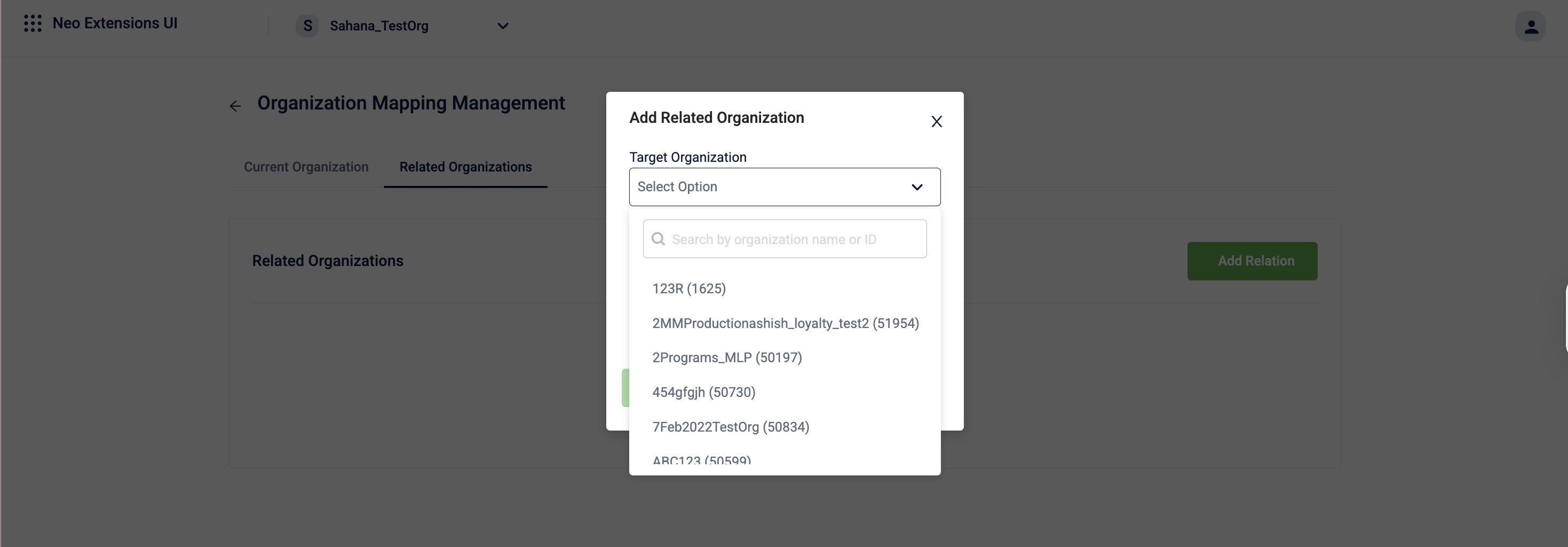
-
Select the Relation Type from the drop-down.
The available options are Sibling and Default. -
Click Add Relation.
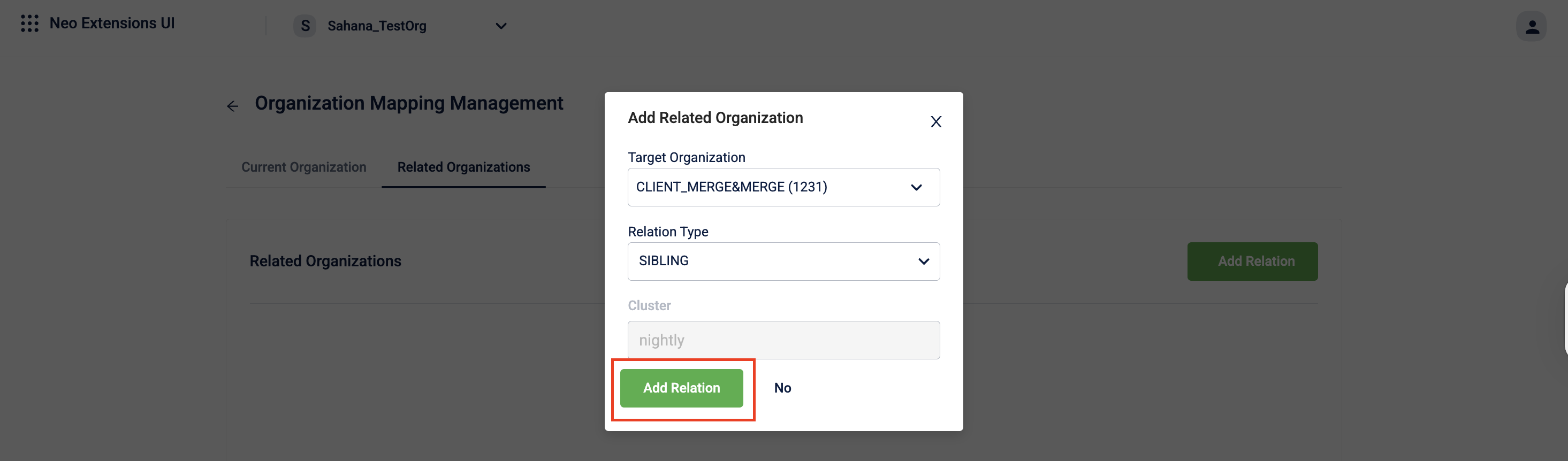
The mapping is added. Repeat this step for each additional organization you want to promote to.
Promoting a dataflow
You can promote a dataflow when the version is in Approved or Live status, the source and target organizations are mapped, a custom application exists in the target organization, and the user has the Neo Promote permission in both organizations.
Steps to promote a dataflow
-
Navigate to the Dataflow Version page of the dataflow that you want to promote.
-
Open an Approved or Live version of the dataflow.
-
Click on the Promote dataflow icon.
The Promote Dataflow modal opens.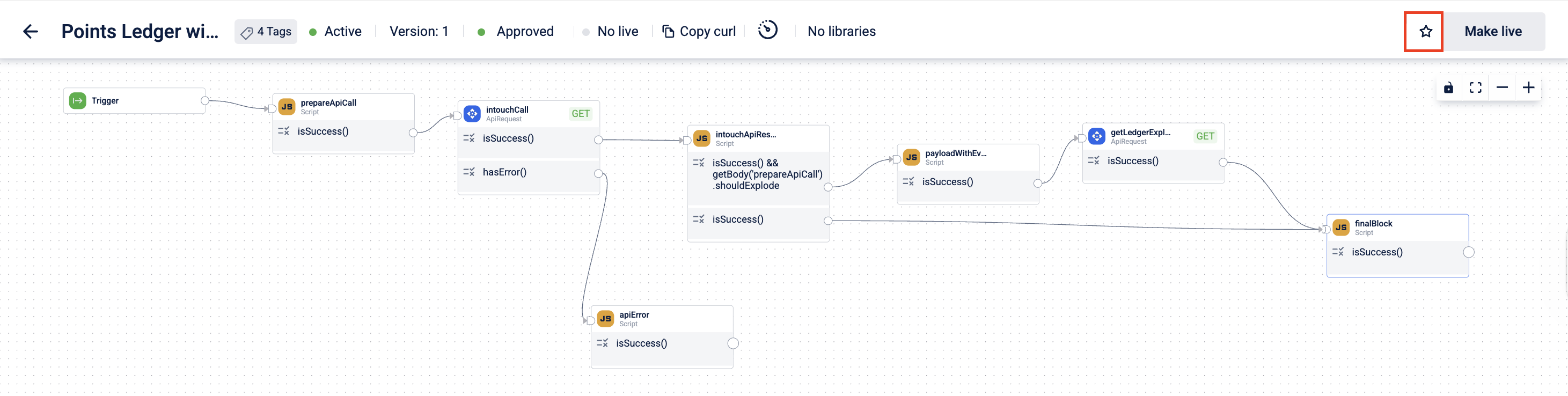
-
From the Target Organization dropdown, select the target organization.
Note: Only organizations that are mapped to the current organization and are of a promotable organization type appear in the list.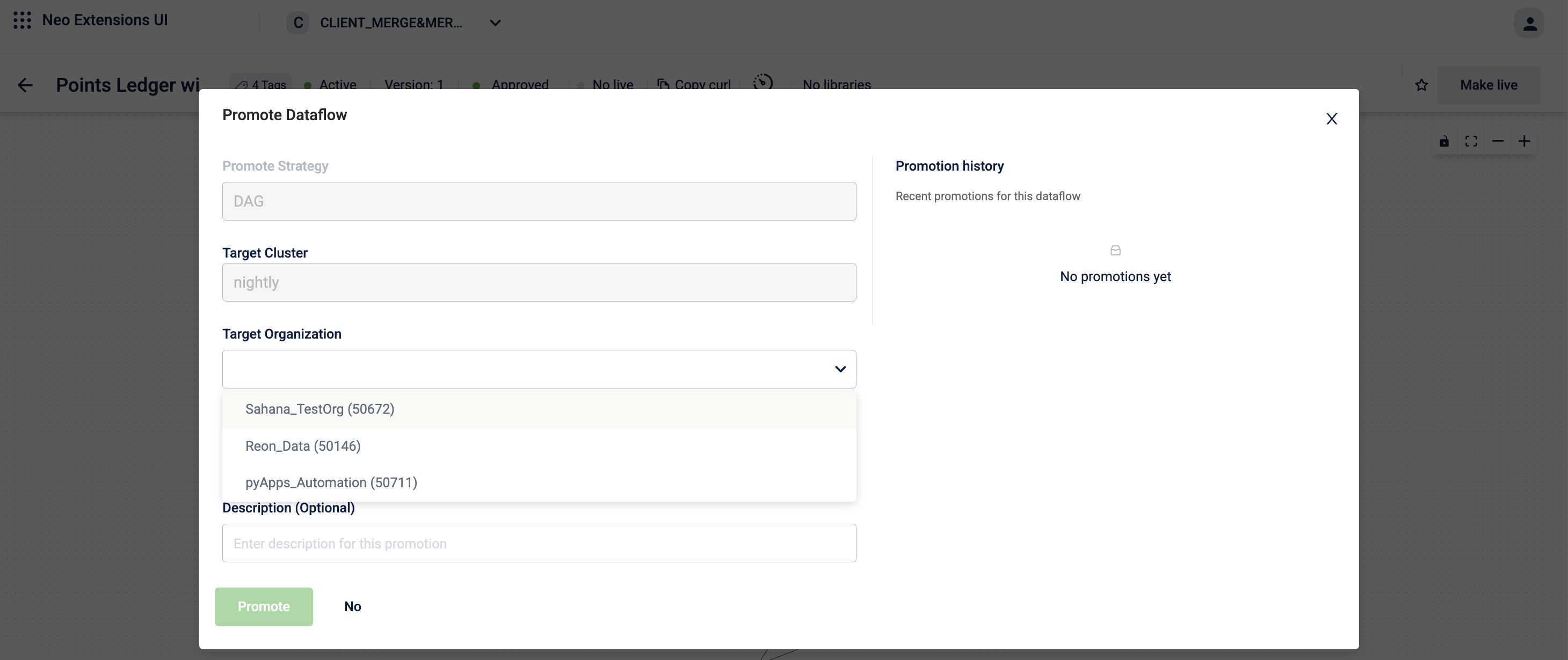
-
From the Target Application dropdown, select the custom application in the target organization where you want to promote the dataflow.
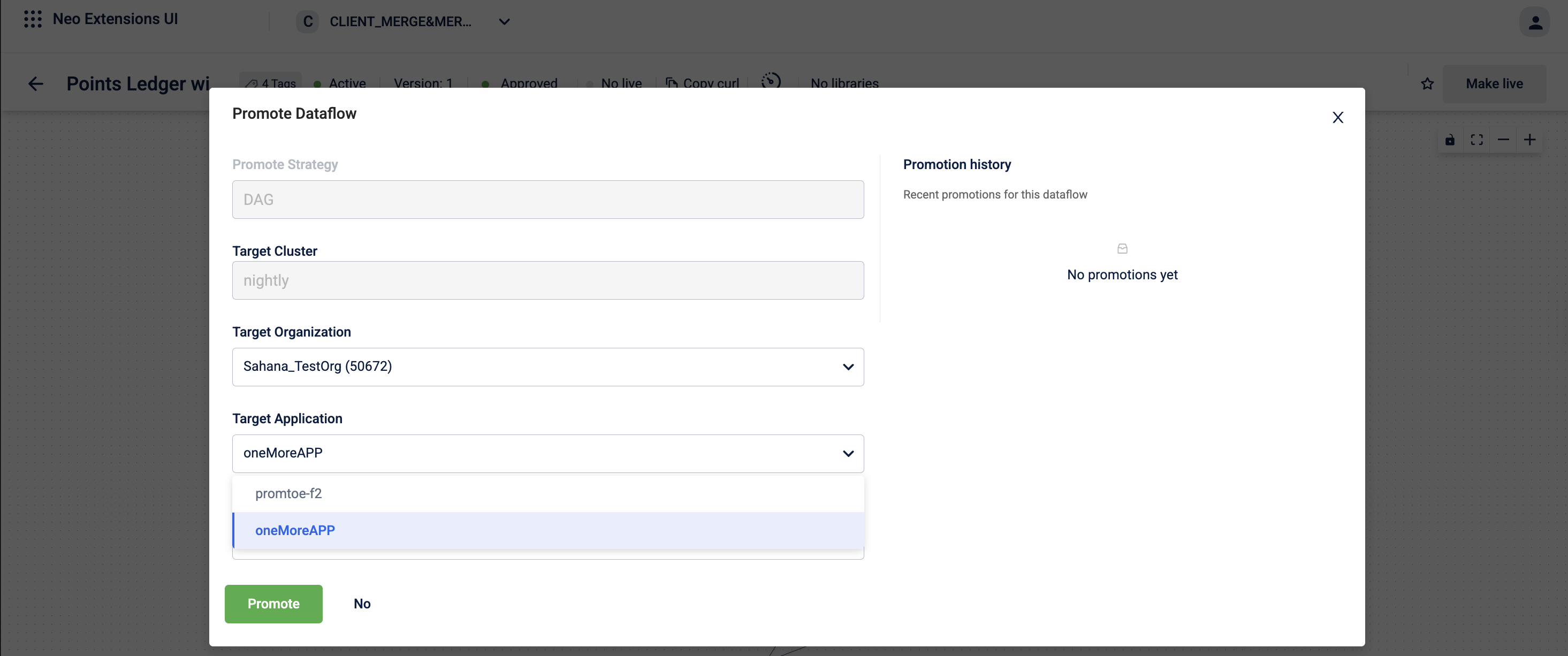
Note: If no custom applications exist in the target organization, this field is empty, and an informational message appears. Create a custom application in the target organization before retrying.
-
Click Promote.
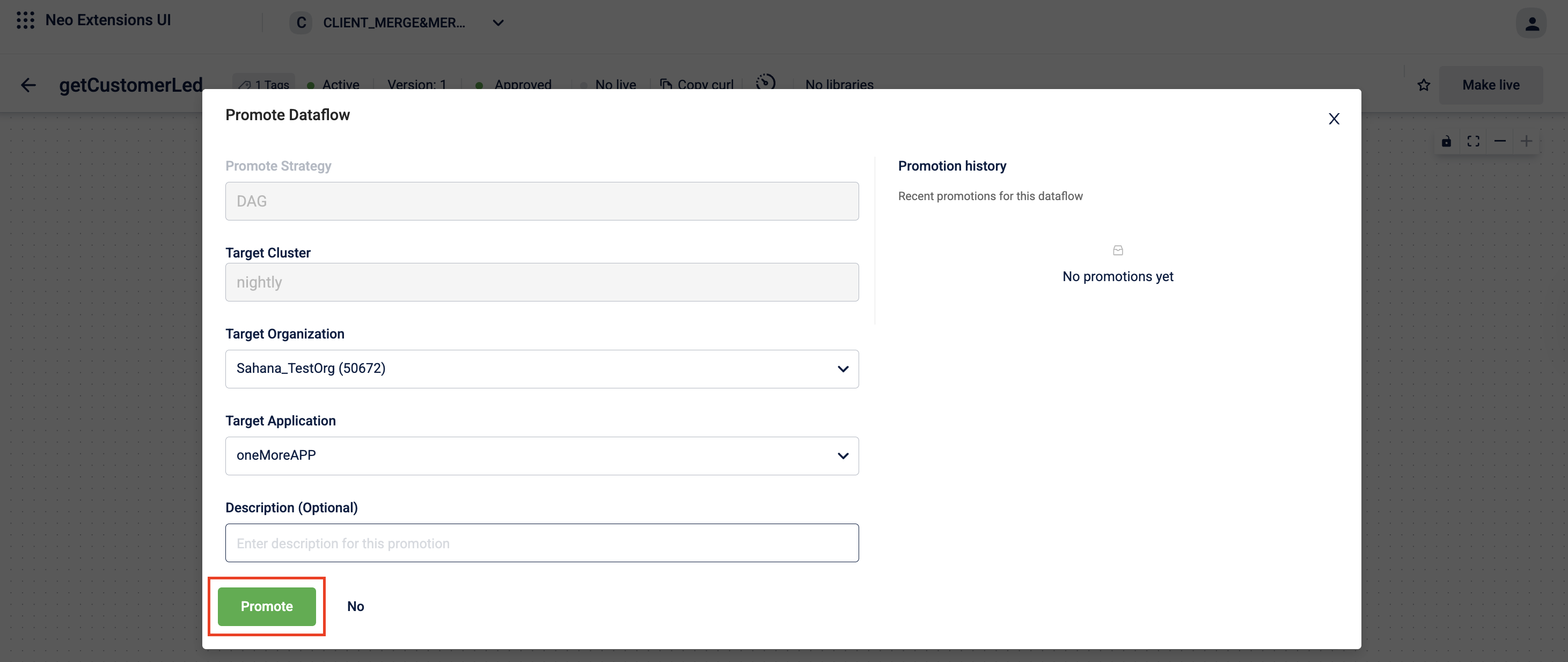
Neo validates the promotion request before proceeding. Validations include:
- The target organization is registered and Neo-enabled.
- The organization type hierarchy permits the promotion.
- The target organization has access to the required module.
- The user has the Neo Promote permission in both organizations.
If all validations pass, the dataflow is promoted. If any validation fails, an error message is displayed describing the issue.
What happens after promotion
-
An Approved version of the dataflow is created in the target organization, under the selected custom application.
-
A Draft version is also created automatically, so the team in the target organization can make further modifications.
-
The promoted dataflow retains the same trigger URL, HTTP method, block structure, block configurations, and headers from the source.
-
The promotion is recorded in the dataflow history, showing the source organization, target organization, and whether the promotion succeeded or failed.
-
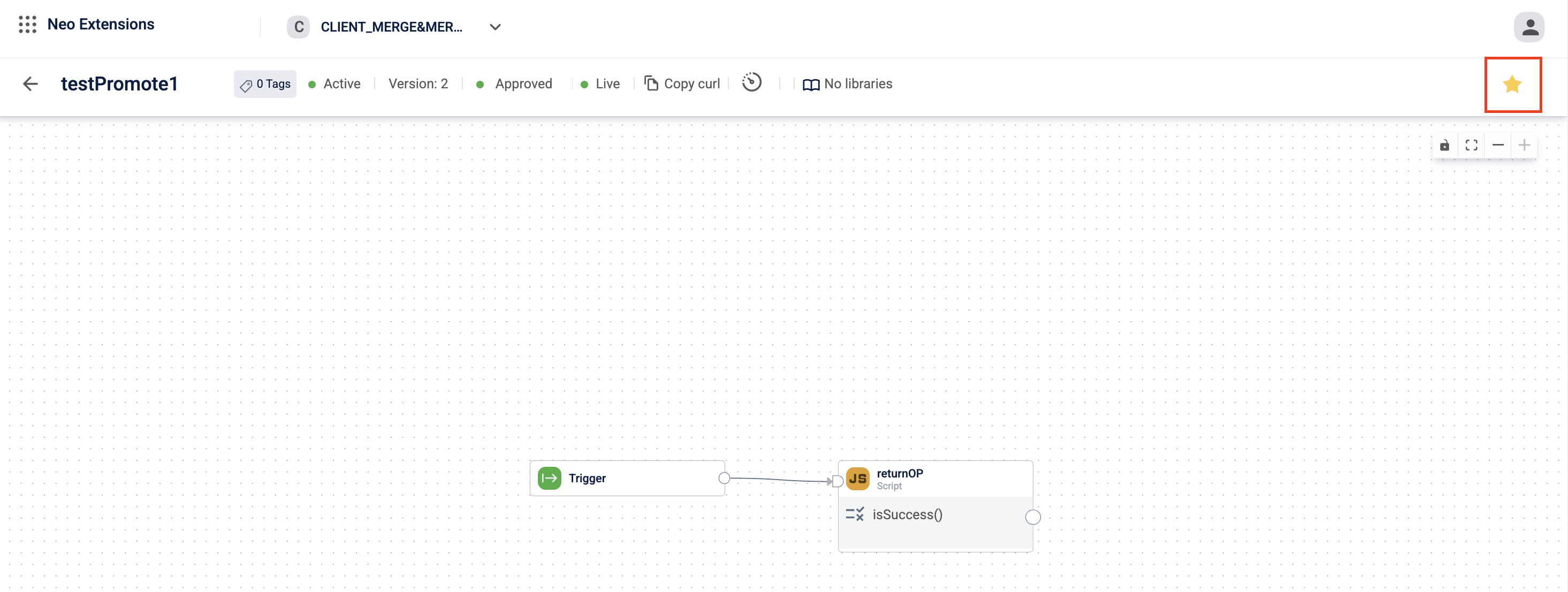
The promote icon on the dataflow canvas turns yellow to indicate that the dataflow has been promoted.
Promotion uniqueness rules
Neo uses the combination of trigger URL and HTTP method to determine how a promoted dataflow maps to an existing dataflow in the target organization.
- If the target organization already contains a dataflow with the same trigger URL and HTTP method, Neo automatically routes the promotion to the application that already contains that dataflow. You cannot select a different application in this case.
- If the trigger URL and method combination is new to the target organization, you can select any custom application as the destination.
- You cannot promote the same version to the same target organization more than once. If a new version is approved, you can promote it again.
- If the trigger URL changes between versions, Neo treats the promoted dataflow as a new dataflow and creates it separately. Promotion history is not tracked across such URL changes.
Promoting multiple times
- A single approved version can be promoted to multiple target organizations, one at a time.
- The same version cannot be promoted to the same organization twice.
- After a new version is approved, it can be promoted to any organization — including organizations that received a previous version.
What is transferred during promotion
| Element | Transferred? |
|---|---|
| Block configurations | ✅ Yes |
| Headers in API Request blocks | ✅ Yes |
| Tags | ❌ No |
Eligible dataflows for promotion
| Dataflow State | Eligible for Promotion? |
|---|---|
| Approved | ✅ Yes |
| Live | ✅ Yes |
| Draft | ❌ No |
| Awaiting approval | ❌ No |
| Rejected | ❌ No |
Supported targets
| Target | Supported? |
|---|---|
| Another organization in the same cluster | ✅ Yes |
| Organization of the same type, example UAT to UAT | ✅ Yes |
| Custom application in the target organization | ✅ Yes |
| Default application in the target organization | ❌ No |
| Middleware application in the target organization | ❌ No |
FAQs
-
Can I promote from SIT to Dev?
No. The hierarchy only allows upward promotion (Dev → SIT → UAT → Prod). Downward promotion is not permitted. Also,
-
What happens if the target organization has no custom applications?
The promotion does not proceed. You must create a custom application in the target organization before retrying.
-
Can I promote to the Default application?
No. Neo requires that you promote to a custom application. This is enforced to encourage organized grouping of dataflows within applications.
-
Is the Promote feature the same as copy-paste in aiRA Coder?
No. See Promote vs. Copy-Paste for a detailed comparison.
-
Can two organizations of the same type promote to each other?
Yes. For example, two UAT organizations or two Prod organizations can promote dataflows to each other using a Sibling relationship.
-
Does a promoted dataflow go live automatically?
No. An approved version and a draft version are created in the target organization. The team in the target organization must review and make the dataflow live manually.
-
What permissions does a user need to promote a dataflow?
The user must have the Neo Promote permission set assigned in both the source and the target organization.
-
Can I promote global dataflows?
Yes, global dataflows are eligible for promotion provided Neo is enabled and the organization is registered.
-
Can I promote a dataflow from one production organization to another?
No, you cannot promote dataflows from production organizations to any other organization.
Updated 4 months ago