
Iris Audience Refresh (FTP) block
The iris_ftp_audience_refresh block refreshes an audience list on Engage+ by triggering the Iris FTP audience reload API. It acts as a destination block in a Connect+ dataflow, calling the iris /v2/audience/ftp/reload endpoint and passing the required organisation and authentication headers to route the request.
When to use this block
Use this block when your dataflow needs to refresh an Engage+ audience list from a file in an FTP location. The block triggers the reload after the file is available, updating the audience list automatically.
Prerequisites
Before configuring this block, make sure you have:
- The audience CSV file is available in the FTP location
- An audience list created in the Engage+ Audience Manager. The audience name must not contain spaces. For example, use
FTP_Testinstead ofFTP Test. - The Capillary organisation identifier (
X_CAP_ORG) - The Capillary API authentication token (
X_CAP_CT). If you do not have a token, enter any string in this field.
Configuration fields
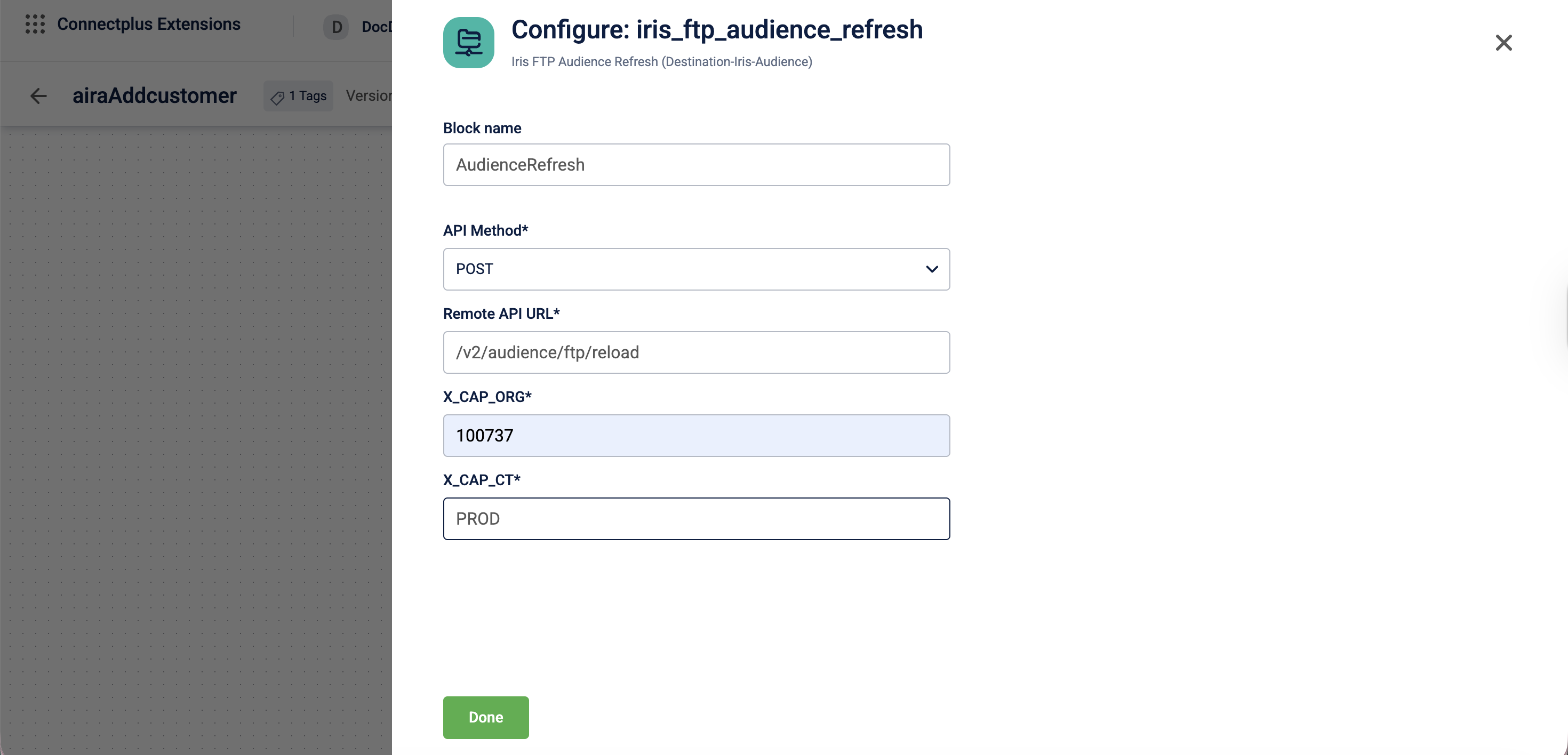
| Field name | Required | Description |
|---|---|---|
| Block name | Yes | A name for the block instance. |
| API Method | Yes | The HTTP method used to call the API. Default value: POST. |
| Remote API URL | Yes | The relative API URL to send the audience refresh request to. Accepted value: /v2/audience/ftp/reload. |
| X_CAP_ORG | Yes | The Capillary organisation identifier passed as a request header. For example, 100458. |
| X_CAP_CT | Yes | The Capillary cluster identifier passed as a request header. |
Updated 3 months ago
Did this page help you?