
Transform Data
Data transformation in Connect+ is the process of converting the ingested data to JSON format. To achieve this, you need to map the fields in the source files to the appropriate API fields in this block. This helps connect+ to convert the data to JSON, call the APIs successfully and upload the data. These fields in this Connect+ block are parameters of the JSON payload of the API associated with the template that you have selected for the dataflow.
Perform the following to map the fields:
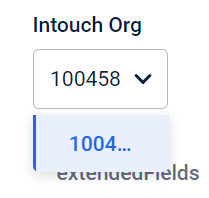
- If the workspace is linked to multiple orgs, select the org ID from the Intouch Org drop-down.
-
In the File Delimiter text box, enter the delimiter used to separate the headings in the source file. By default, the delimiter is set as a comma.
-
Map the API fields with the appropriate columns in the source file. To map, perform the following:
-
If the column header fields were not uploaded or defined, enter the column header name in the File header text box. This is the name of the column header in the source file that will have information for an API field. For example, a column named source can have values for the API field called source. You can also click on Add more headers and can add more headers or add headers using expression.
-
Select the API field name from the API fields drop-down that corresponds to the column header specified in the File header text box. The number of mandatory fields that need to be mapped is displayed next to the parent API field.
-
If required, in the Filter data text box, use expression language and add a filter condition to include or exclude data from the source file. Example: Consider a transaction dataflow that includes a Financial status header with values such as paid, refunded, or not paid. To exclusively process dataflow for transactions that are either paid or not paid, you can use the filter expression
${header_value:equals('paid'):or(${header_value:equals('not paid')})}.
Refer Defining column headers for more information on mapping the API fields.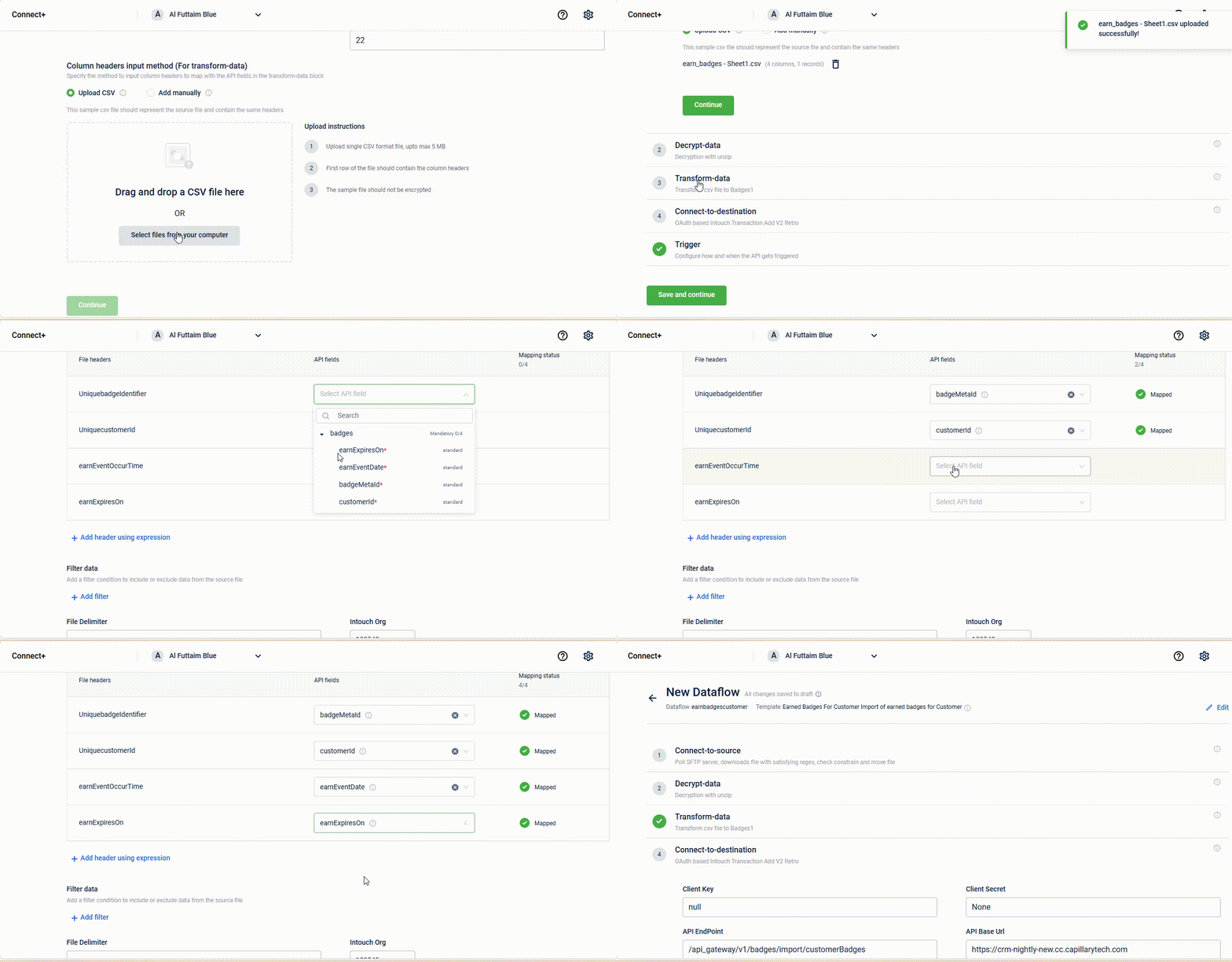
-
Note on switching organizations
When switching organizations (orgId) in Connect+, organization-level custom fields for the transaction entity are not displayed immediately. These custom fields become visible only after all mandatory fields are mapped and the Continue button is clicked during dataflow configuration. As a result, users cannot view or validate transaction-level custom fields until the required field-mapping step is completed, as the system fetches custom field metadata only after this step.
Adding a header using the expression
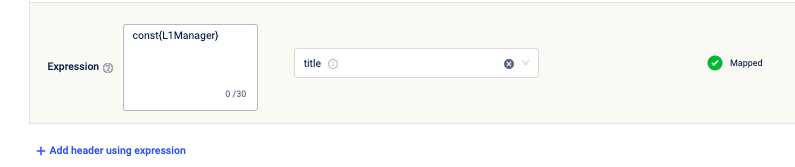
If the value of an API Field is the same for all the customers, you can use const{value}. For example, to categorize loyaltyType as loyalty for all customers, you can enter const{loyalty} against the API field loyaltyType. For more information, refer to the documentation on using expression.
To add a header using an expression,
- Click Add header using expression.
- Enter the expression in the text box.
- From the API field drop-down, select the API field you want to map to the header.
Adding additional header
If you selected Add manually as the Column headers input method (with or without header names) for transforming data in the Connect to source block, you will have the option to add additional headers. You can add the additional header while mapping the fields or editing.
NoteIf you added the header information through the CSV file method, you cannot add additional headers.
Updated 28 days ago