
Overview
Neo supports AI-powered dataflow generation and editing using Aira Coder. This allows you to build workflows simply by describing your use case in natural language. Whether you're creating a new dataflow or updating an existing one, the Aira Coder interprets your intent and generates the necessary dataflow automatically.
You can use Aira Coder to perform the following actions:
-
Create dataflows: Generate a new dataflow by describing what it must accomplish.
-
Modify dataflows: Update an existing dataflow by changing the logic, adding or removing blocks, or reconfiguring block properties.
-
Describe dataflows: Get a clear explanation of how a dataflow works and understand its logical flow.
-
Copy and paste dataflows: Copy-paste a dataflow from one organization to another or across clusters using natural-language prompts.
-
Get documentation assistance: Access help and explanations for Neo concepts, features, and workflows.
The feature is available by default along with Neo.
How it works: Aira Coder processing flow
-
Prompt Enrichment (RAG):
The system enhances your natural language prompt with additional context and examples using Retrieval-Augmented Generation (RAG). -
AI-Generated Draft:
The LLM (Large Language Model) translates your prompt into a draft dataflow with all necessary blocks. -
Validation Layer:
A system-level validator checks for:- Missing or misconfigured blocks
- Empty or incomplete nodes
- Syntax issues in script blocks
-
Auto-Explanation + Preview:
Once validated, the draft dataflow appears in the UI along with a clear, step-by-step explanation of what each block does. -
Interactive Refinement:
You can:- Accept and render the dataflow
- Request changes via a new prompt
- Discard and regenerate
Accessing Aira Coder
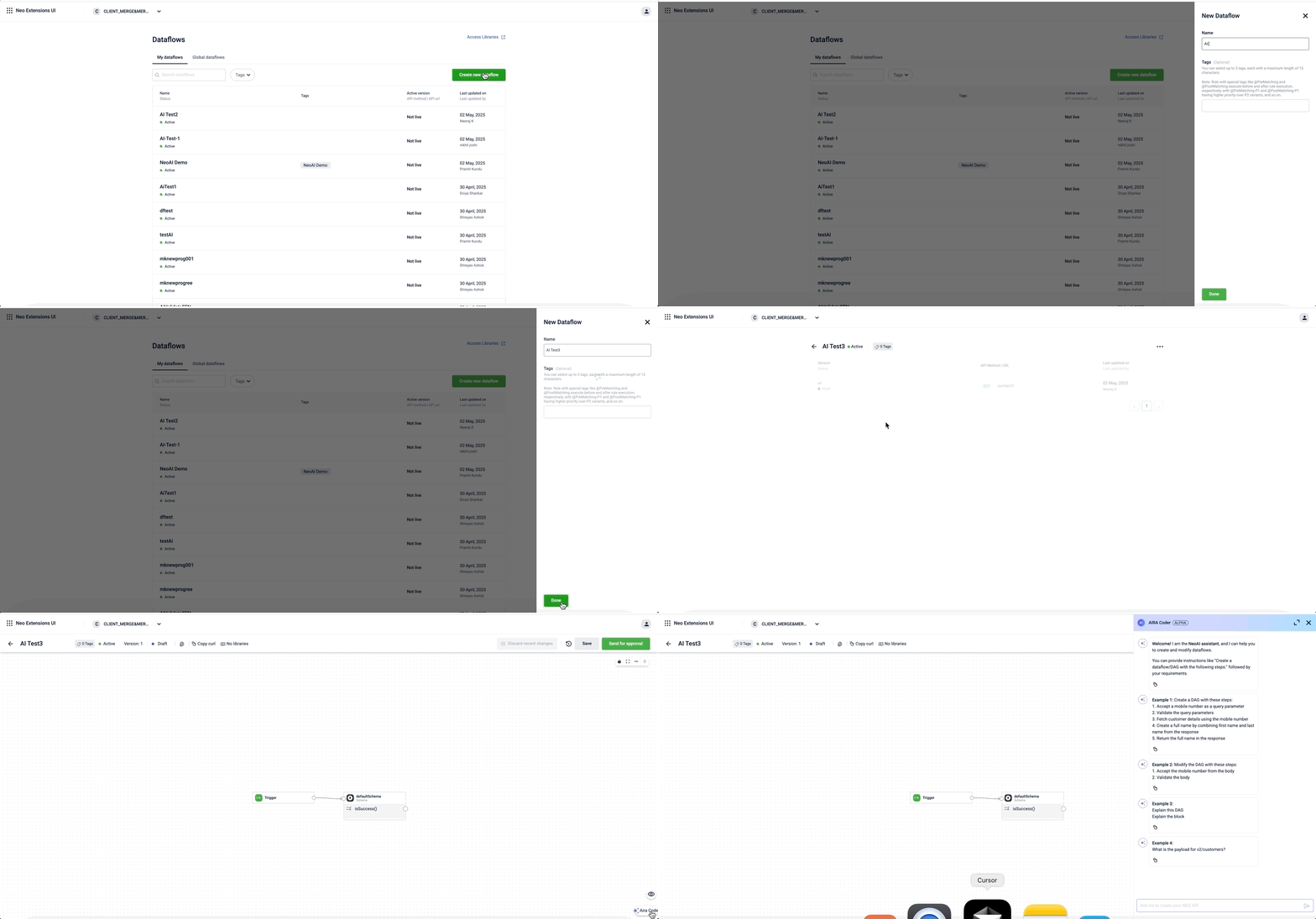
You can access Aira Coder from the Neo UI. To open Aira Coder, follow these steps:
-
Log in to the Neo Extensions UI and create or open a dataflow.
The version listing page opens. -
From the version listing, click on any version.
-
Launch the AIRA Coder by clicking the chat icon in the bottom-right corner.
Updated 5 months ago