
Schedule Trigger
This block enables you to schedule the time at which the dataflow should be triggered.
You can configure the dataflow activity to execute daily, hourly, or on a minute basis.
The minimum triggering interval for the dataflow is set at 5 minutes, meaning that even if a value less than that, such as 1 minute, is entered, the dataflow will still trigger at 5-minute intervals.
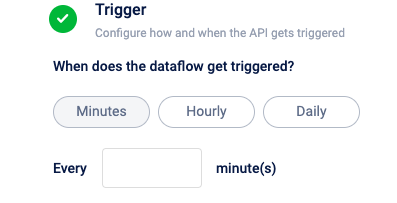
Schedule trigger at specified minutes
Select Minutes to schedule a trigger at specific minute intervals The minimum duration allowed is 5 minutes.
Schedule hourly trigger
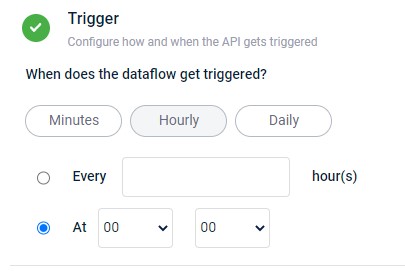
- Select Every hour(s) to schedule the dataflow trigger at regular intervals, such as every 2 hours. Specify the frequency in the "Every ___ hour(s)" field.
- Select At to set a specific time for dataflow execution, such as 13:00. Configure the time using the provided hour and minute drop-down menus.
Schedule daily trigger
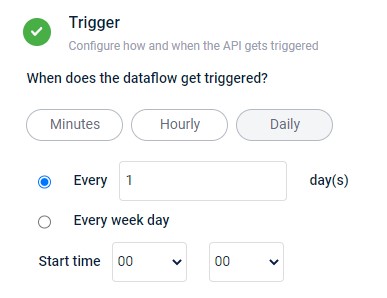
- Select Every day(s) to schedule the dataflow trigger at regular intervals, such as every 2 days. Specify the frequency in the "Every ___ day(s)" field.
- Select Every week day to set a specific time in a week day for dataflow execution, such as 13:00. Configure the time using the provided hour and minute drop-down menus.
Updated 4 months ago
Did this page help you?