
S3 (Write) block
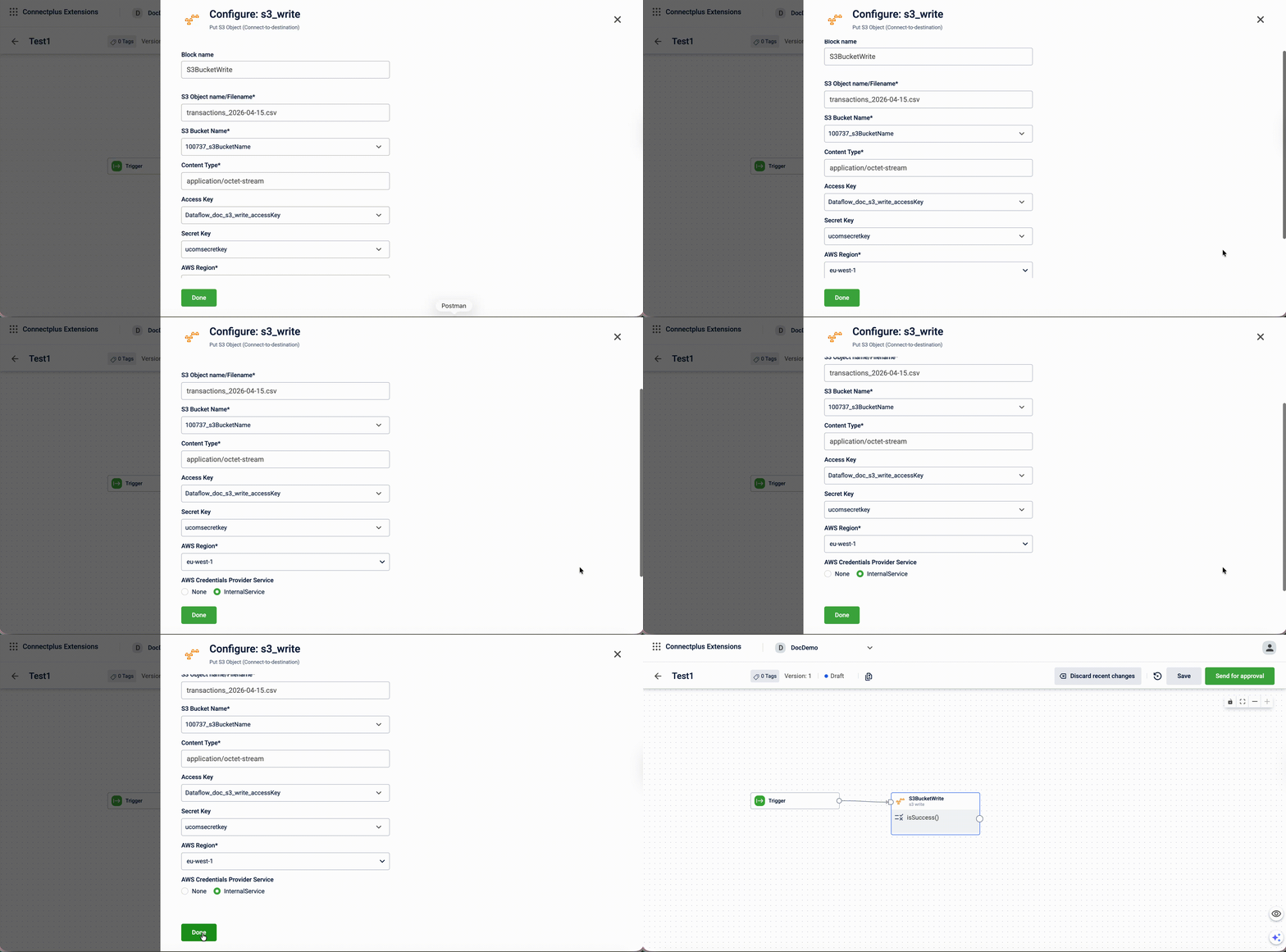
The s3_write block puts an S3 object, writing processed files to a destination Amazon S3 bucket. It acts as the destination block in a Connect+ dataflow, receiving output from upstream blocks and uploading the resulting file to a specified S3 bucket using AWS credentials. The block supports configurable content types, AWS credential-based authentication, and an optional AWS Credentials Provider service for internal authentication.
When to use this block
Use this block when the processed output of your dataflow needs to be stored in an Amazon S3 bucket.
Prerequisites
Before configuring this block, make sure you have:
- AWS access key ID and secret access key with write permissions on the destination bucket
- The destination S3 bucket name and AWS region
Configuration fields
| Field name | Required | Description |
|---|---|---|
| Block name | Yes | A name for the block instance. The name must be alphanumeric. There is no character limit. |
| S3 Object name/Filename | Yes | The name given to the file uploaded to S3. Default value: ${filename}. |
| S3 Bucket Name | Yes | The name of the destination S3 bucket. Select a value from the dropdown. The list shows all values configured in the Extension Configuration section of the Dev Console. Default value: us-east-1. |
| Content Type | Yes | The type of the file being uploaded. Default value: application/octet-stream. |
| Access Key | Yes | The AWS access key ID used to authenticate with the S3 bucket. Select a value from the dropdown. The list shows all values configured in the Extension Configuration section of the Dev Console. |
| Secret Key | Yes | The AWS secret access key used for authentication. Select a value from the dropdown. The list shows configurations marked as secret in the Extension Configuration section of the Dev Console. Note: When creating the configuration in the Extension Configuration section of the Dev Console, Is Secret must be set to make it available in the dropdown. |
| AWS Region | Yes | The AWS region of the destination S3 bucket. |
| AWS Credentials Provider service | Yes | The credentials provider to use for authentication. Select None to use the Access Key and Secret Key, or InternalService to use Capillary's internal credentials provider.For example, when using the campaign bucket, you can skip providing the Access Key and Secret Key, as authentication is handled by Capillary. |
Updated 3 months ago
Did this page help you?