
Kafka (Read) block
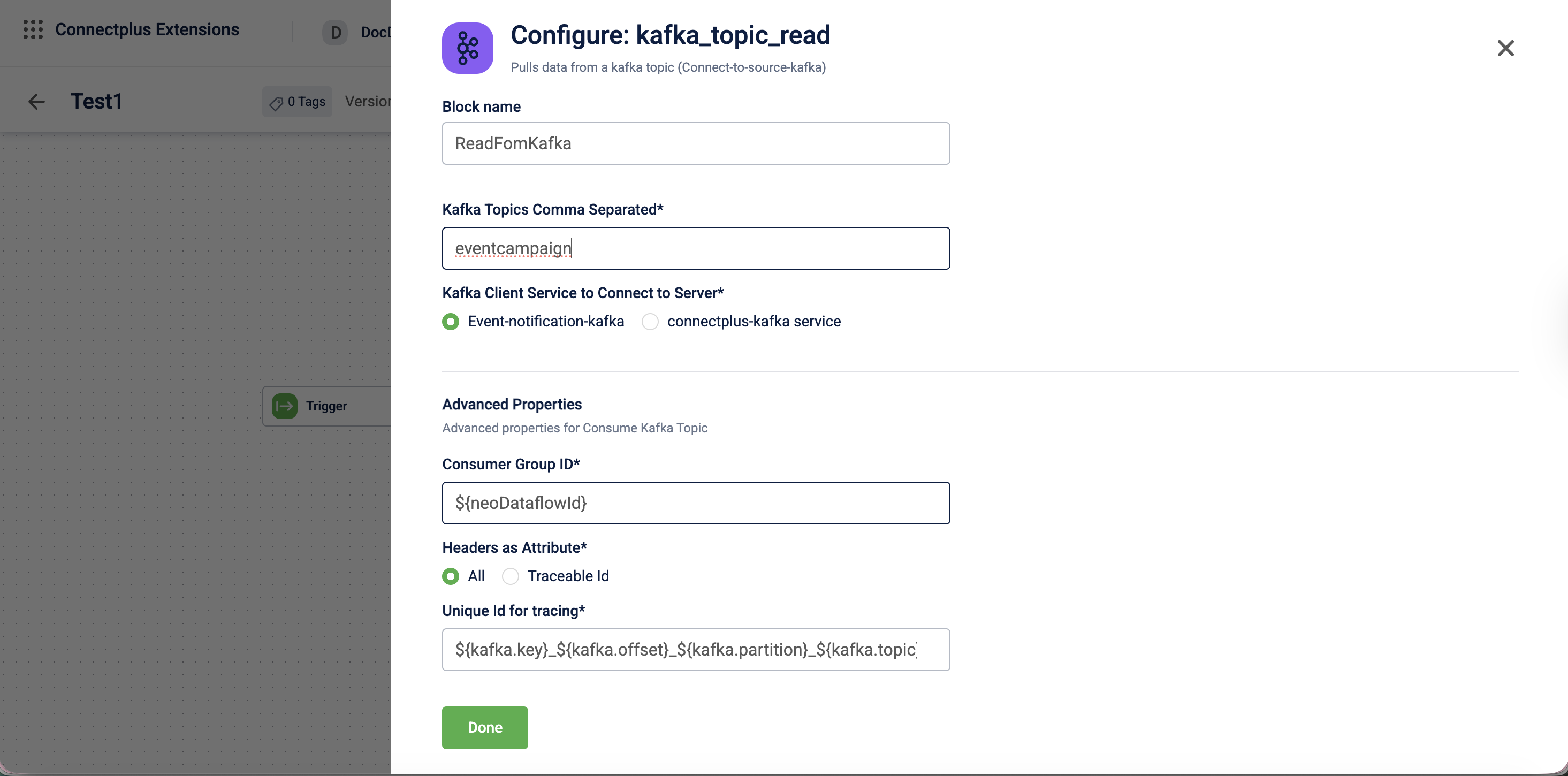
The kafka_topic_read block pulls data from a Kafka topic. It acts as the source block in a Connect+ dataflow, connecting to a Kafka server and consuming messages from one or more predefined topics. The block supports configurable consumer group IDs, header extraction as data attributes for routing and tracking, and a unique ID for end-to-end message tracing across the dataflow.
When to use this block
Use this block when your dataflow sources data from a Kafka topic, such as streaming event data or real-time transaction feeds.
Prerequisites
Before configuring this block, make sure you have:
- The name of the Kafka topic or topics to consume from
- Access to the appropriate Kafka client service
Standard properties
| Field name | Required | Description |
|---|---|---|
| Block name | Yes | A name for the block instance. The name must be alphanumeric. There is no character limit. |
| Kafka topics comma separated | Yes | The Kafka topic names to consume messages from. Enter multiple topics separated by commas. |
| Kafka client service to connect to server | Yes | The Kafka client service used to connect to the server. Select Event-notification-kafka or connectplus-kafka service.Default value: Event-notification-kafka. |
Advanced properties
⚠️ Make changes to advanced properties only if you know what you are doing.
| Field name | Required | Description |
|---|---|---|
| Consumer Group Id | No | The consumer group ID used to identify this block's consumer within the Kafka cluster. If you do not provide a value, the system uses a default value derived from the expression ${neoDataflowId}. |
| Headers as Attribute | No | Specifies which Kafka message headers are extracted as data attributes and made available to downstream blocks. Select All to extract all headers, or Traceable Id to extract only the traceable identifier.Default value: All. |
| Unique Id for tracing | No | The unique identifier used to trace a message through the dataflow. If you do not provide a value, the system uses a default value derived from the expression${kafka.key}_${kafka.offset}_${kafka.partition}_${kafka.topic}. |
Updated 3 months ago
Did this page help you?