
SFTP (Listing) block
This block will be removed in the future releases.
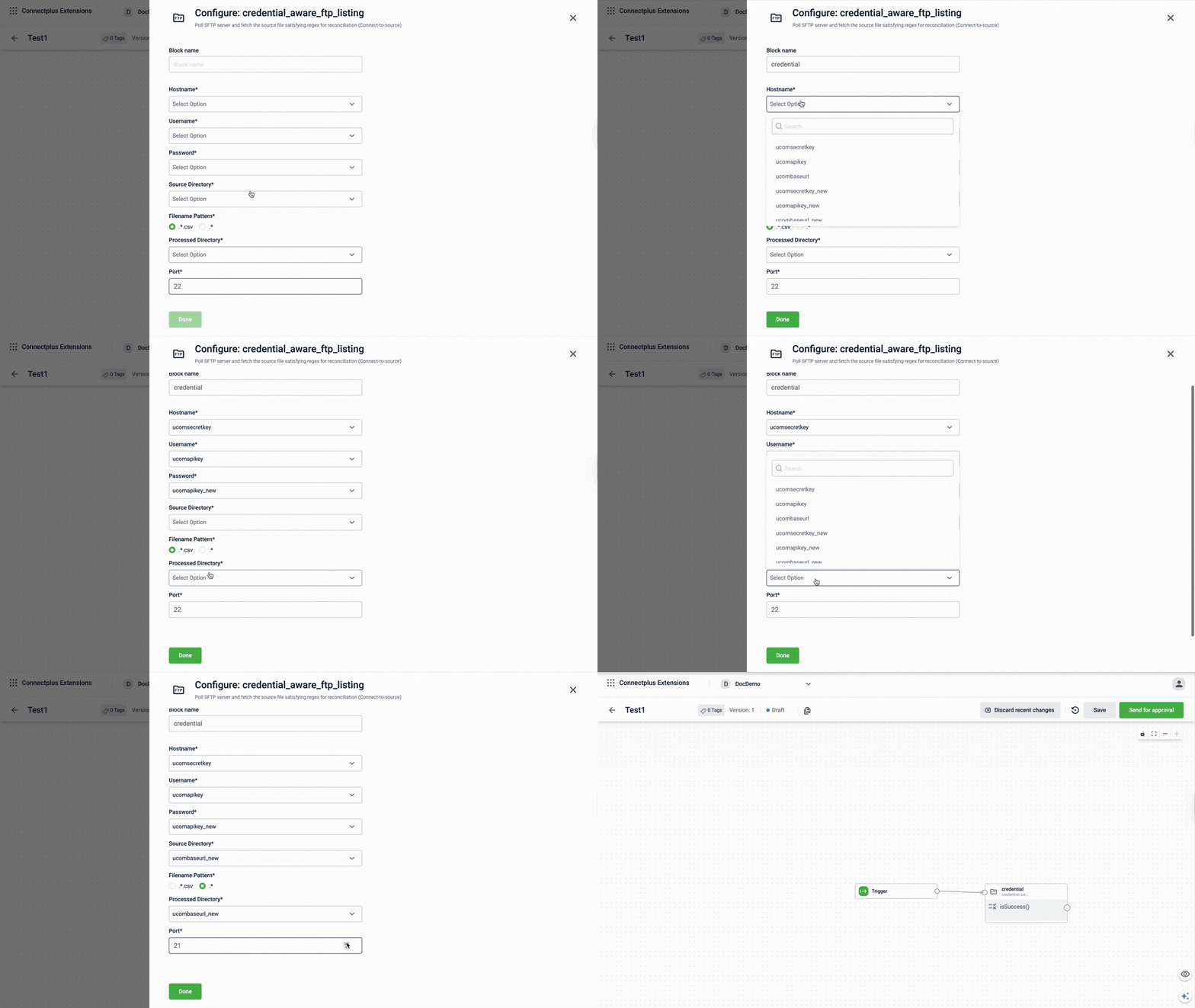
The credential_aware_ftp_listing block polls an SFTP server and fetches source files matching a defined filename pattern as a source block in a Connect+ dataflow. It uses credential-based authentication to connect to the server and moves processed files to a designated directory for reconciliation purposes.
When to use this block
Use this block instead of sftp_read when server credentials are managed centrally and selected from a dropdown rather than entered manually. It is commonly used in reconciliation dataflows.
Prerequisites
Before configuring this block, make sure you have:
- SFTP server credentials already registered in Connect+
- A source directory and a processed directory on the SFTP server
Configuration fields
| Field name | Required | Description |
|---|---|---|
| Block name | No | A name for the block instance. The name must be alphanumeric. There is no character limit. |
| Hostname | Yes | The hostname of the SFTP server to connect to. Select the hostname from the dropdown. The list shows all values configured in the Extension Configuration section of the Dev Console. For example: data.capillarydata.com. |
| Username | Yes | The username used to authenticate with the SFTP server. Select the username from the dropdown. The list shows all values configured in the Extension Configuration section of the Dev Console. For example: sftp_user. |
| Password | Yes | The password used to authenticate with the SFTP server. Select the password from the dropdown. The list shows configurations marked as secret in the Extension Configuration section of the Dev Console. For example, sftp_password. Note: When creating a password configuration in the Extension Configuration section of the Dev Console, set Is Secret to make it available in the dropdown. |
| Source Directory | Yes | The directory path on the SFTP server where the source files are located. Select the source directory from the dropdown. The list shows all values configured in the Extension Configuration section of the Dev Console. For example, /APAC2Cluster/A_Connect. |
| Filename Pattern | Yes | The regex pattern used to match source files on the SFTP server. Select *.csv or .*.Default value: *.csv. |
| Processed Directory | Yes | The directory path on the SFTP server where processed files are moved after download. Select the processed directory from the dropdown. The list shows all values configured in the Extension Configuration section of the Dev Console. For example, /APAC2Cluster/A_Connect. |
| Port | Yes | The port number used to connect to the SFTP server. Default value: 22. |
Updated 3 months ago
Did this page help you?