
Hashing (CSV) block
The hash_csv_columns block hashes CSV data cell by cell using a specified hashing algorithm as a transformation block in a Connect+ dataflow. It applies one-way hashing to designated column headers in the source file, enabling data anonymisation or masking before the data is passed to downstream blocks.
When to use this block
Use this block when you need to anonymise or mask personally identifiable information (PII) — such as email addresses or mobile numbers — before the data is delivered to its destination.
Prerequisites
Before configuring this block, make sure you have:
- Identified the column headers that contain data to be hashed
- Selected the hashing algorithm appropriate for your security requirements
Configuration fields
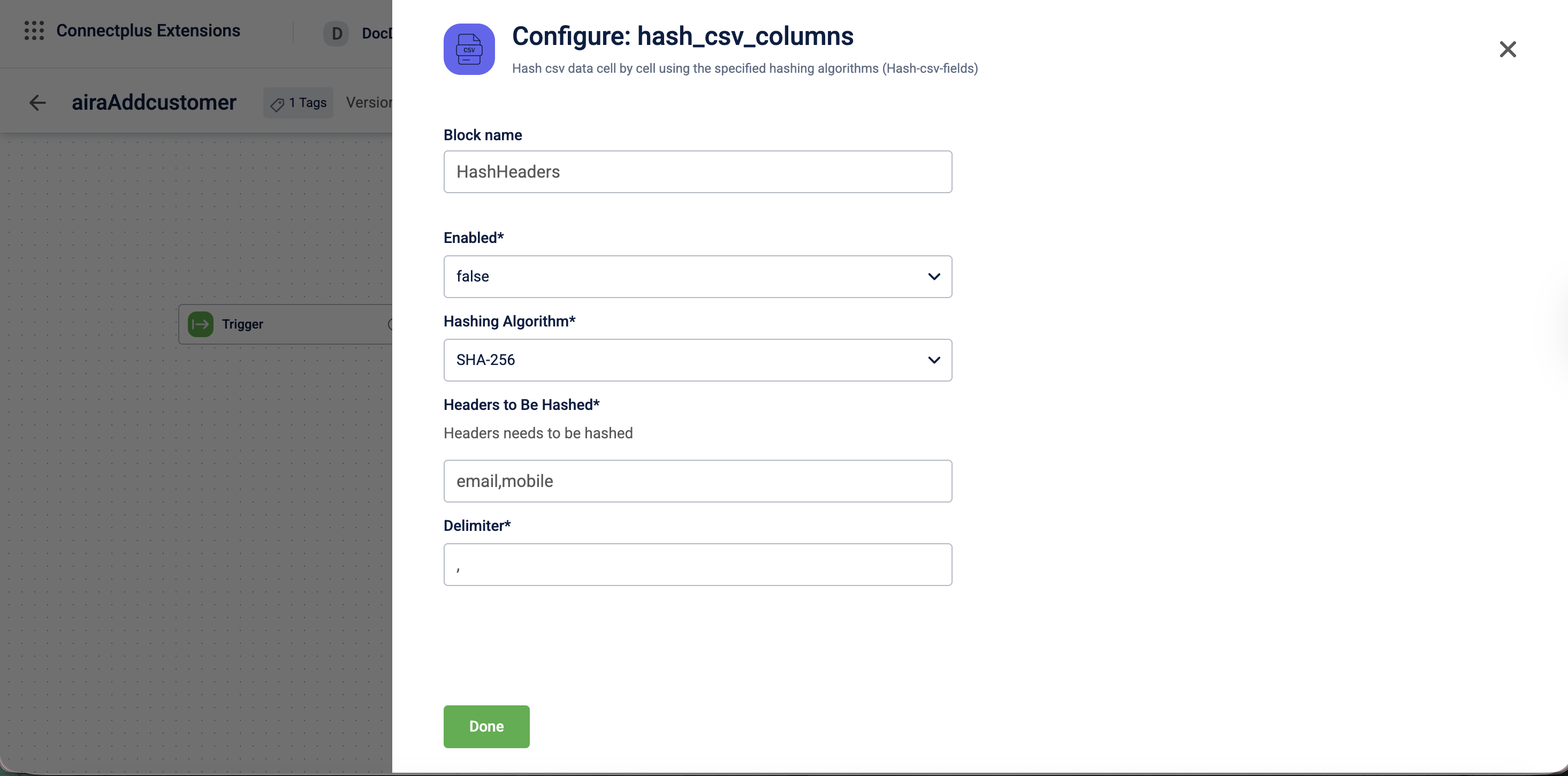
| Field name | Required | Description |
|---|---|---|
| Block name | No | A name for the block instance. The name must be alphanumeric. There is no character limit. |
| Enabled | Yes | Determines whether hashing is applied. Select true or false from the dropdown.Default value: false. |
| Hashing Algorithm | Yes | The algorithm used to hash the CSV column data. Select SHA-256, SHA-512, MD5, SHA-1, or RIPEMD-160 from the dropdown.Default value: SHA-256. |
| HeadersToBeHashed | Yes | The column headers to be hashed, entered as a comma-separated list. For example, email,mobile. |
| Delimiter | Yes | The delimiter used to separate fields in the CSV file. Default value: ,. |
Updated 3 months ago
Did this page help you?