
Kafka Event (Write) block
This block will be deprecated in future releases.
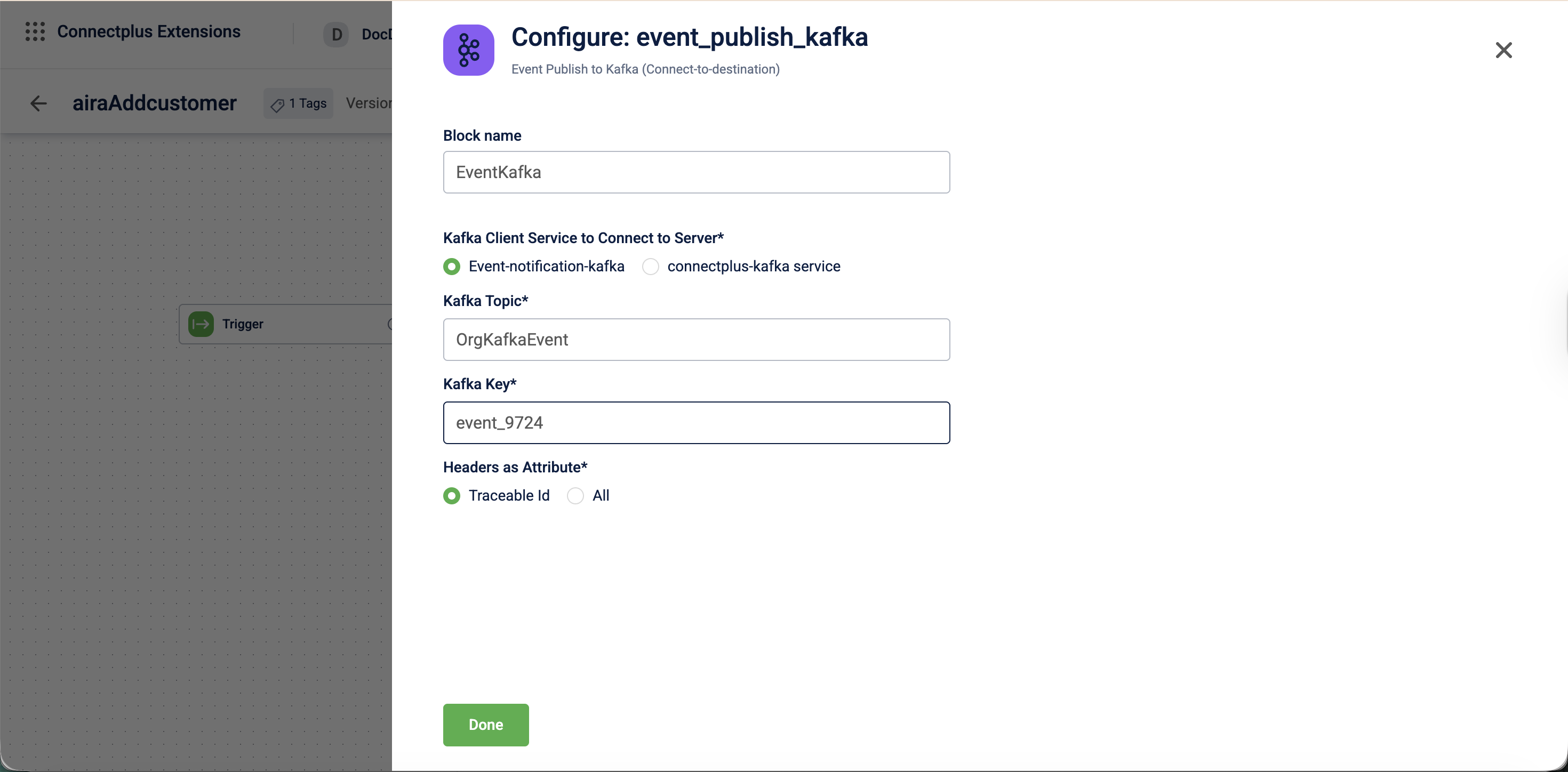
The event_publish_kafka block publishes data to a Kafka topic. It acts as a destination block in a Connect+ dataflow, connecting to a specified Kafka service and writing data to a defined topic using a configured key. It also forwards header attributes to downstream consumers for traceability.
When to use this block
Use this block when your dataflow writes output messages to a Kafka topic as its final step. For example, forward processed records to a downstream Kafka-based system.
Select the Kafka service based on your use case:
- Use
Event-notification-kafkawhen publishing event notification data. - Use
connectplus-kafkawhen publishing to a custom topic created in Neo.
Prerequisites
Before configuring this block, make sure you have:
- The name of the target Kafka topic
- Access to the
Event-notification-kafkaorconnectplus-kafkaservice - The Kafka key format for partitioning messages.
Configuration fields
| Field name | Required | Description |
|---|---|---|
| Block name | No | A name for the block instance. The name must be alphanumeric. There is no character limit. |
| Kafka client service to connect to server | Yes | The Kafka service used to connect to the server. Select Event-notification-kafka or connectplus-kafka service.Default value: Event-notification-kafka. |
| Kafka topic | Yes | The name of the Kafka topic to publish events to. For example, transactionAdded. |
| Kafka key | Yes | The key used when publishing messages to the Kafka topic. For example, ${customerId}. |
| Headers as Attribute | Yes | Determines which headers are forwarded as attributes to the Kafka message. Select Traceable Id or All.Default value: Traceable Id. |
Updated 3 months ago
Did this page help you?