
Classify Data as PSI and PII
This document explains what PSI and PII mean, why both are required, how Capillary uses them to meet access control and data protection requirements, and how to classify data as PSI and PII.
What is PII (Personally Identifiable Information)
PII refers to data that can directly or indirectly identify an individual. This data is subject to privacy regulations such as GDPR and CCPA.
Typical examples
- Name
- Mobile number
- Email address
- External customer ID
- Any identifier that uniquely links data to a person
What is PSI (Potentially Sensitive Information)
PSI refers to data that is sensitive in nature and must be protected from unauthorised access. This data may not always be legally classified as PII, but exposure can still create privacy or security risks.
Typical examples
- Health-related attributes (for example, blood group, smoking habit)
- Lifestyle or behavioural attributes
- Financial or demographic attributes that require restricted visibility
Capillary uses PSI to enforce access control and data masking, and PII to support data deletion and regulatory compliance.
The table below shows how different data types are treated by default and where configuration is allowed.
| Field type | PII (Deletion & compliance) | PSI (Masking & access control) |
|---|---|---|
| First name | Always PII | Always PSI |
| Last name | Always PII | Always PSI |
| Mobile number | Always PII | Always PSI |
| Email address | Always PII | Always PSI |
| External ID | Always PII | Never PSI (always visible) |
| V2 profile identifiers | Always PII | Always PSI |
| Communication channels | Always PII | Always PSI |
| Payment attributes | Configurable | Never PSI (always visible) |
| Extended fields | Customer-level only (configurable) | Customer-level only (configurable) |
| Custom fields | Customer-and card-level (configurable) | Customer-level only (configurable) |
| Behavioural event attributes | Not treated as PII | Configurable |
Notes and clarifications
-
Always PII means the field is automatically included in deletion and compliance workflows.
-
Always PSI means the field is masked unless the user or API client has PSI access.
-
Configurable means you explicitly decide whether the field should be treated as PSI or PII.
-
External ID is never masked to ensure system traceability and integration stability.
-
Behavioural event attributes can be masked (PSI) but are not considered PII by default.
Note: PSI and PII marking in connected organisations
In a Connected Organisation setup, PSI and PII behaviour depends on where the field is defined.
Extended fields
- Extended fields defined at the parent organisation are inherited by all child organisations.
- PSI or PII marking applied at the parent level applies automatically across all connected child organisations.
- Child organisations cannot override PSI or PII settings for parent-level extended fields.
Custom fields
- Custom fields follow organisation-specific ownership.
- PSI and PII marking applies only within the organisation where the custom field is created.
Behaviour:
-
Parent-level custom fields
- PSI/PII marking applies only at the parent organisation.
- Child organisations cannot modify or override these settings.
-
Child-level custom fields
- PSI/PII marking applies only within that specific child organisation.
- Other child organisations and the parent organisation are not affected.
The document below explains how you can:
- Classify custom fields and extended fields as PSI/PII
- Payment attributes as PII
- Behavioural event attributes as PSI
Classifying custom & extended fields as PII/PSI
To classify a custom field or extended field as PSI/PII, perform the following:
-
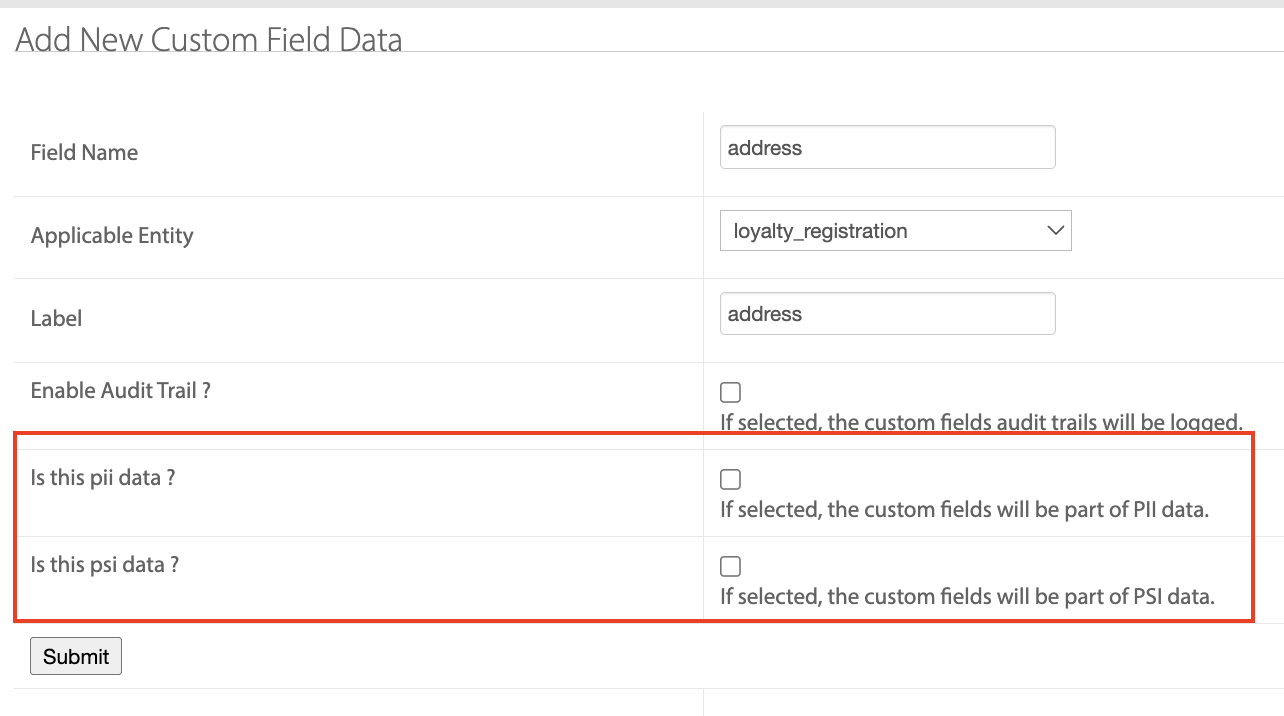
Navigate to Organisation settings > Data model>Custom fields/Extended fields.
-
Edit the custom field or extended field.
-
Select the Is this pii data ? or Is this psi data ? checkbox as required.
-
Click Submit.
The selected fields are marked as PSI/PII.
Classifying payment attributes as PII
If you want to include payment attributes as part of the PII data, perform the following:
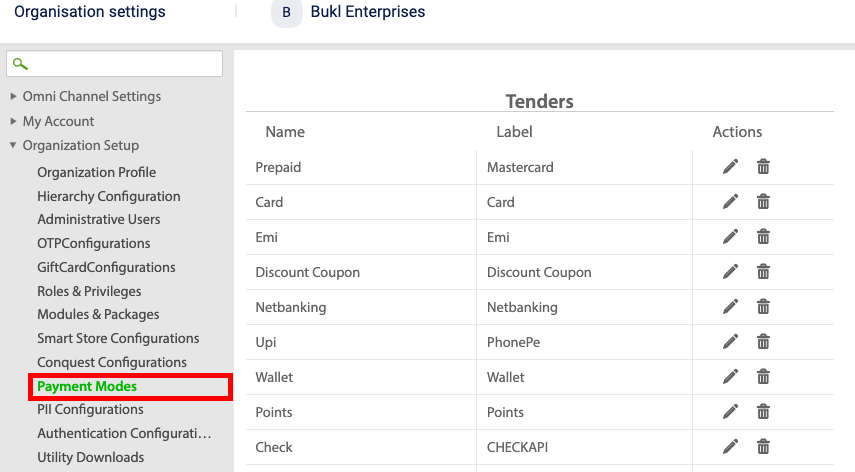
- From the Organisation settings, navigate to Organisation set up > Payment modes > Tenders.
-
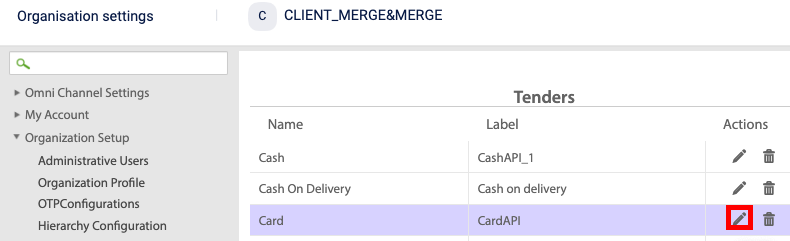
Select the desired tender and click the edit icon.
-
Select the desired attribute that needs to be part of the PII data and click the edit icon.
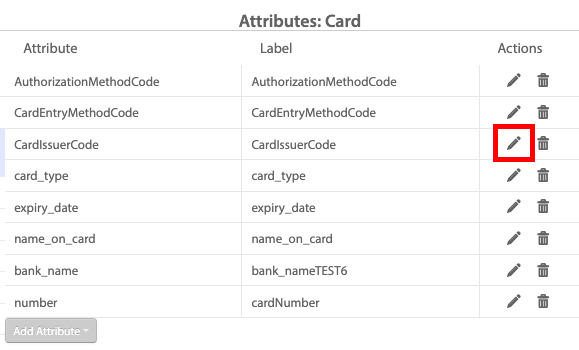
- Click the attributes value icon.
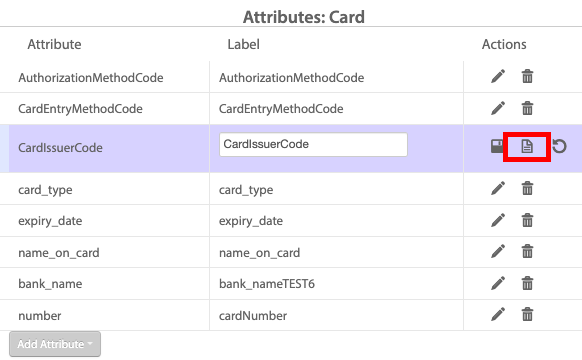
- From the Selection drop-down, select the desired unit.
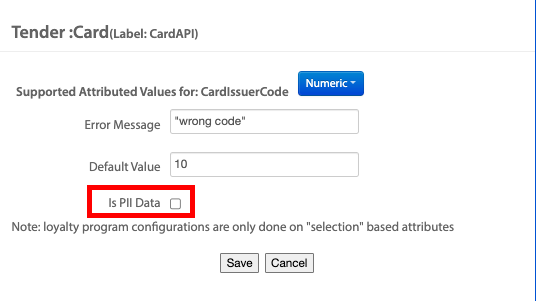
- Select the Is PII Data check box.
- Click Save.
Classifying behavioural event attributes as PSI
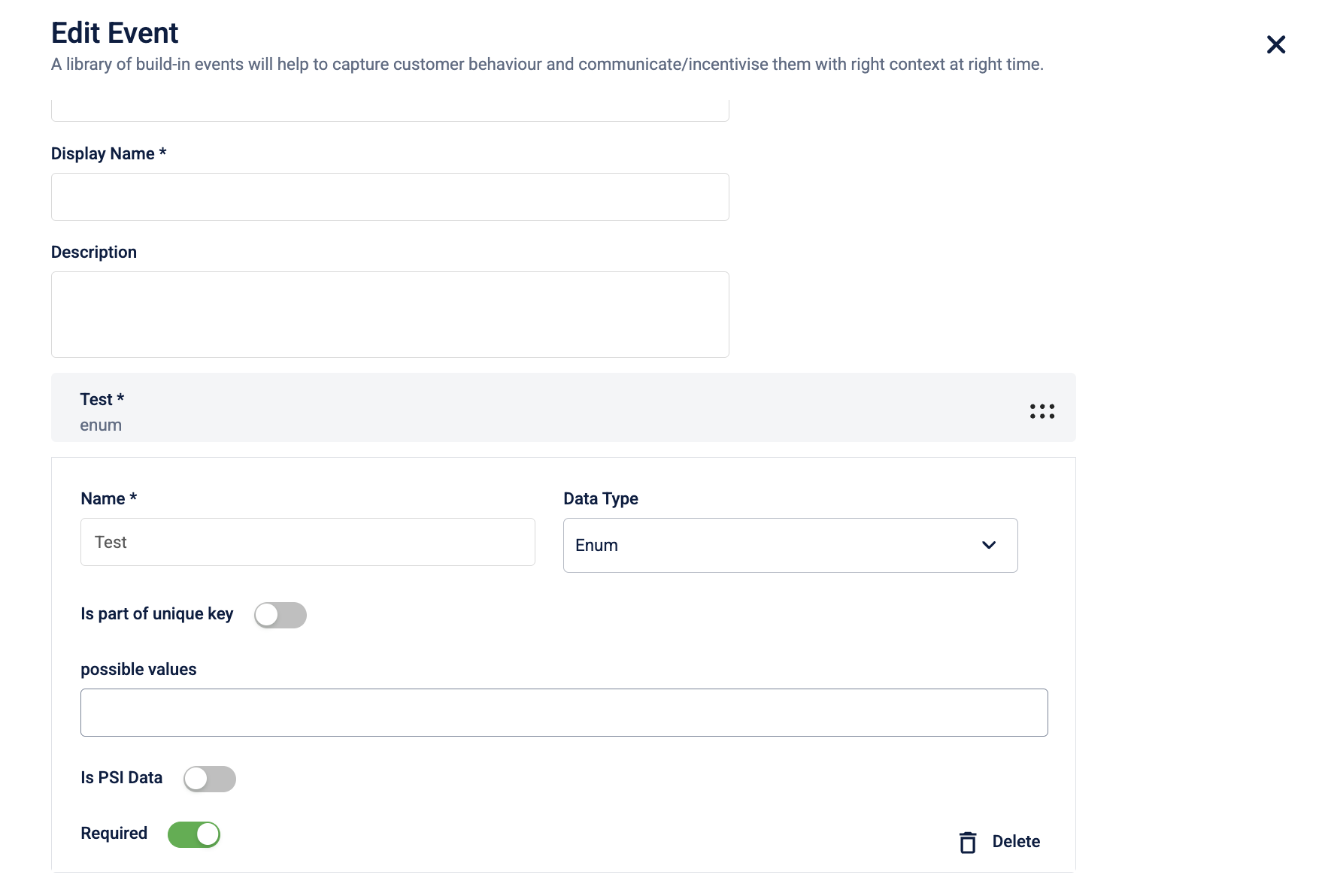
You can mark behavioural event attributes as PSI when creating or editing a behavioural event.
When you add an attribute to an event, select the PSI option to mark it as sensitive.
Updated 6 months ago