
Kafka (Write) block
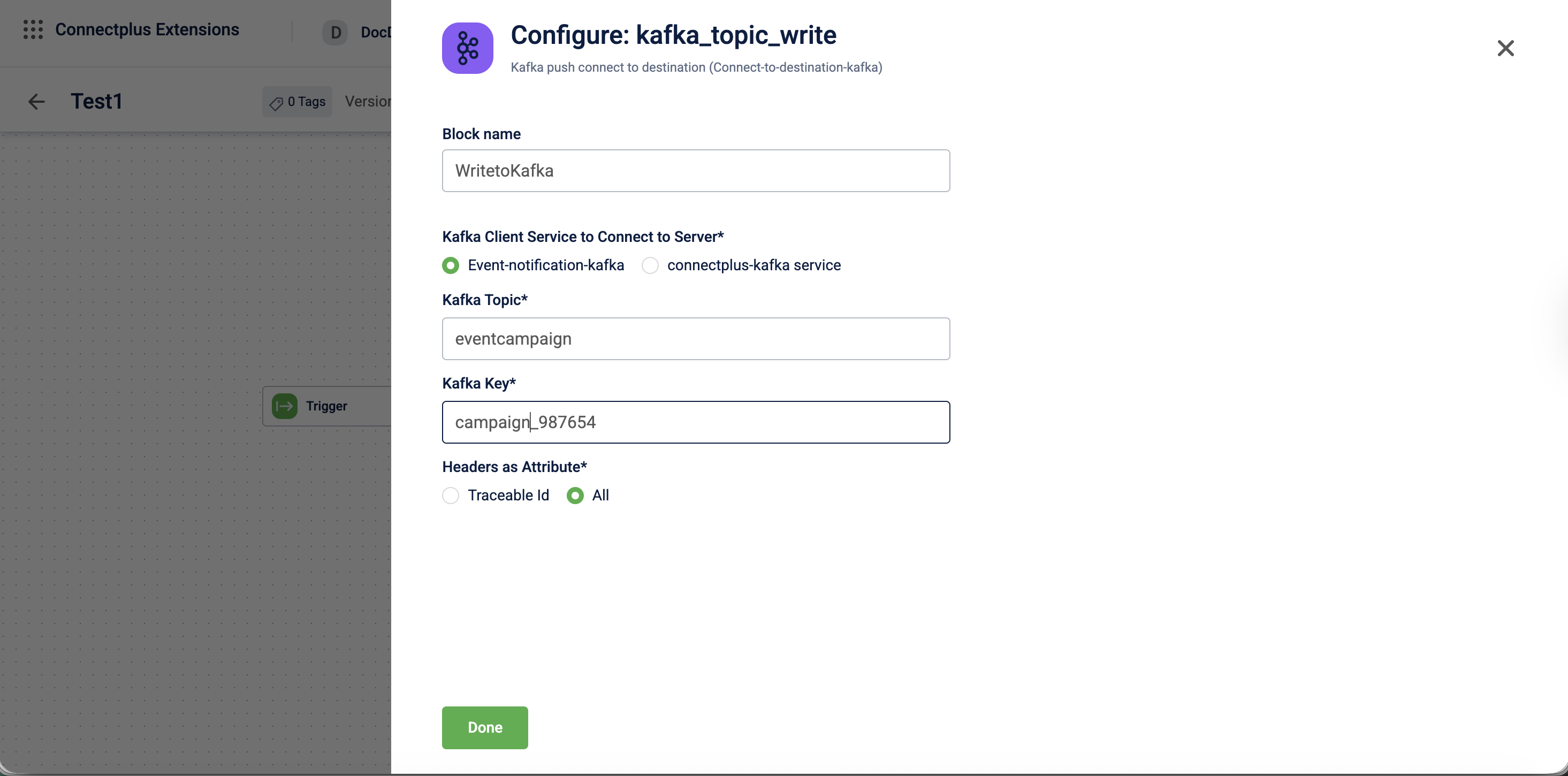
The kafka_topic_write block pushes data to a Kafka topic. It acts as the destination block in a Connect+ dataflow, receiving processed data from upstream blocks and publishing it as messages to a specified Kafka topic. The block supports configurable Kafka client services, a message key for partitioning and identifying events within a topic, and header extraction as data attributes for routing and tracking downstream.
When to use this block
Use this block when your dataflow writes output messages to a Kafka topic as its final step. For example, forward processed records to a downstream Kafka-based system.
Prerequisites
Before configuring this block, ensure you have:
- The name of the target Kafka topic
- Access to the
Event-notification-kafkaorconnectplus-kafkaservice - The Kafka key format for partitioning messages
Configuration fields
| Field name | Required | Description |
|---|---|---|
| Block name | No | A name for the block instance. The name should be alphanumeric, and there is no limit on the number of characters. |
| Kafka client service to connect to server | Yes | The Kafka client service used to connect to the server. Use Event-notification-kafka when publishing event notification data.Use connectplus-kafka service when publishing to a custom topic created in Neo.Default value: Event-notification-kafka. |
| Kafka topic | Yes | The name of the Kafka topic to which messages are published. |For example, transactions_topic. |
| Kafka key | Yes | A user-defined key that identifies each message within the topic and helps partition related events. For example, ${customerId}. |
| Headers as Attribute | Yes | Specifies which Kafka message headers are extracted as data attributes and made available to downstream blocks. Select Traceable Id to extract only the traceable identifier, or All to extract all headers.Default value: Traceable Id. |
Updated 3 months ago
Did this page help you?