
SFTP (Write) block
The sftp_write block writes output files to a destination SFTP server with optional compression. In a Connect+ dataflow, it serves as the Connect to Destination block, receiving processed data from upstream blocks and writing it to a remote path on the destination server.
When to use this block
Use this block when the processed output of your dataflow needs to be pushed to a remote SFTP server.
Prerequisites
Before configuring this block, make sure you have:
- Destination SFTP hostname, username, and password configured in the Extensions Configuration
- A remote directory path on the destination server configured in the Extensions Configuration
Standard properties
| Field name | Required | Description |
|---|---|---|
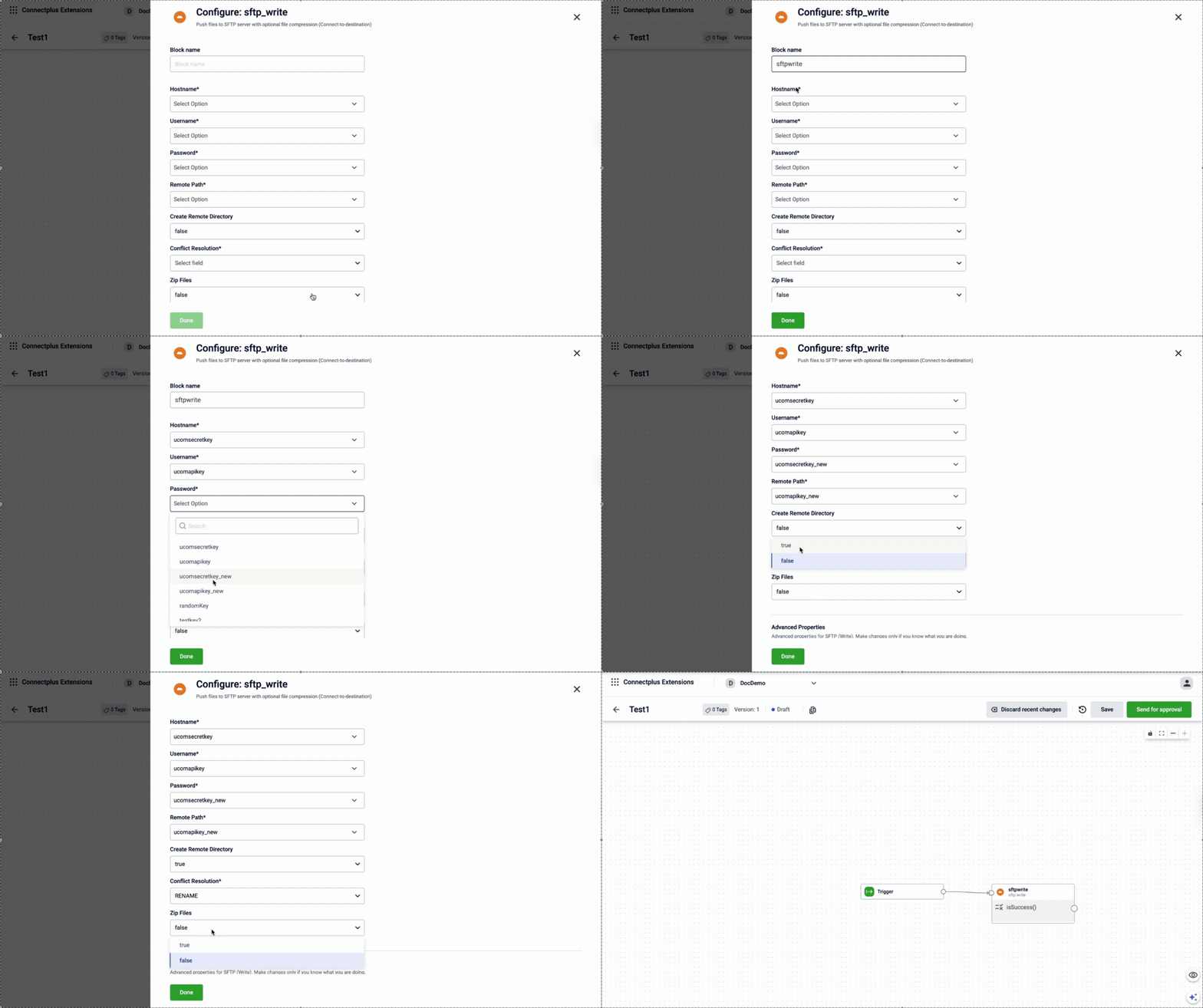
| Block name | Yes | A name for the block instance. The name must be alphanumeric. There is no character limit. |
| Hostname | Yes | The SFTP hostname of the destination server. Select a value from the dropdown. The list shows all values configured in the Extension Configuration section of the Dev Console. For example, data.capillarydata.com. |
| Username | Yes | The SFTP username for server authentication. Select a value from the dropdown. The list shows all values configured in the Extension Configuration section of the Dev Console. For example, sftp_user. |
| Password | Yes | The SFTP password for server authentication. Note: When creating a password configuration in the Extension Configuration section of the Dev Console, set |
| Remote Path | Yes | The directory path on the destination server where the file is transferred. Select a value from the dropdown. The list shows all values configured in the Extension Configuration section of the Dev Console. For example, /APAC2Cluster/A_Connect. |
| Create Remote Directory | Yes | Creates the remote directory if it does not already exist at the destination. Select true to enable or false to disable.Default value: false. |
| Conflict Resolution | Yes | Specifies how to handle a naming conflict when a file with the same name already exists at the destination path. For example, Replace. |
| Zip Files | Yes | Compresses the output file before pushing it to the destination server. Select true to enable or false to disable.Default value: false. |
Advanced properties
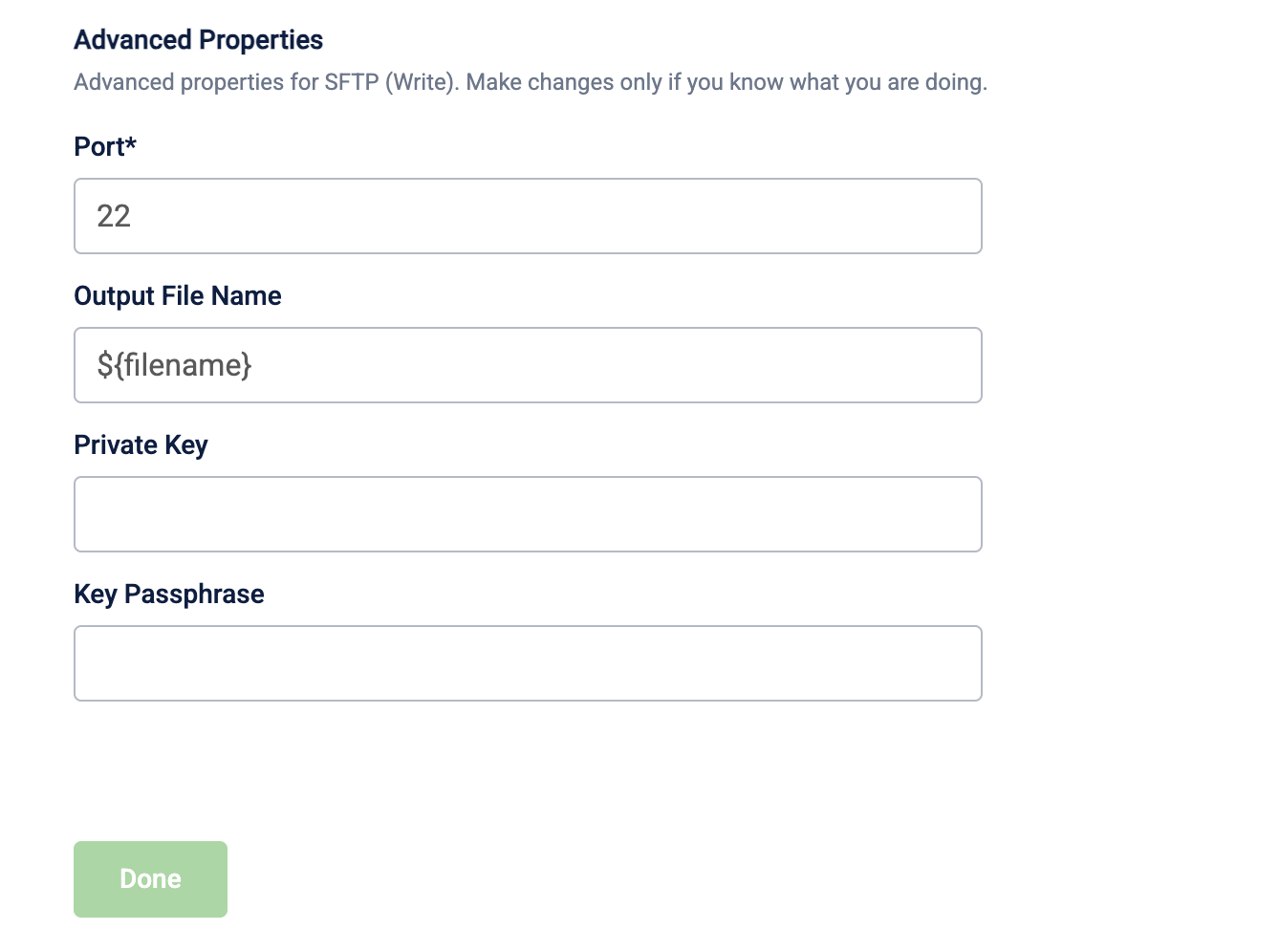
⚠️ Make changes to advanced properties only if you know what you are doing.
| Field name | Required | Description |
|---|---|---|
| Port | No | The SFTP port of the destination server. Default value: 22. |
| Output File Name | No | The name of the output file written to the destination. Default value: ${filename}. |
| Private key | No | The optional private key for SFTP authentication. |
| Key passphrase | No | The optional passphrase for the private key. Set to null if no passphrase was used. |
Updated 3 months ago