
Enrol in Subscription Program
The Enrol in subscription program action allows you to enrol a customer into a specific subscription-based loyalty program.
Use Case
Prerequisites
- Create a loyalty program.
- Create and configure a subscription program within the loyalty program.
Requirement: A brand wants to automatically enrol high-value customers into their premium "VIP Club" subscription program when they make a single purchase over $1000.
Solution:
- Create a loyalty promotion and define an activity -Transaction Value > 1000.
- Select the Enrol in subscription program action.
- Select the "VIP Club" subscription program.
- (Optional) Configure a communication message to welcome the customer to the club.
- Save the action to complete the configuration.
Configuring the Enrol in subscription program action
To configure the Enrol in subscription program action, follow these steps:
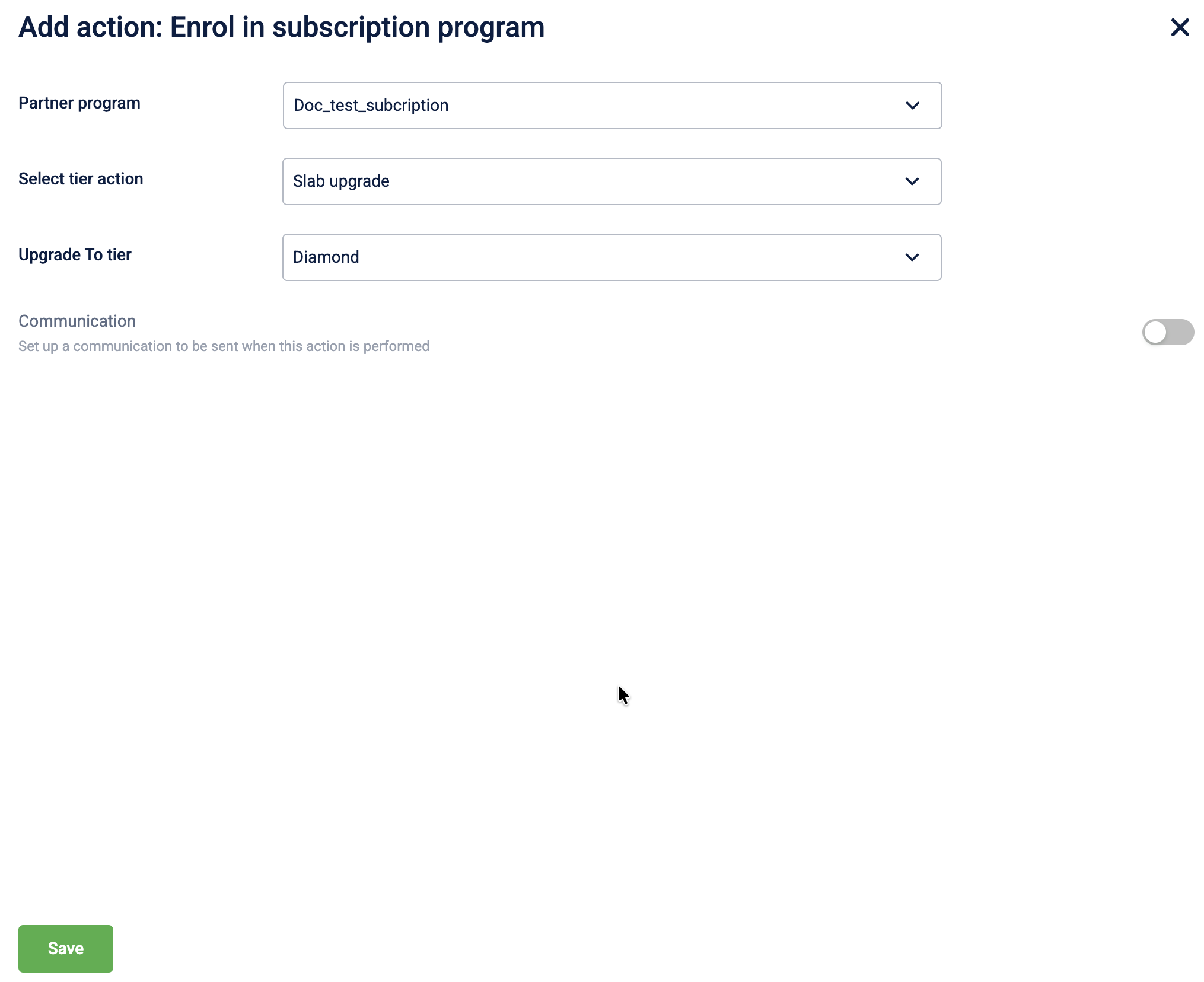
- Select Enrol in subscription program from the action list.
- In the Partner program dropdown, select the specific subscription program to enrol the customer in.
Note: Only active subscription programs linked to the current loyalty program will be available for selection. - In the Select tier action dropdown, choose the specific action related to the subscription tier
| Tier action | Description |
|---|---|
| No action | No tier action is performed. |
| Renew slab | Member’s current tier within the subscription program will be renewed. |
| Slab upgrade | Member’s tier within the subscription program will be upgraded to the selected tier. |
| Referrer | Issues the badge to the person making the referral (used in referral workflows). |
-
(Optional) Enable Communication to notify customers of their enrolment through supported channels.
-
Select Save to complete the configuration.
Updated 1 day ago