
Update Member Status
The update member status action allows you to modify the status and label of a customer based on their activities within a loyalty promotion.
Use Case
Prerequisites
Define member statuses and labels in your organization settings.
Requirement: A brand wants to automatically tag members as "High Value" if they make transactions worth more than ₹10,000 during a specific promotional period. Additionally, they want to label members with more than 5 returns as "Suspecting".
Solution:
- Create a loyalty promotion and define the metadata, enrolment, and earning activities.
- Define the qualifying conditions for the earning activity, for example, Transaction Value > 10000.
- Select the Update Member Status action.
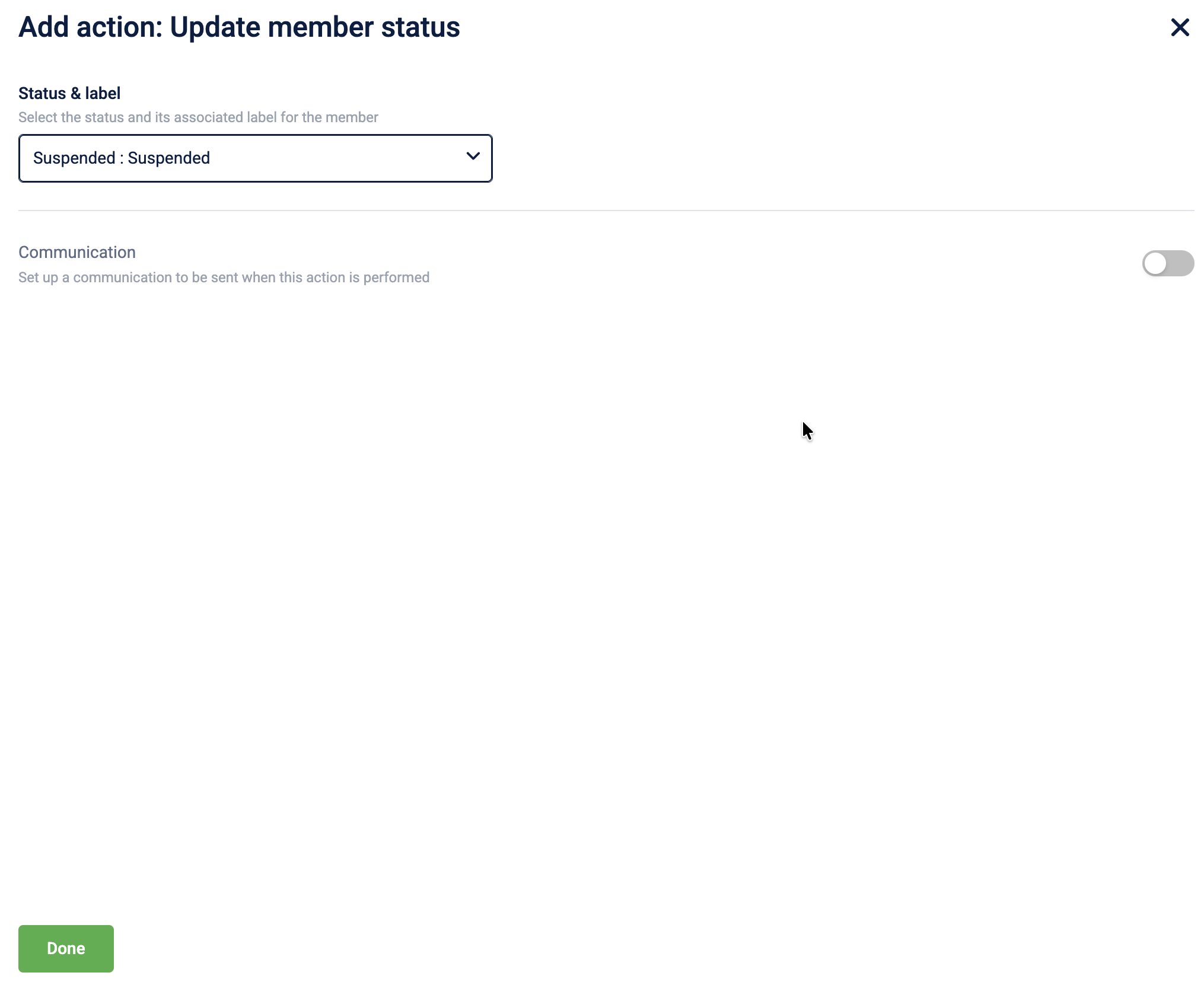
- Select a status from the Status & label dropdown.
- Save the action to complete the configuration.
Configuring the Update Member Status action
To configure the Update Member Status action, follow these steps:
-
Select Update Member Status from the action list.
-
In the Status & label dropdown, select the new status and label to apply to the member.
-
(Optional) Enable Communication to notify members of the status change through supported channels.
-
Select Done to complete the configuration.
Updated 1 day ago