
Duplicating a Loyalty Promotion
Duplicating a promotion creates an exact copy, including all its activities, qualifying conditions, and limits, and saves it as a new draft. Duplicate a promotion to save time and ensure consistency when you launch a new promotion that's similar to a previous one. You can then make any necessary adjustments before you submit it for approval.
To duplicate a loyalty promotion, follow these steps:
-
In the promotion list view, navigate to the loyalty promotion to duplicate.
-
Hover over the three-dot menu and select Duplicate.
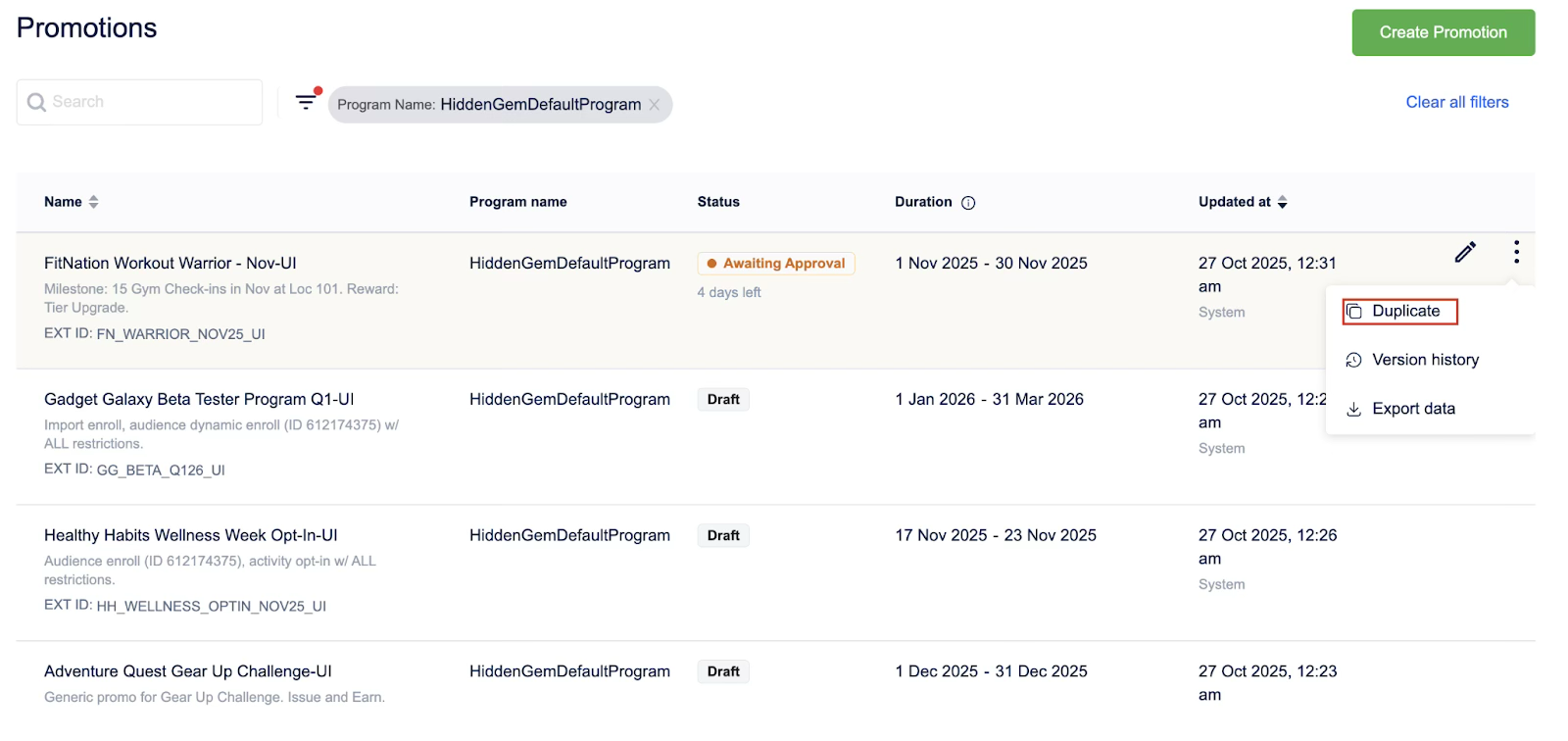
You have now created an exact copy of a promotion, which is available as a new draft ready for you to modify and launch.
NoteYou cannot edit the date of a loyalty promotion once it is duplicated.
Updated 1 day ago