
Member Actions
The member action you select is the specific event or behavior that will be evaluated for a loyalty promotion. This choice is the foundation of your rule and determines whether the promotion will track a purchase, a point redemption, a profile update, or a custom behavioral event.
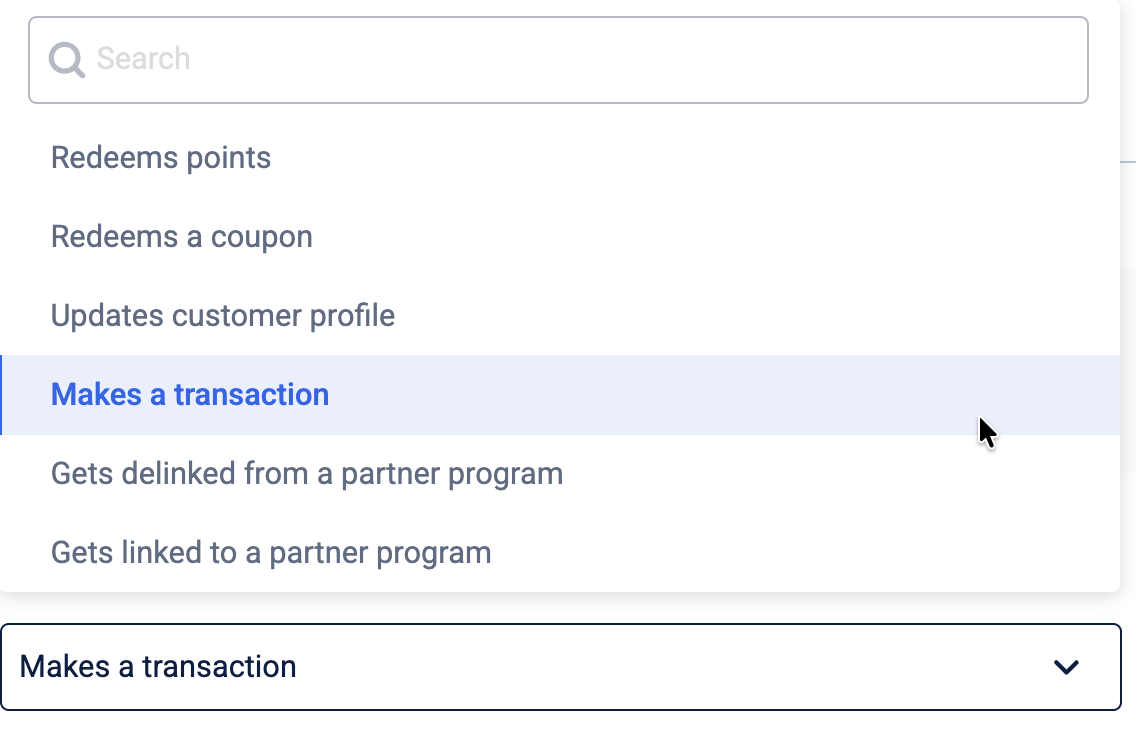
The following table details each available action:
| Action | Description | Example |
|---|---|---|
| Gets enrolled in the program | A member is enrolled in a loyalty program. | A member purchases ₹5000 and is enrolled in a loyalty program. |
| Redeems points | A member uses their points to redeem rewards, provided redemption is available. | A member uses 500 points to redeem a ₹500 discount while purchasing groceries. |
| Redeems a coupon | A member uses a coupon to get discounts or benefits. | A member applies a 20% discount coupon during checkout on an online order. |
| Updates member profile | A member updates their information on their profile. | A member updates their phone number and adds their date of birth on the loyalty program's app. |
| Makes a transaction | A member makes a purchase. The purchase is tracked for online and POS (in-store) purchases. | A member makes a purchase of ₹1000 in a store. |
| Gets delinked from a partner program | A member is unenrolled from a partner program. | A member unlinks their frequent flyer ID from their credit card, losing additional bank benefits. |
| Gets linked to a partner program | A member is enrolled in a partner program. | A member links their frequent flyer ID with their credit card to gain additional bank benefits. |
| Tier is updated in a partner program. | A member's tier is upgraded within a subscription or coalition loyalty program. | After completing a round-trip flight from Bengaluru to Delhi, a member accumulates enough points to be automatically upgraded from 'Silver Tier' to 'Gold Tier' in their airline loyalty program. |
| Behavioural event | A member completes a specific behavioral event. | A member writes a product review for a recently purchased smartphone and receives 50 bonus points for their contribution. |
| Tier upgrade | A member’s tier is upgraded Note: The Manage tier and Enrol in subscription program actions are not available when the Tier downgrade action is selected. | A member makes a transaction of above $100, and they are upgraded to the VIP tier. |
| Tier downgrade | A member’s tier is downgraded Note: The Manage tier and Enrol in subscription program actions are not available when the Tier downgrade action is selected. | A member’s Gold tier expires, and they are downgraded to the Silver tier. |
| Tier renew | A member’s tier is renewed. Note: The Manage tier and Enrol in subscription program actions are not available when the Tier renew action is selected. | A member’s Gold tier is renewed for another year as they qualify the condition of spending a cumulative amount of $1000 for the year. |
Milestone and streak target entities
When you configure a milestone or streak-based activity for the "Makes a transaction" member action, select a target entity. The target entity defines which part of the transaction is tracked to measure a member's progress. This selection determines if the milestone is based on the entire purchase, the quantity of specific line items, or custom data associated with the transaction. You can also define a cycle period for the milestone or streak.
The following table describes the available target entities:
| Target entity | Description | Example |
|---|---|---|
| Transaction | Tracks each complete purchase as a single event. Use this for milestones based on the number of visits or the total amount spent across one or more transactions. | A member qualifies for a loyalty promotion if they make 5 separate transactions of any value within a month, earning them 500 bonus points. |
| Line-item purchased | Tracks individual products (line items) within a transaction. Use this for milestones based on the quantity of specific items purchased. | A loyalty promotion rewards a member with a 20% discount coupon after they purchase a total of 10 coffee bags (a specific line item) over any number of transactions. |
| Transaction extended-fields | Tracks extended fields attached to the entire transaction (bill-level), such as sales channel or payment method. Use this for milestones based on transaction metadata. | A member earns double points on their purchase when the transaction's 'Sales Channel' extended-field is marked as 'Mobile App'. |
| Line-item extended-fields | Tracks custom data on specific products (line-item level), such as brand, color, or a promotional tag. Use this for highly targeted milestones based on product attributes. | A loyalty promotion offers 100 bonus points to any member who purchases at least three items where the line-item's 'Promotion' extended-field is 'WinterClearance2025'. |
Milestone and streak target types
The target type defines the specific criterion for measuring a member's progress toward completing a milestone or streak. This selection determines precisely what is tracked for the chosen target entity, establishing the specific goal the member must reach to be rewarded. The available target types for milestone and streak-based loyalty promotions are:
- Gross amount
- Net amount
- Count
- Days of activity

For more information, refer to the sections on target types for transactional activities and for behavioral events.
Updated 1 day ago