
Pausing and Ending a Loyalty Promotion
During a promotion's lifecycle, you may need to either temporarily suspend it or permanently deactivate it. A maker or admin can pause an upcoming or live promotion, which temporarily deactivates it and stops it from being evaluated. A paused promotion can be resumed at any time. To permanently end a promotion, an admin can stop it. This action is irreversible and moves the promotion to the stopped state, formally archiving it.
To pause or stop a loyalty promotion, follow these steps:
-
In the promotion list view, navigate to a live loyalty promotion to pause or stop. You can use a filter to view all loyalty promotions that are currently live.
-
Select the live loyalty promotion to view the promotion details.
-
Select the three-dot menu on the top right and select Pause to pause a live loyalty promotion or Stop to end a live loyalty promotion.
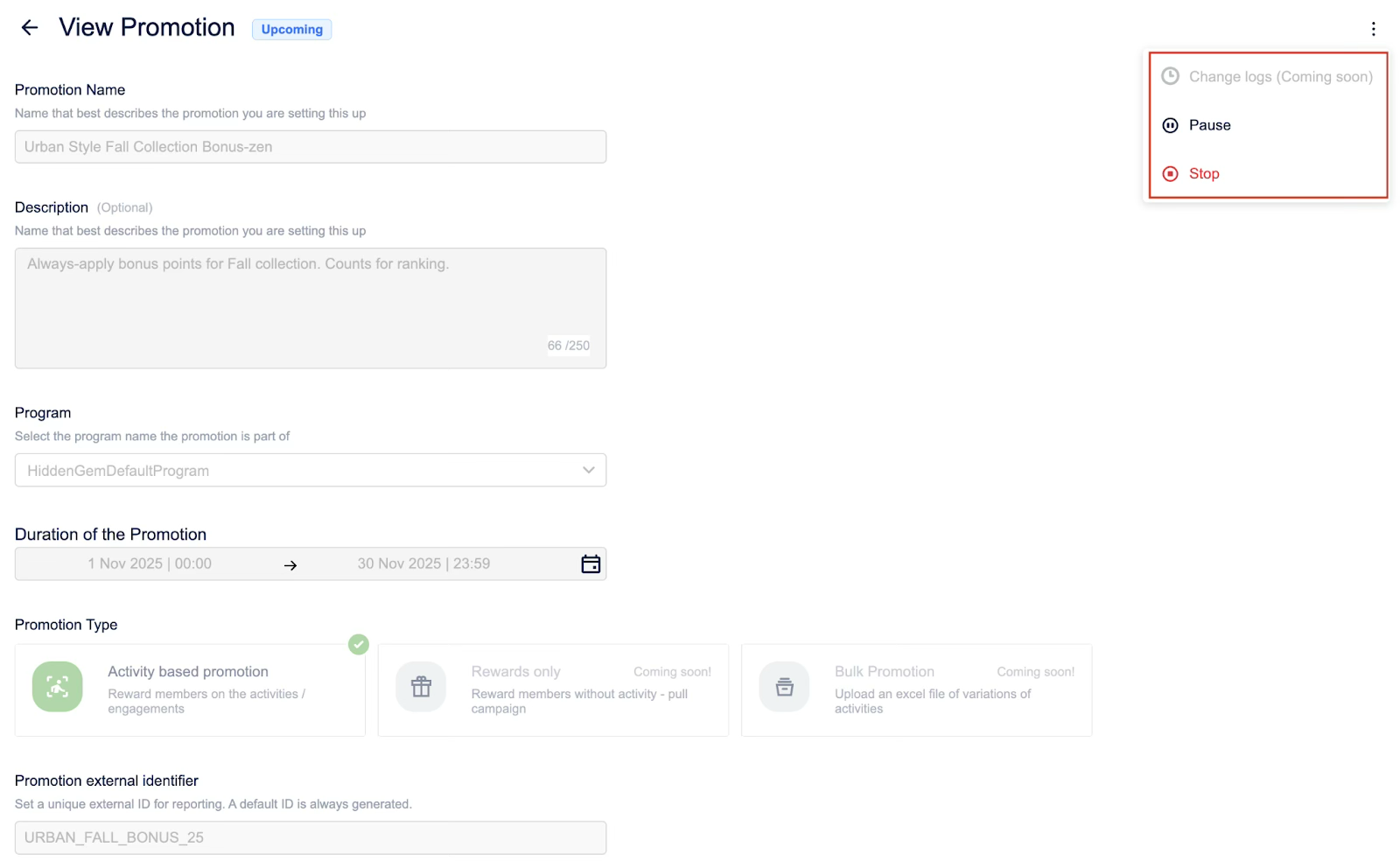
You have now changed the promotion's state; it is either temporarily inactive (paused) and can be resumed later, or permanently deactivated and archived (stopped).
Notes
- You can only pause or stop an upcoming or live loyalty promotion.
- Once a loyalty promotion is stopped, it cannot be resumed.
Updated 1 day ago