
Approving or Rejecting a Loyalty Promotion
The approval step is a critical part of the Maker-Checker workflow, serving as the final quality review before a promotion goes live. This action is performed by a checker or admin on any promotion that is in the Awaiting Approval state. Approving a promotion will change its status to Live, making it active according to its schedule. Rejecting it will return the promotion to the draft state, allowing the maker to make necessary revisions.
To approve or reject a loyalty promotion, follow these steps:
- In the promotion list view, navigate to a loyalty promotion that is in the Awaiting Approval state. You can use a filter to view all loyalty promotions that are currently awaiting approval.
- Select the loyalty promotion to view the promotion details.
- Scroll to the bottom of the view promotions page and select an appropriate action. You can select Approve to approve a loyalty promotion and make it live, or Reject to reject a promotion and move it back to the draft stage.
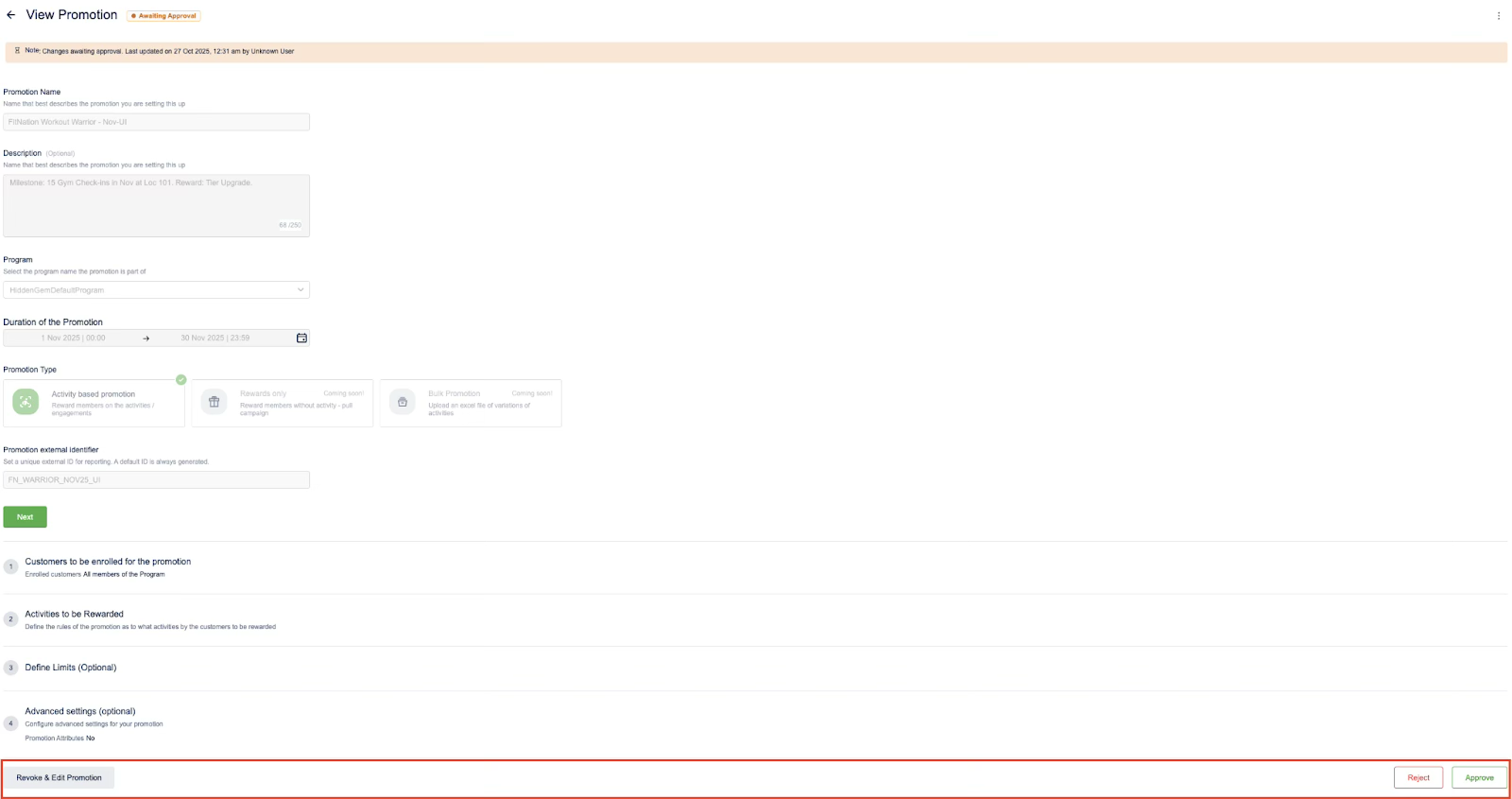
You have now reviewed the promotion; it will either become active according to its schedule (if approved) or return to a draft state for revision (if rejected).
Updated 1 day ago