
Use Cases
Sports and entertainment
Use Case: Weekly Quiz Promotion
Description: Create a promotion to reward all customers in the United States and Canada with 100 reward points for completing a weekly race quiz.
Prerequisites:
- Create a behavioral event called
PlayRaceQuiz_2025. When the customer completes the quiz, this behavioral event is triggered, and the customer earns the reward points. - Enable the extended field
country_of_residencein the organisation. This is used to filter and issue the reward only for customers whose country of residence is the United States or Canada.
Configuring the loyalty promotion
-
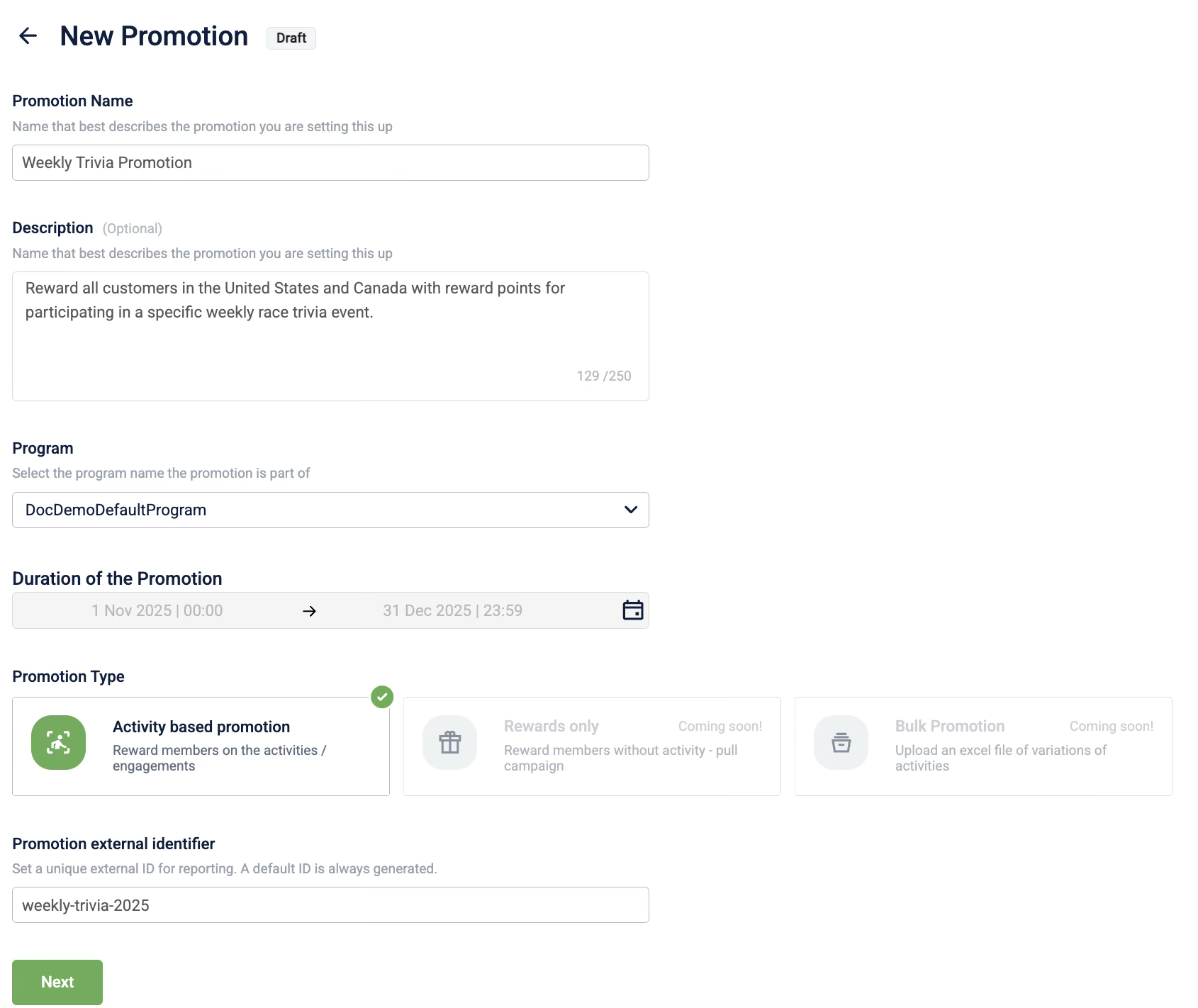
Define the promotion details.
-
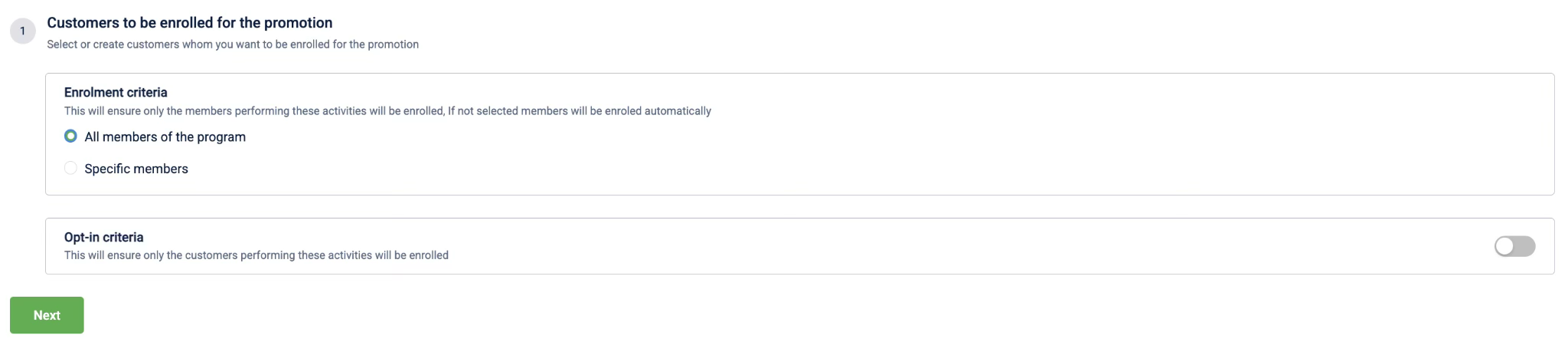
Define who is eligible - All members of the program.
-
Define the earning activities:
- Select the activity type Milestone.
- From the Actions dropdown, select the
PlayTrivia_2025behavioral event. - Select Add qualifying condition and add the first condition:
- Attribute:
Customer attributes-Country of Residence - Operator:
Equals - Value:
United States
- Attribute:
-
Select Add qualifying condition and add the second condition:
- Attribute:
Customer attributes-Country of Residence - Operator:
Equals - Value:
Canada
- Attribute:
-
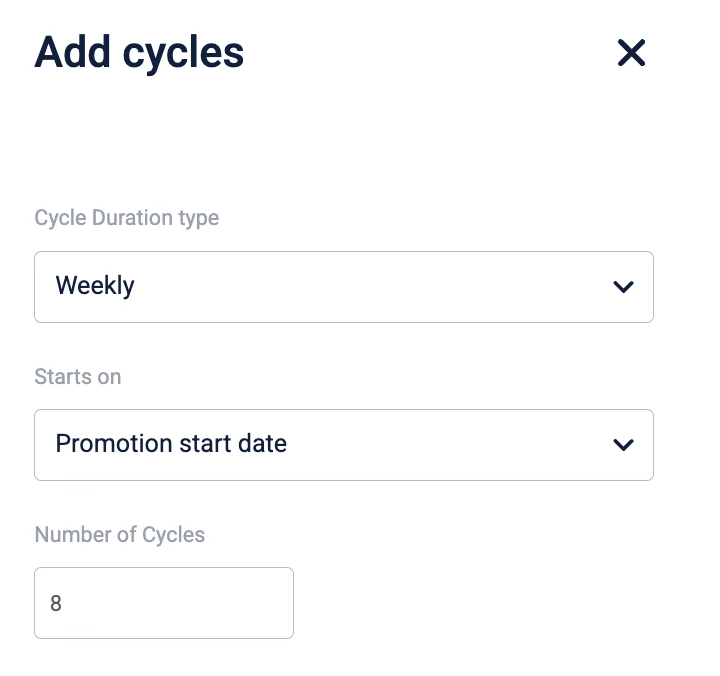
Define the cycle duration type, start on date, and the number of cycles.
-
Define the milestone Count as 1.

-
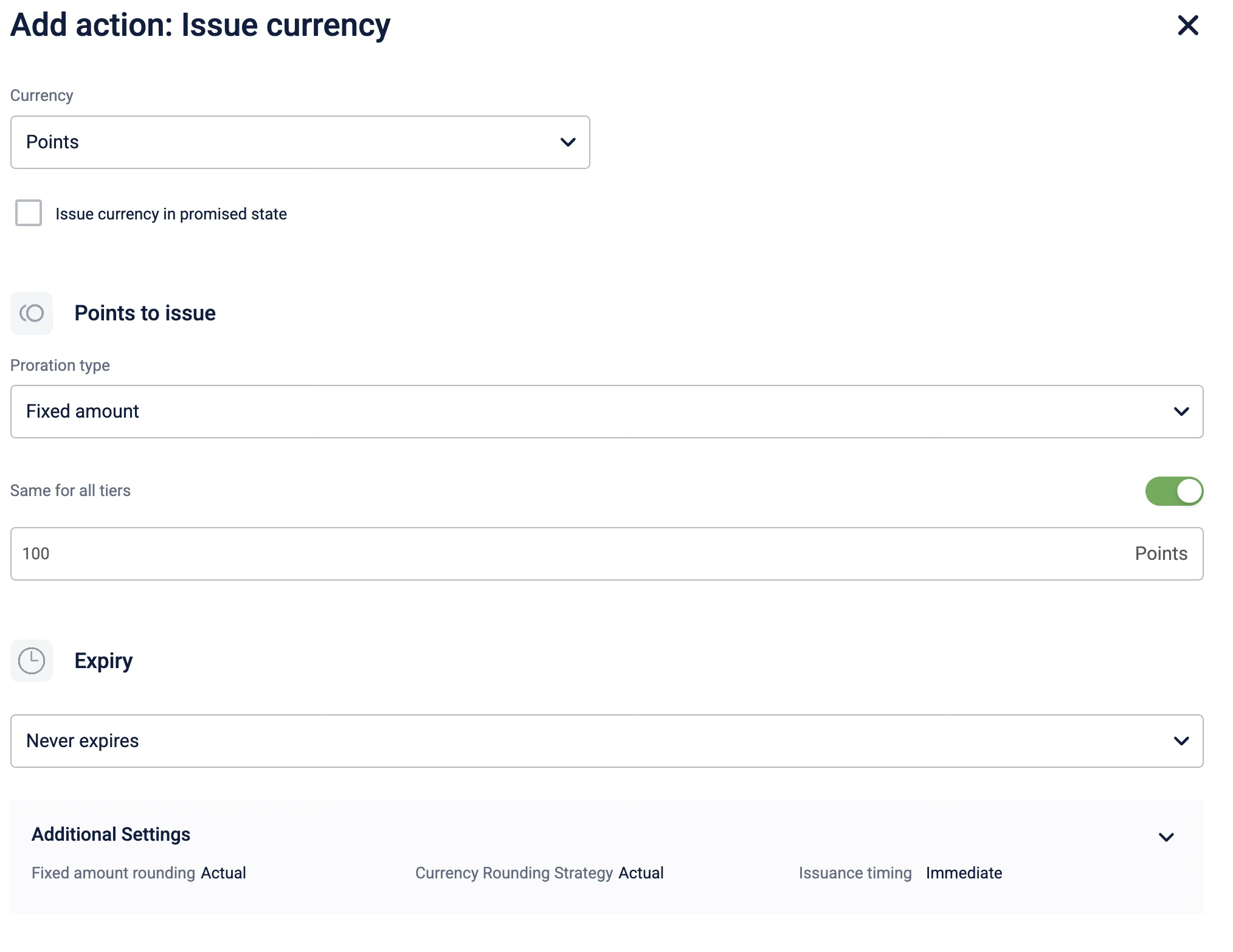
Select + Add brand actions and select Issue Currency and configure the following:
- Currency: Points
- Proration type: Fixed amount
- Expiry type: Never expires
-
Save and send the loyalty promotion for approval.
-
Approve the loyalty promotion.
Retail
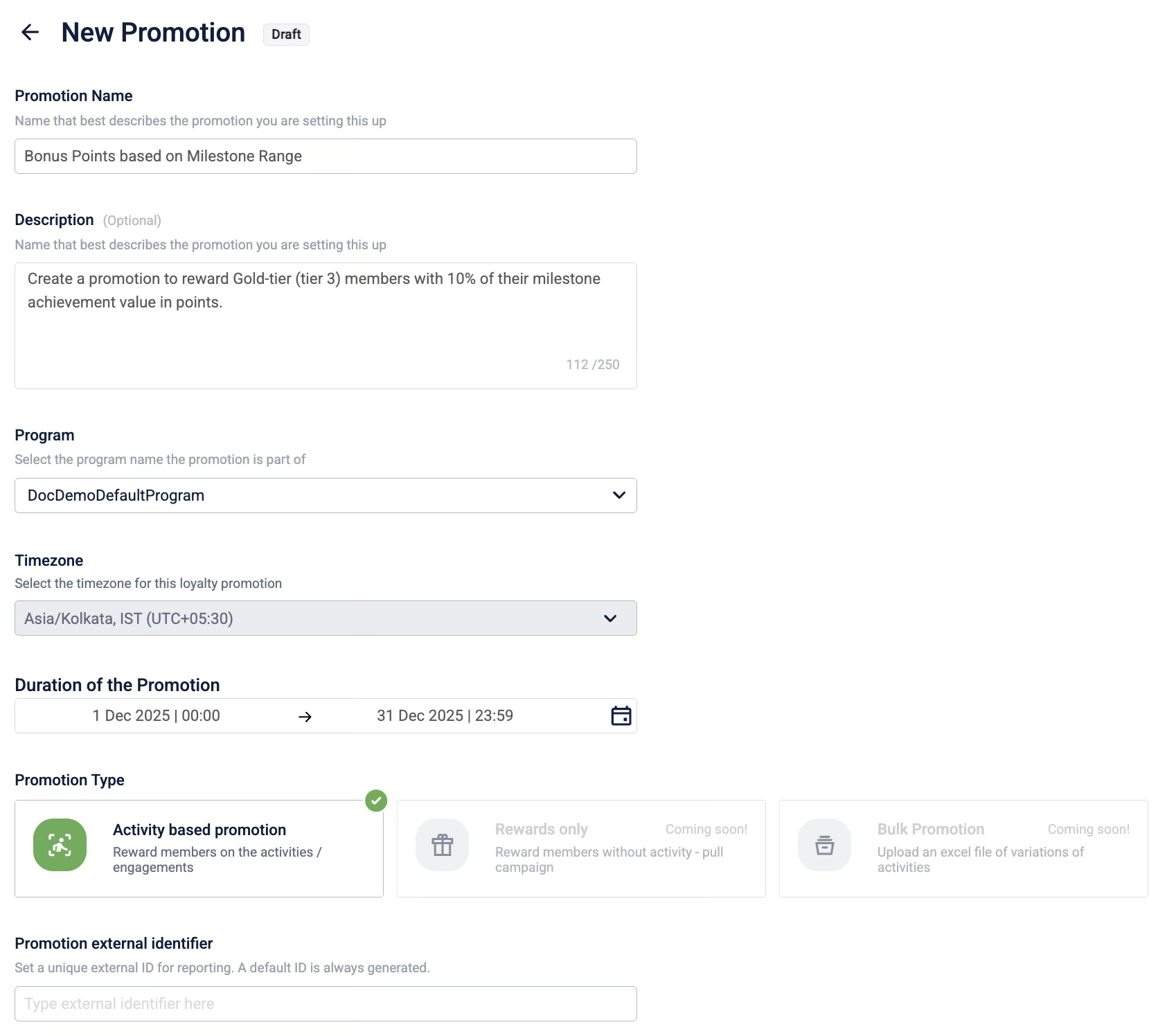
Use Case: Bonus Points based on Milestone Range
Description: Create a promotion to reward Gold-tier (tier 3) members with 10% of their milestone achievement value in points. Customers can spend up to $1000 and make up to five transactions. Points are issued once the customer makes three transactions or achieves the milestone. The promotion is available only for specific products and does not include gift cards.
Prerequisite:
- Create a loyalty program and define the tiers.
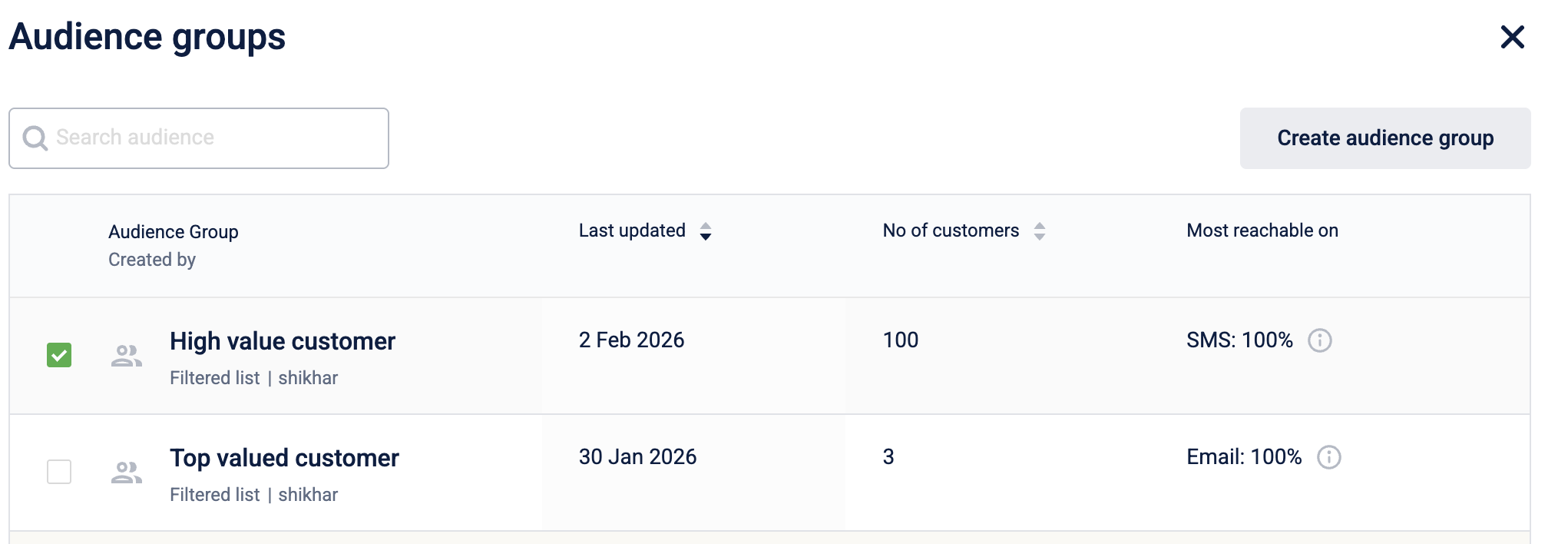
- Create an audience group of Gold Tier Members.
Configuring the loyalty promotion
-
Define the promotion details.
-
Define who is eligible:
-
Select Specific members.
-
Select Audience group from the drop-down and select the audience group.
-
-
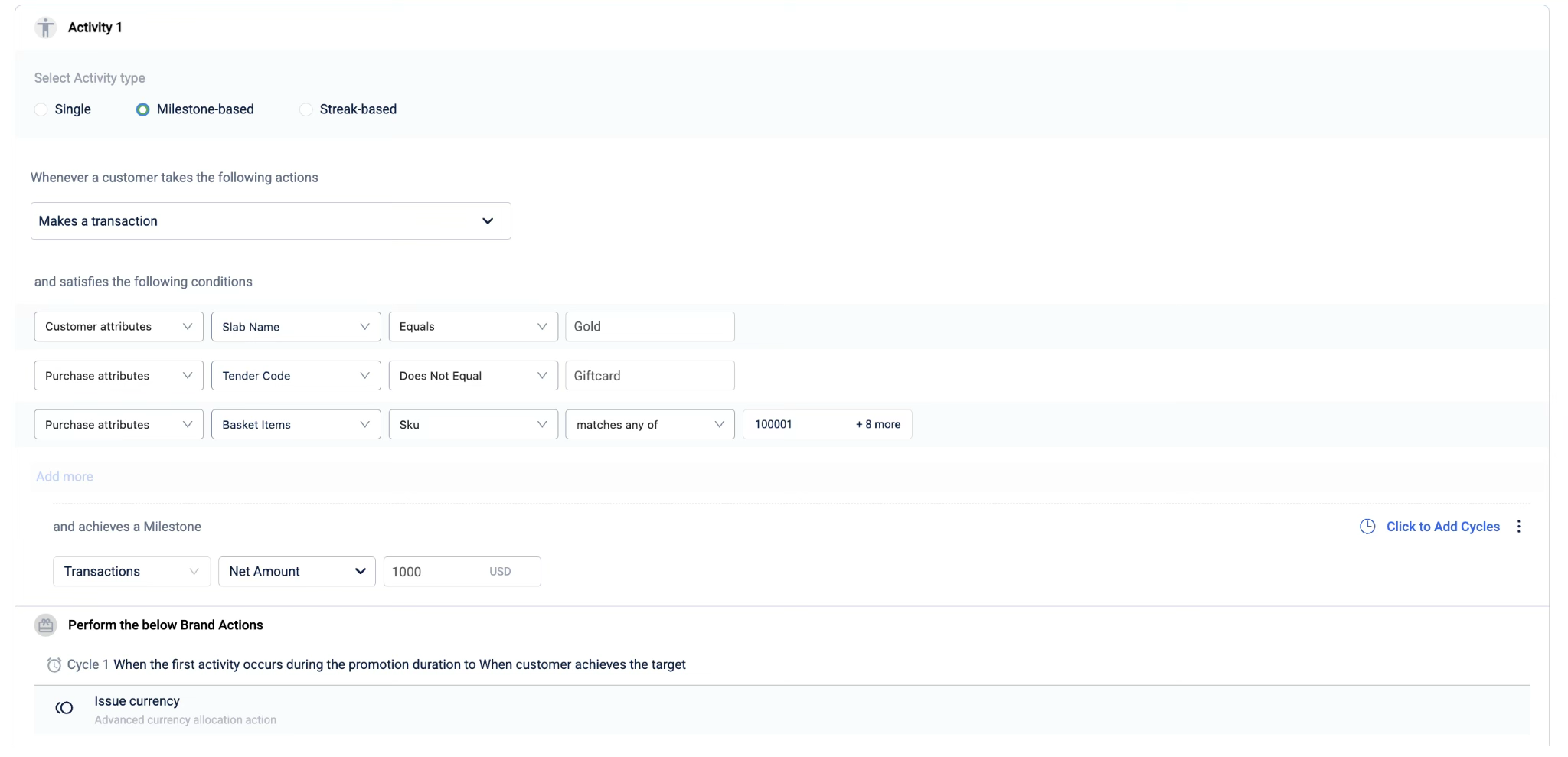
Define the earning activities:
- Select the activity type Single.
- From the Actions dropdown, select Makes a transaction.
- Select Add qualifying condition and add the first condition:
- Attribute:
Customer attributes-Slab Name - Operator:
Equals - Value:
Gold
- Attribute:
- Select Add qualifying condition and add the second condition:
- Attribute:
Purchase attributes-Tender Code - Operator:
Does not equal - Value:
Giftcard
- Attribute:
- Select Add qualifying condition and add the third condition:
- Attributes:
Purchase attributes-Basket items - SKU - Operator:
matches all of - Value: Enter the SKU values of the products that are a part of the loyalty promotion
- Attributes:
- Define the milestone conditions:
Transactions-Net Amount-1000USD
-
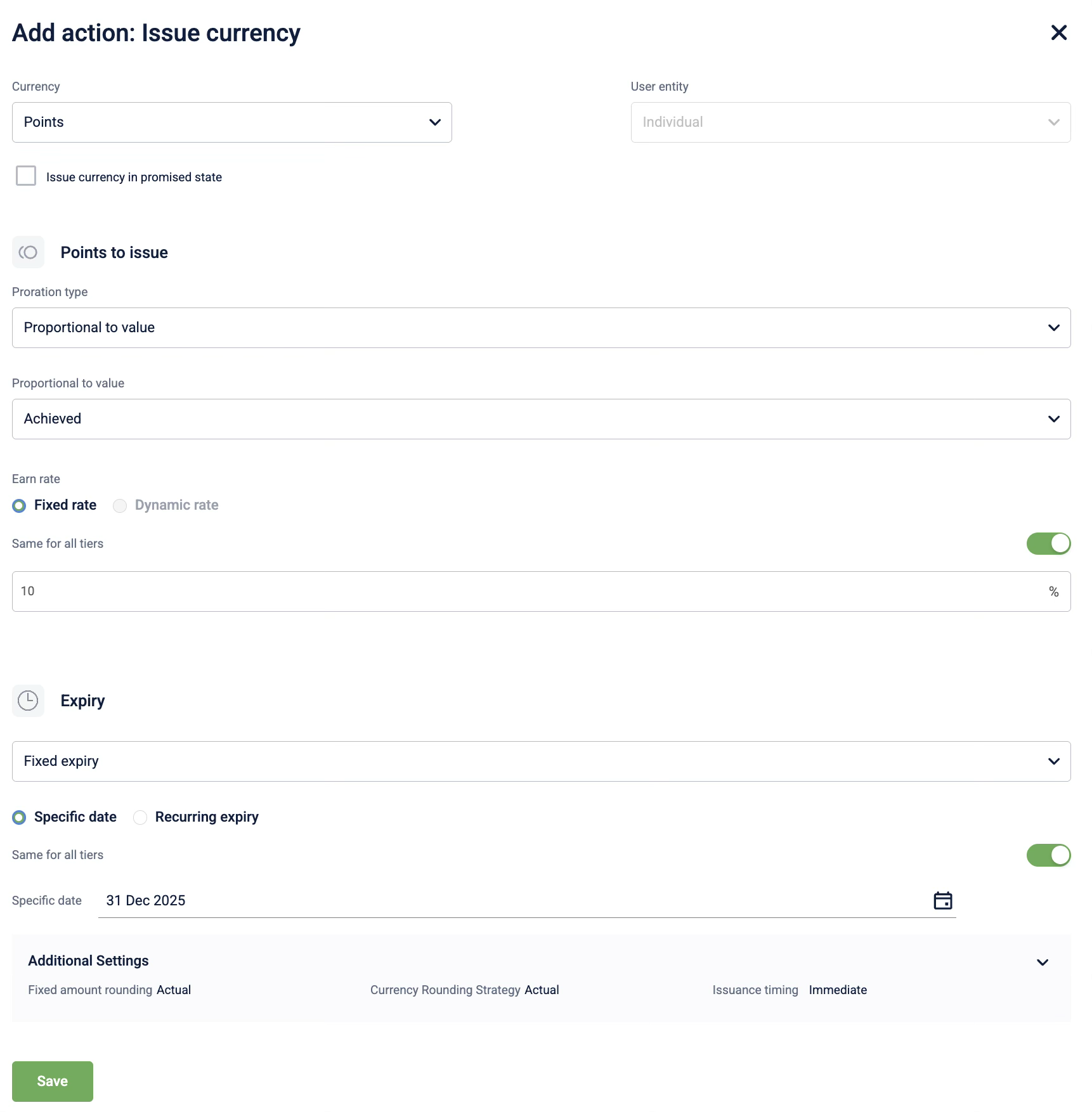
Select + Add brand actions and select Issue Currency and configure the following:
- Currency: Points
- Proration type: Proportional to value
- Proportion type: Achieved
- Earn rate: 10%
- Expiry type: Fixed expiry
-
Define the limits: Maximum allowed
count of activitiesissuingPointsis3per member.
-
Save and send the loyalty promotion for approval.
-
Approve the loyalty promotion.
Automotive
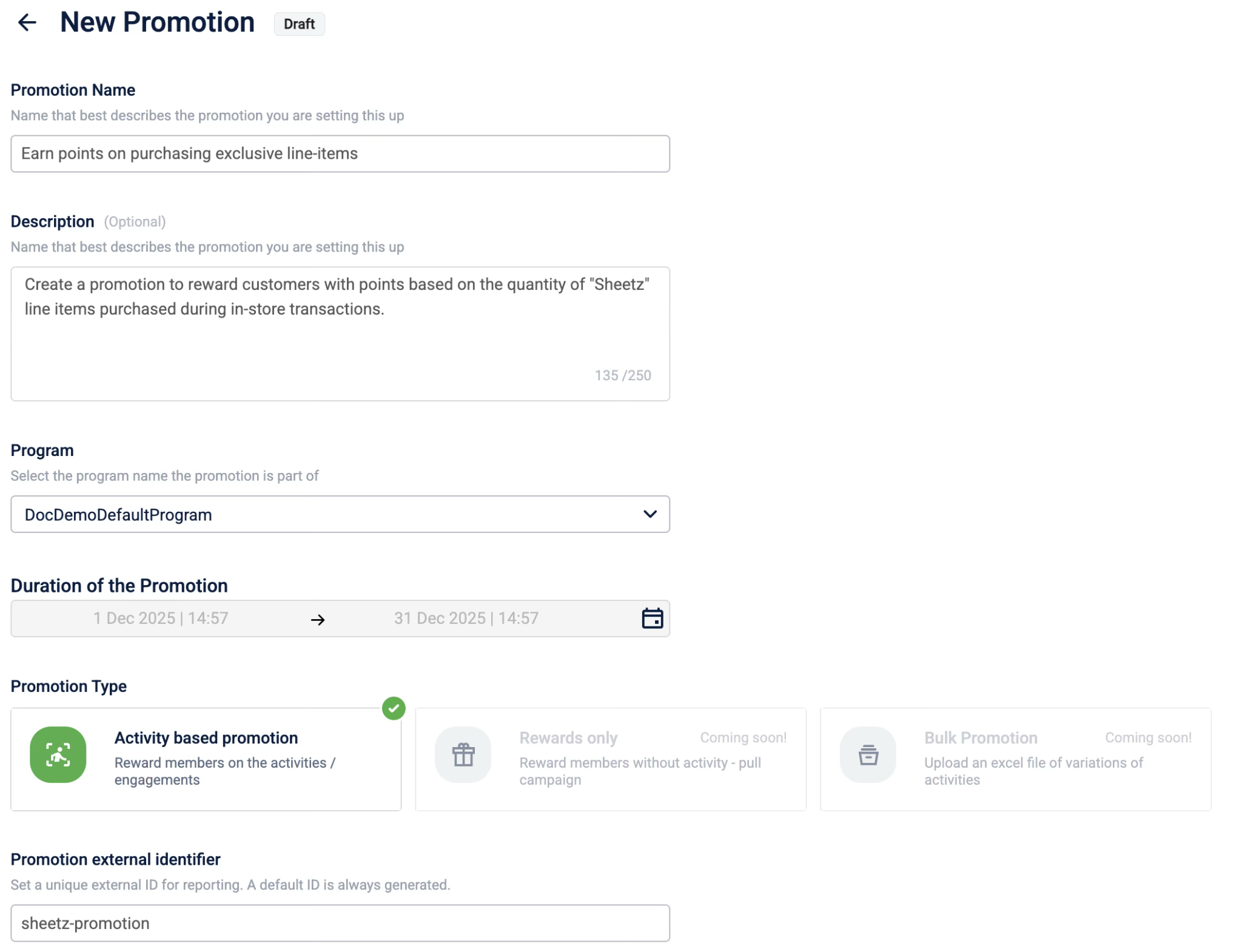
Use Case: Earn points on purchasing exclusive line-items
Description: Create a promotion to reward customers with points (10% of transaction value) based on the total value of "Sheetz" line items purchased during in-store transactions.
The promotion also includes the following conditions:
- To be eligible for the rewards, the customer must provide data sharing consent.
- Customers who purchase using their membership card will earn a coupon as a bonus.
- The points earned are limited to a maximum of 5000 points per customer per month.
Prerequisites:
- Enable the extended field
membership_card_swipedin the organisation. This is used to check if the customer has swiped their membership. - Enable the extended field
data_sharing_consentin the organisation. This is used to check if the customer has consented to sharing their data.
Configuring the loyalty promotion
-
Define the promotion details.
-
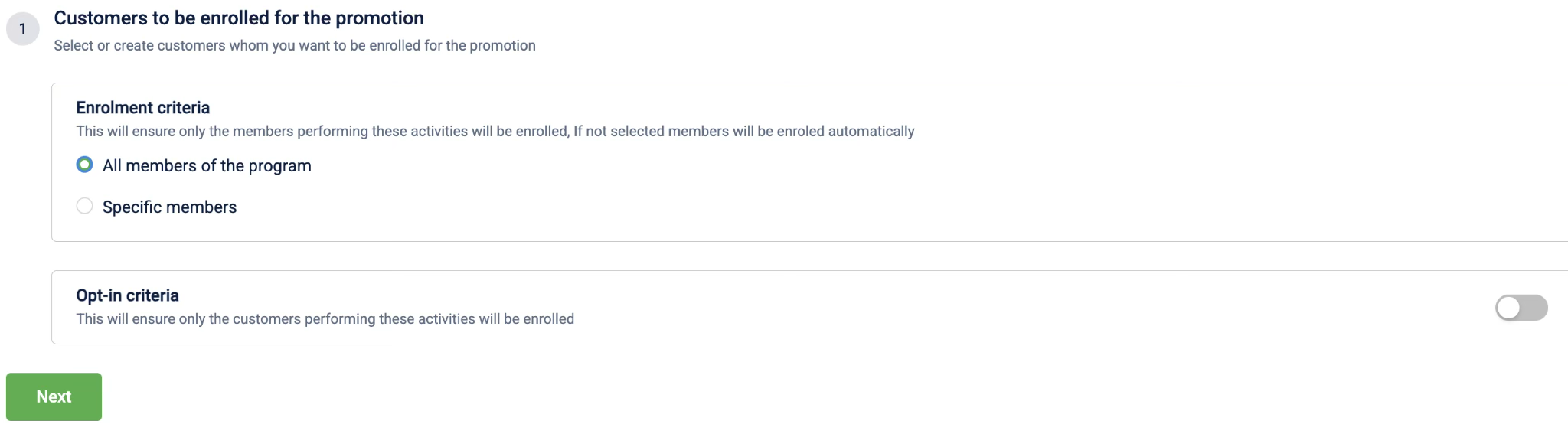
Define who is eligible - Select All members of the program.
-
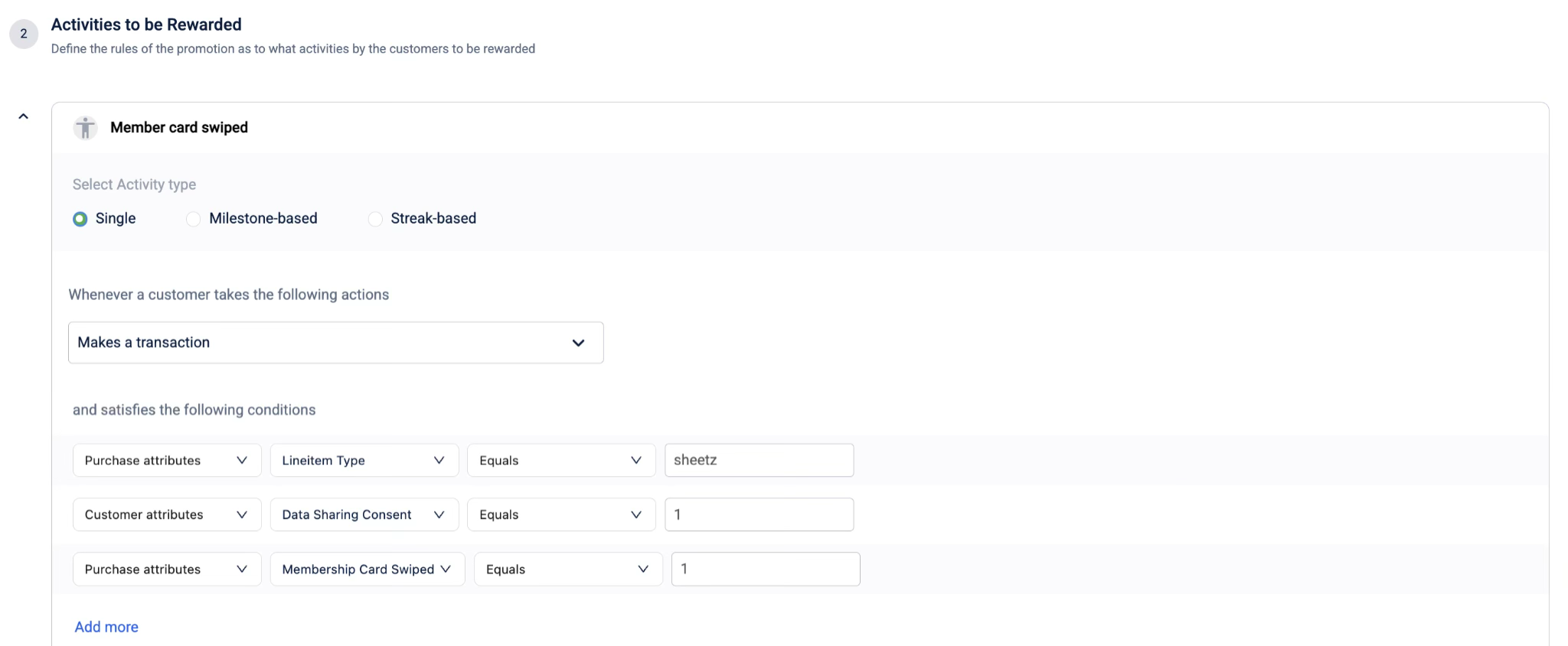
Define the earning activity for customers who swipe using their membership card.
- Select the activity type Single.
- From the Actions dropdown, select Makes a transaction.
- Select Add qualifying condition and add the first condition:
- Attribute:
Purchase attributes-Lineitem type - Operator:
Equals - Value:
sheetz
- Attribute:
- Select Add qualifying condition and add the second condition:
- Attribute:
Customer attributes-Data Sharing Consent - Operator:
Equals - Value:
1
- Attribute:
-
Select Add qualifying condition and add the third condition:
- Attribute:
Purchase attributes-Membership Card Swiped - Operator:
Equals - Value:
0
- Attribute:
-
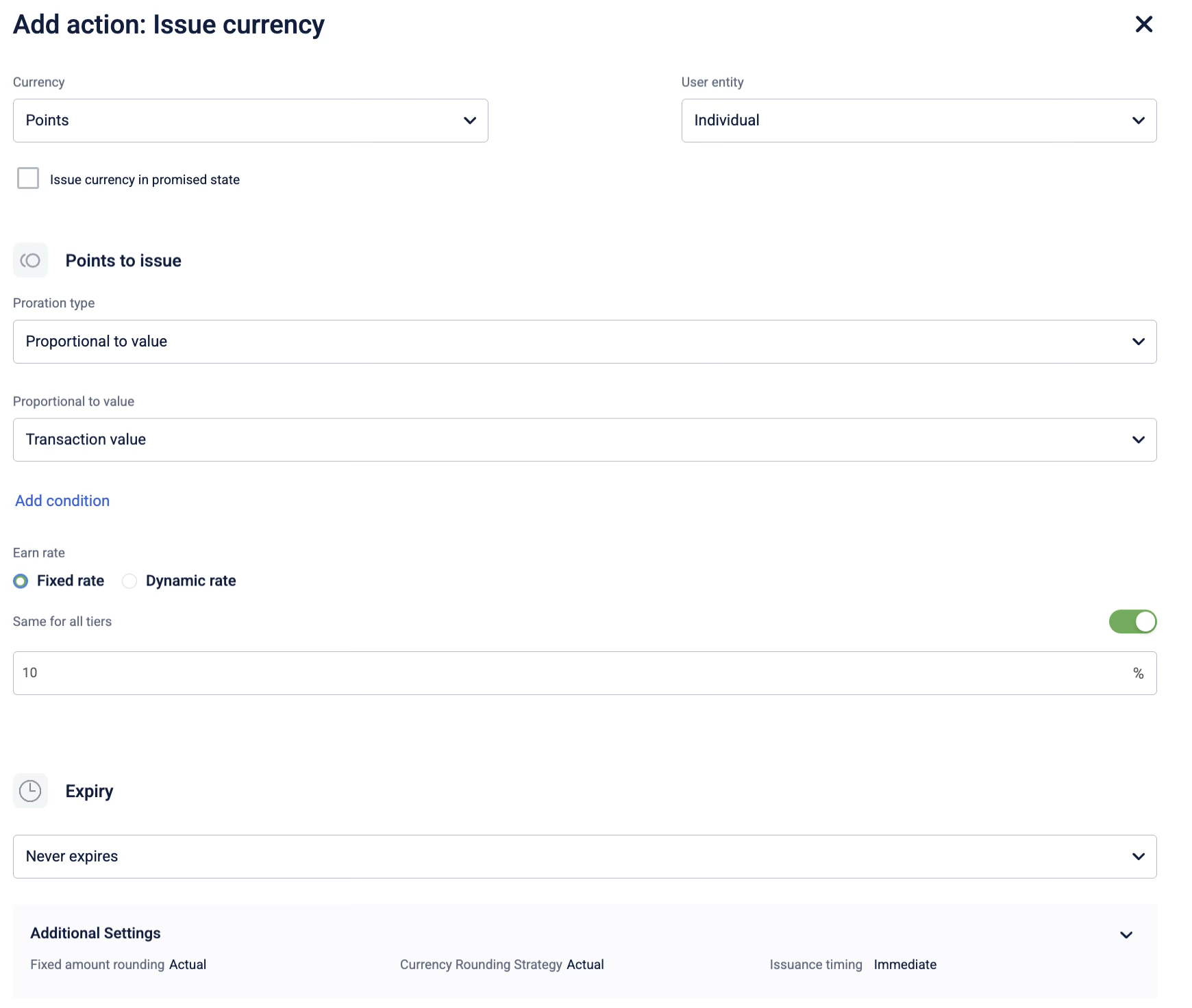
Select + Add brand actions and select Issue Currency, and configure the currency to issue.
- Currency: Points
- Proration type: Proportional to value
- Proportion type: Transaction value
- Value: 10%
- Expiry type: Never expires
-
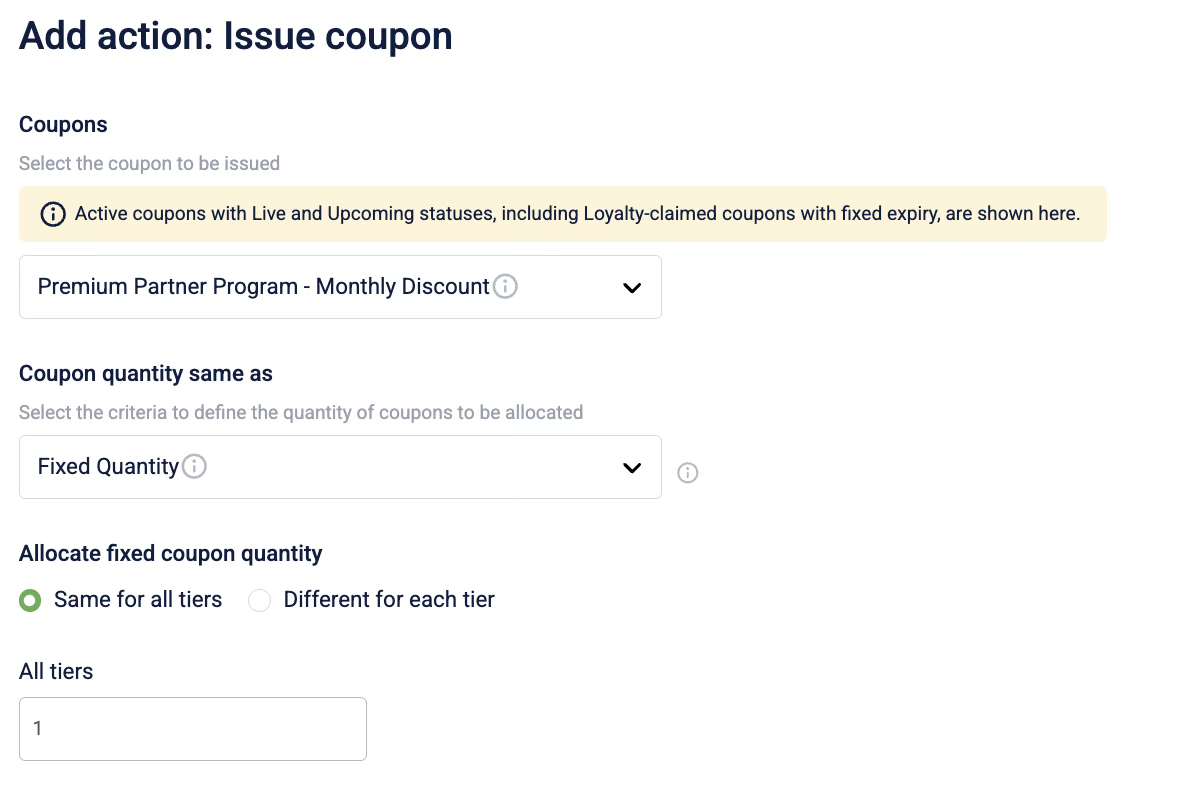
Select + Add more to add another brand action and select Issue Coupon, and select the coupon to be issued.
-
Select Add Activity to add a new activity group.
-
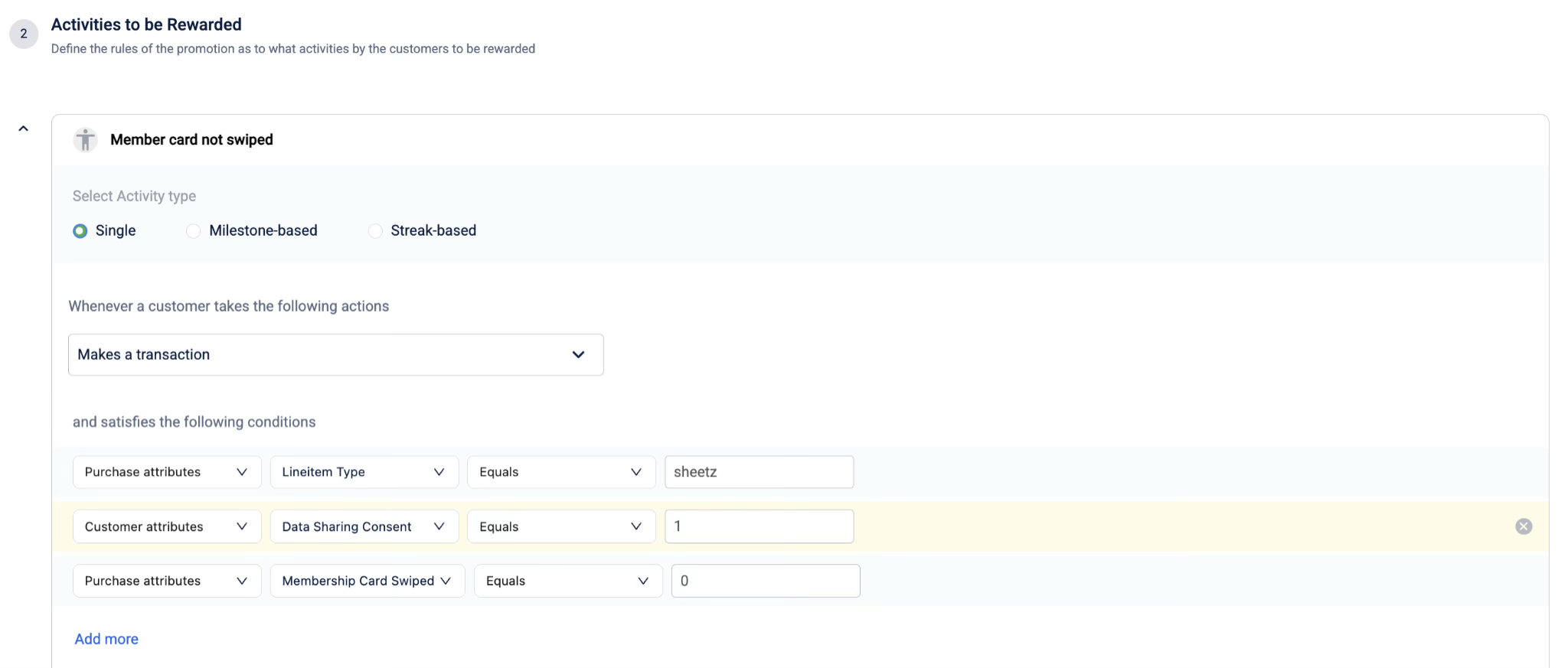
Define the second earning activity for customers who do not use their membership card.
- Select the activity type Single.
- From the Actions dropdown, select Makes a transaction.
- Select Add qualifying condition and add the first condition:
- Attribute:
Purchase attributes-Lineitem type - Operator:
Equals - Value:
sheetz
- Attribute:
- Select Add qualifying condition and add the second condition:
- Attribute:
Customer attributes-Data Sharing Consent - Operator:
Equals - Value:
1
- Attribute:
- Select Add qualifying condition and add the third condition:
- Attribute:
Purchase attributes-Membership Card Swiped - Operator:
Equals - Value:
0
- Attribute:
-
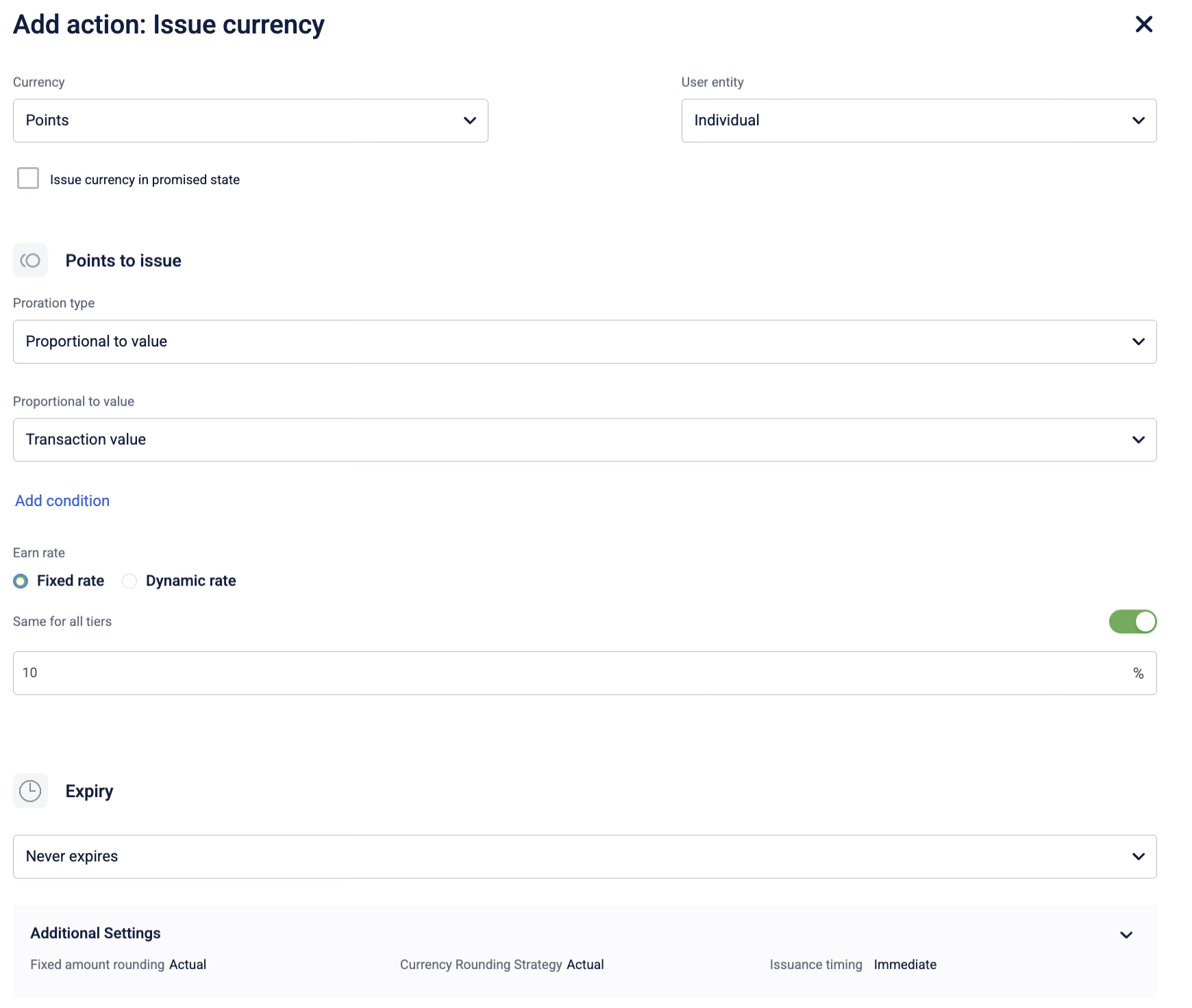
Select + Add brand actions and select Issue Currency, and configure the currency to issue.
- Currency: Points
- Proration type: Proportional to value
- Proportion type: Transaction value
- Value: 10%
- Expiry type: Never expires
-
Save and send the loyalty promotion for approval.
-
Approve the loyalty promotion.
Conglomerate
Use Case: Scratch and Win Coupons
Description: Create a promotion to reward customers for winning discount coupons with a chance to win a grand prize of 5000 points. To be eligible for the sweepstakes, the customer must make a minimum purchase $50 in the last three months and opt in for the sweepstakes on the mobile app or website. The sweepstakes are limited to only the first 10,000 customers.
Prerequisites:
- Create a behavioral event called
ScratchandWin_2025. When a customer scratches the scratch card, a random offer is unlocked.
Configuring the loyalty promotion
-
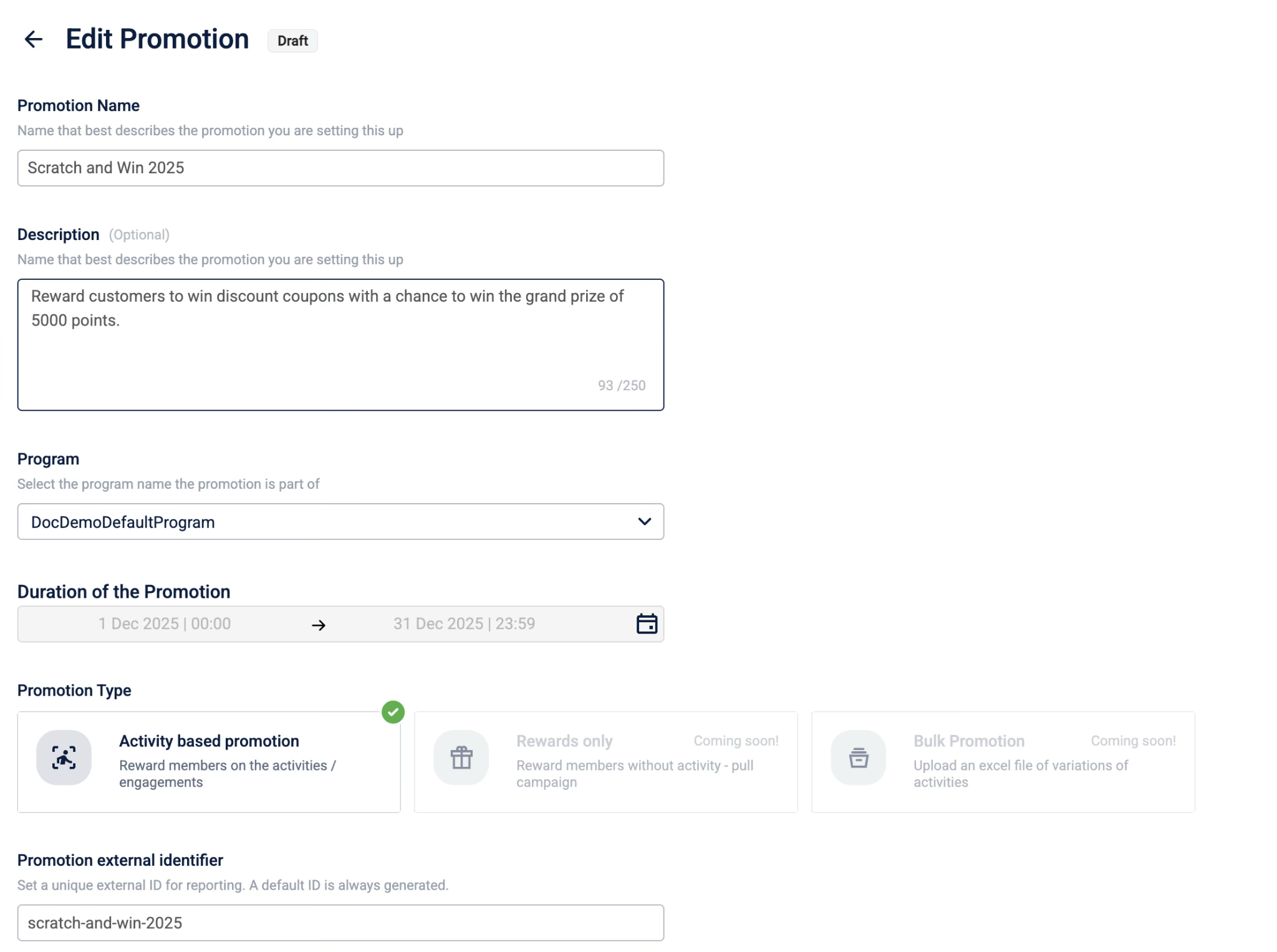
Define the promotion details.
-
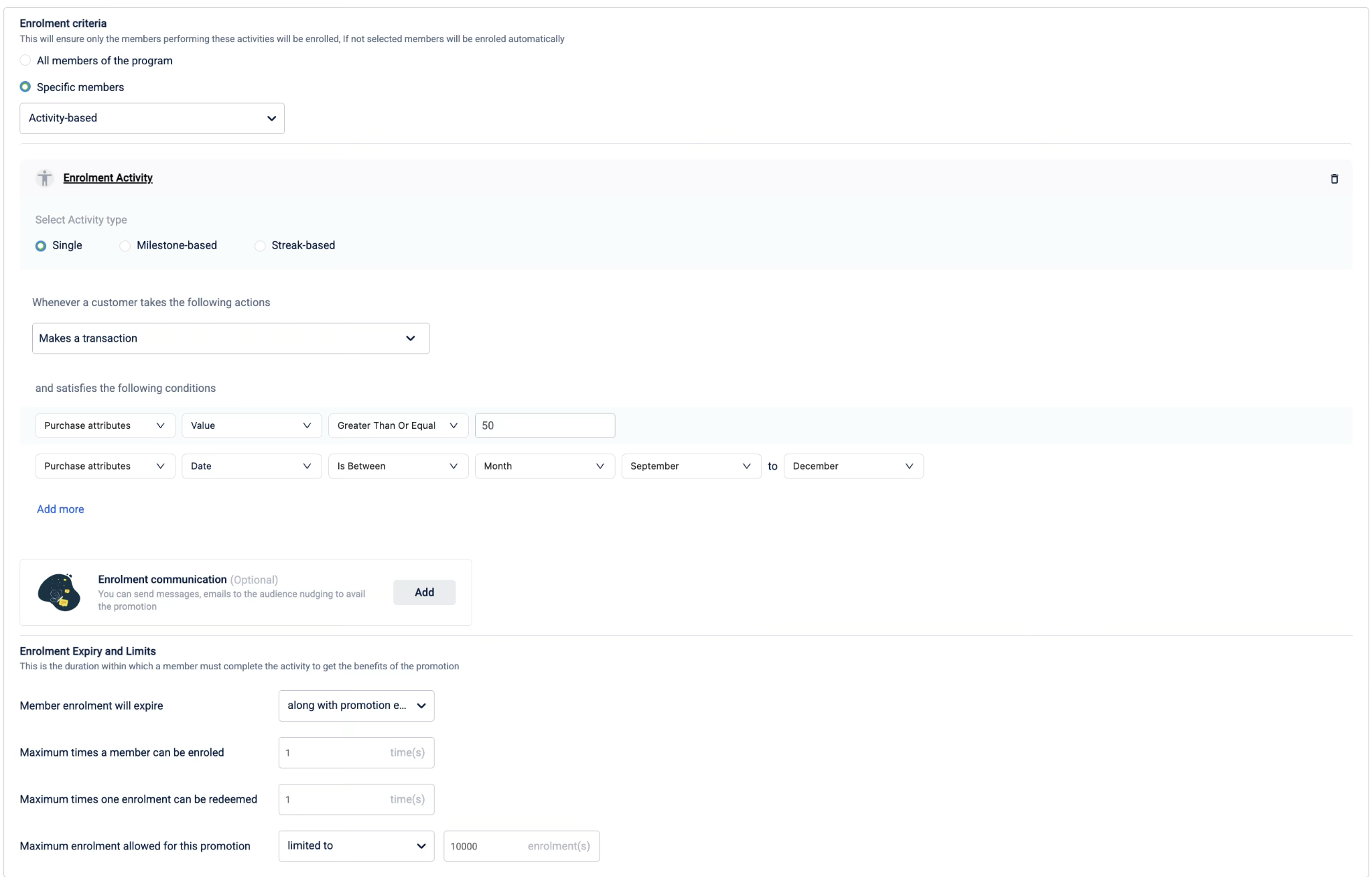
Define who is eligible:
- Select the activity type Single.
- From the Actions dropdown, select Makes a transaction.
- Select Add qualifying condition and add the first condition:
- Attribute:
Purchase attributes-Value - Operator:
Greater Than or Equal - Value:
50
- Attribute:
- Select Add more and add the second condition:
- Attribute:
Purchase attributes-Date - Operator:
Is Between - Attribute:
Month - Values:
SeptemberandDecember
- Attribute:
- Define the enrolment expiry and limits:
- Member enrolment will expire:
along with the promotion end date - Maximum times a member can be enrolled:
1 - Maximum times one enrolment can be redeemed:
1 - Maximum enrolment allowed for this promotion:
limitedto10000
- Member enrolment will expire:
-
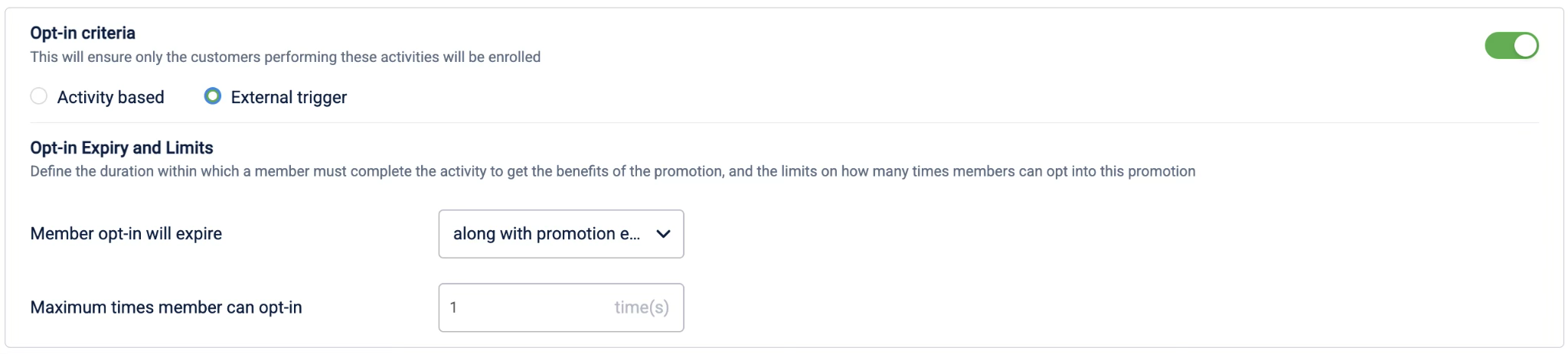
Define the opt-in criteria and limits.
-
Define the earning activities:
- Select the activity type Single.
- From the Actions dropdown, select the behavioral event (
scratchandwin_2025). - Select Add qualifying condition and add the first condition:
- Attribute:
Activity attributes-reward - Operator:
Equals - Value:
one
- Attribute:
- Select + Add brand actions and select Issue Coupon, and configure the coupon to be issued.
-
Select Add Activity to begin configuring a new activity. Configure the coupons to issue for the
rewardvaluestwo, three, four, five, and sixby following step 4. -
Save and send the loyalty promotion for approval.
-
Approve the loyalty promotion.
Hospitality
Use Case: Double Points on Thanksgiving Reservations with Opt-in
Description: Create a promotion to reward members with 1000 bonus points for eligible hotel transactions during the Thanksgiving promotional period. Members must opt in by making a qualifying reservation within the defined window. Points are issued for eligible transactions that meet coupon, booking package, and SKU conditions and expire on a fixed date.
Prerequisites:
- Create the Reservation behavioral event.
- Create and configure the External Coupon Codes: CRS, WEB, PMS.
- Create and configure the Booking Packages: AP14BKG1, AP7BKG1, AP21BKG1.
- Create and configure the Basket Item SKU: model_id_001.
- Ensure transaction data includes External Coupon Code, Booking Package, and Basket Item SKU attributes.
Configuring the loyalty promotion
-
Define the promotion details
- Set the promotion name and description.
- Set the timezone to Asia/Kolkata (IST).
- Set the promotion duration from 11 Jan 2026 11:59 to 31 Jan 2026 11:59.
- Select Activity based promotion.
-
Select All members of the program.
-
Define the opt-in criteria
- Select Activity based opt-in.
- Select the opt-in activity as Reservation.
- Add qualifying conditions:
- Attribute 1
- Attribute:
Time Span Start - Operator:
Is On Or After Value - Value:
11 Jan 2026
- Attribute:
- Attribute 2
- Attribute:
Time Span Start - Operator:
Is On Or Before Value - Value:
24 Jan 2026 12:00 PM
- Attribute:
- Attribute 3
- Attribute:
Res Status - Operator:
Equals - Value:
Commit
- Attribute:
- Attribute 4
- Attribute:
Res Status Sub - Operator:
Is One Of Value - Value:
Reserved, In-house
- Attribute:
- Attribute 1
-
Define the opt-in expiry and limits
- Member opt-in will expire along with the promotion end date.
- Maximum times a member can opt in: 100.
-
Define the earning activities
- Select the activity type Single.
- From the Actions dropdown, select Makes a transaction.
- Add qualifying conditions:
- Attribute 1
- Attribute:
Purchase attributes – External Coupon Code - Operator:
Is One Of Value - Value:
CRS, WEB, PMS
- Attribute:
- Attribute 2
- Attribute:
Purchase attributes – Booking Package - Operator:
Is None Of Value - Value:
AP14BKG1, AP7BKG1, AP21BKG1
- Attribute:
- Attribute 3
- Attribute:
Purchase attributes – Basket items – SKU - Operator:
Matches any of - Value:
model_id_001
- Attribute:
- Attribute 1
-
Configure the brand action
- Select + Add brand actions and select Issue Currency.
- Configure the currency issuance:
- Currency:
Points - Points to issue:
Fixed amount - Amount:
1000 Points - Same for all tiers:
Enabled - Expiry type:
Fixed expiry - Expiry date:
28 Feb 2026 - Issuance timing:
Immediate - Rounding strategy:
Actual
- Currency:
-
Finalize the promotion
- Save and send the loyalty promotion for approval.
- Approve the loyalty promotion.
Updated 1 day ago