
Issue Badge
The issue badge action allows you to award a specific badge to a customer.
Use Case
Requirement: A brand is running a limited-time promotion where customers who make a single purchase of over $200 earn a "Big Spender" badge.
Prerequisites
- Create a loyalty program
- Configure the badge to issue
Solution:
- Create a loyalty promotion and define the metadata, enroling, opt-in and earning activities.
- Define the qualifying conditions for the earning activity.
- Add the Issue Badge action
- Select the "Big Spender" badge and configure the communication to notify the customer immediately upon earning the badge.
Configuring the Issue Badge action
To configure the Issue Badge action, follow these steps:
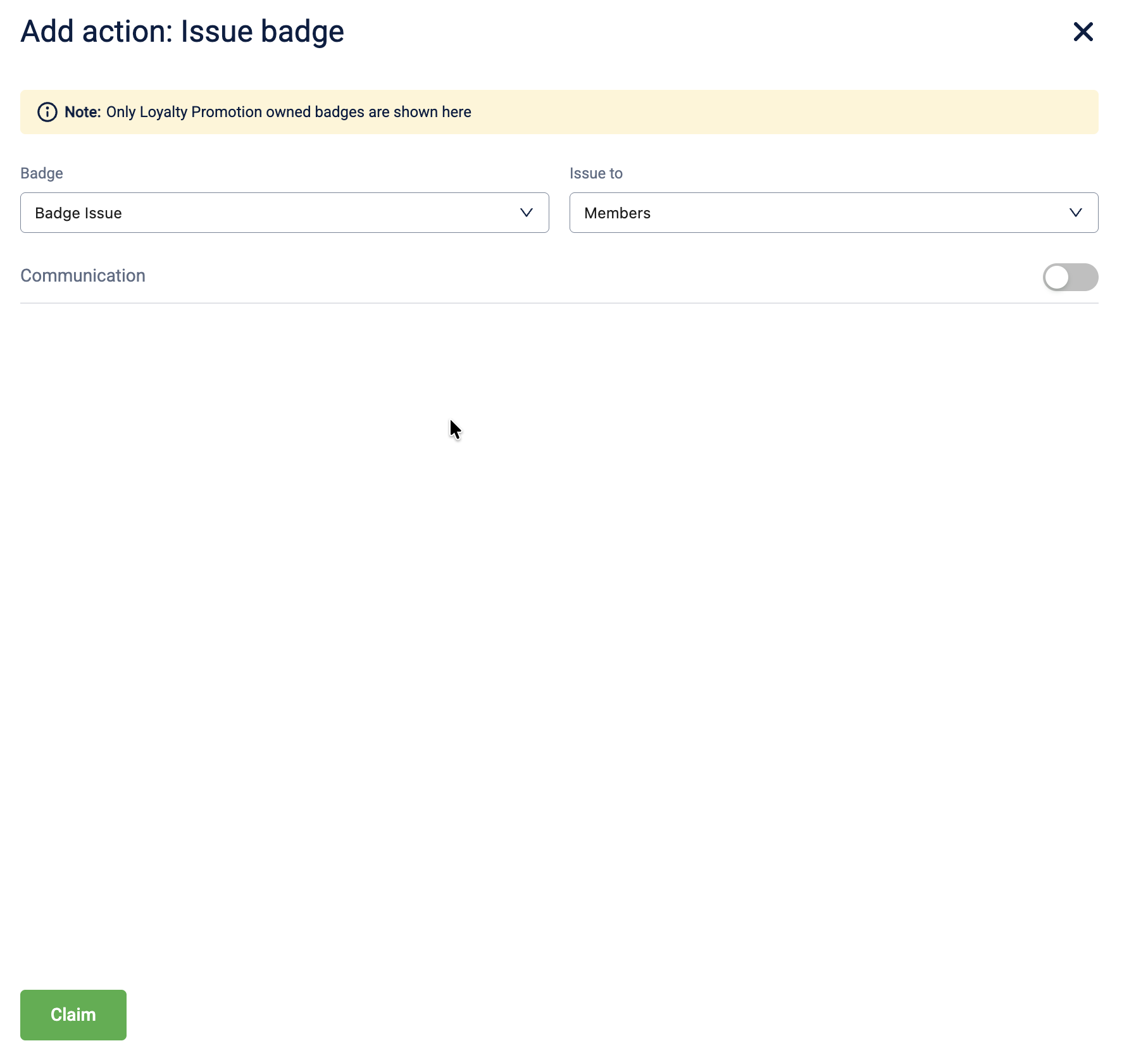
- Select + Add brand actions and select Issue Badge.
- In the Badge dropdown, select the specific badge to award.
- In the Issue to dropdown, select the recipient entity. The following options are available:
| Entity | Description |
|---|---|
| Members | Issues the badge to the individual customer, triggering the event. |
| Member groups | Issues the badge to a specific target group. |
| Referee | Issues the badge to the person being referred. |
| Referrer | Issues the badge to the person making the referral. |
-
Toggle Communication to ON if to notify the customer when the badge is issued, and select the communication channels.
-
Select Claim to save the action.
Updated 1 day ago