
How Timezone Works in the UI
This section provides you with information on how date-time fields are displayed in the UI.
Timezone handling in Capillary UI ensures that:
- Dates and times are displayed consistently
- Scheduling aligns with business expectations
- Support teams see predictable timestamps
- Time-based promotions behave correctly
Creation page behavior
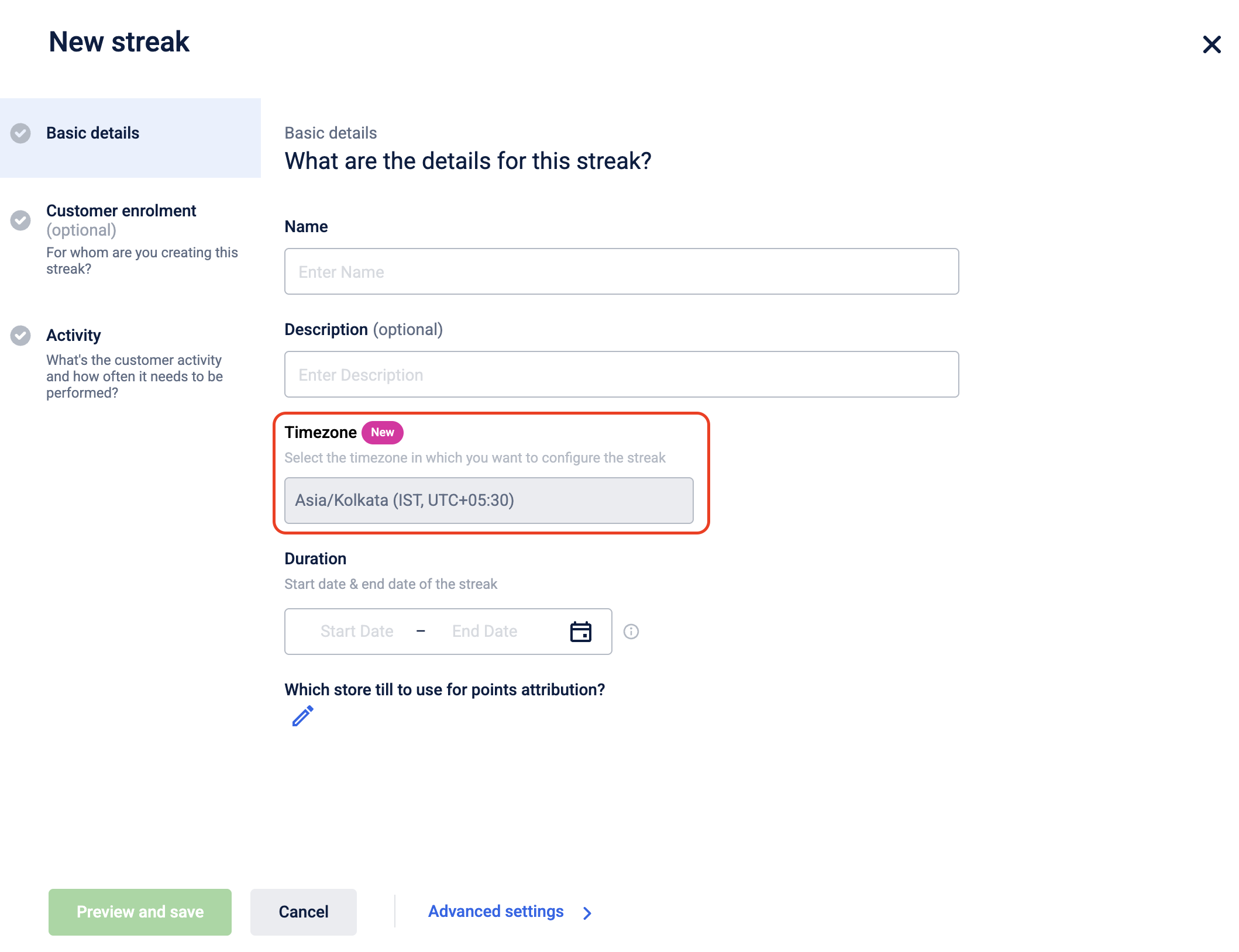
In the creation pages, you can select a timezone during creation. The selected timezone defines the local time context for that configuration.
Promotions (New UI)
You can select a timezone from a dropdown when creating a promotion. The dropdown lists timezones in IANA format (for example, Asia/Shanghai, Europe/London). Available timezones are populated from the supported timezones configured in your organization settings. The selected timezone defines the local time context in which the promotion is scheduled.

Listing page & Member care behavior
All date and time values on the listing page are displayed in the organization's timezone.

Journeys listing page
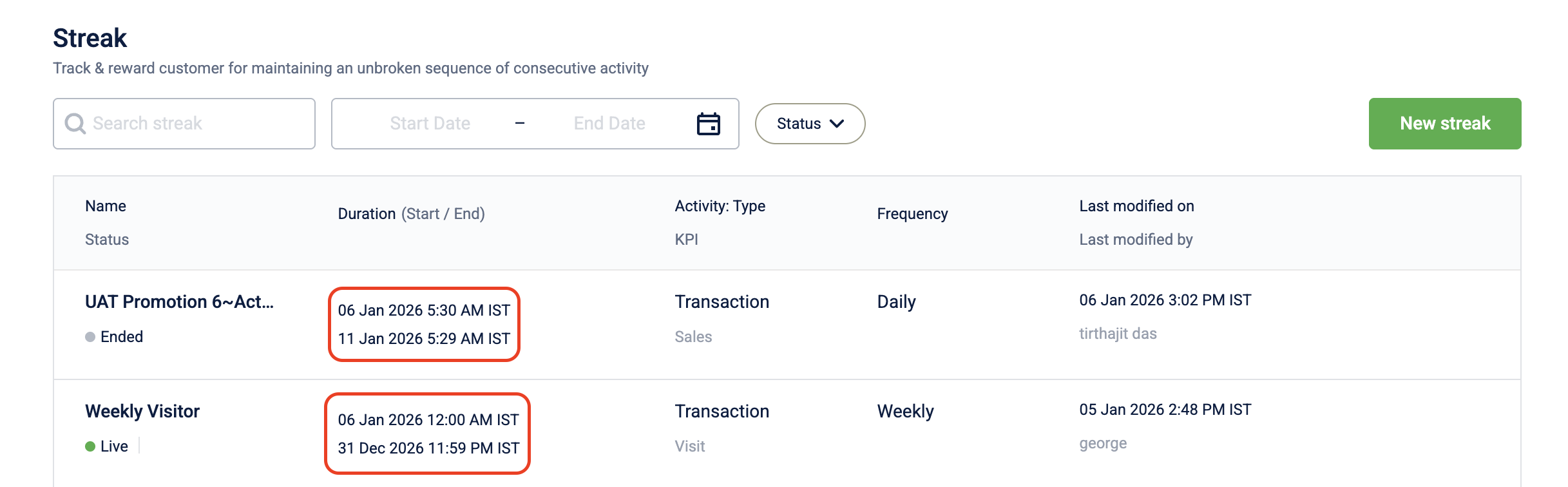
Streaks listing page
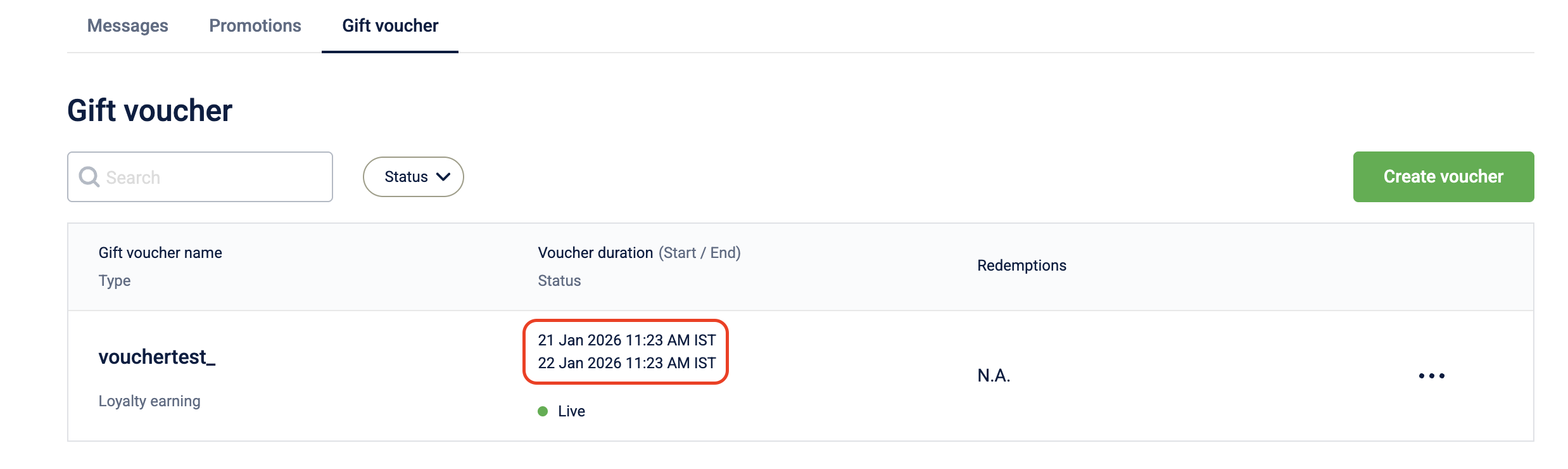
Gift voucher listing page
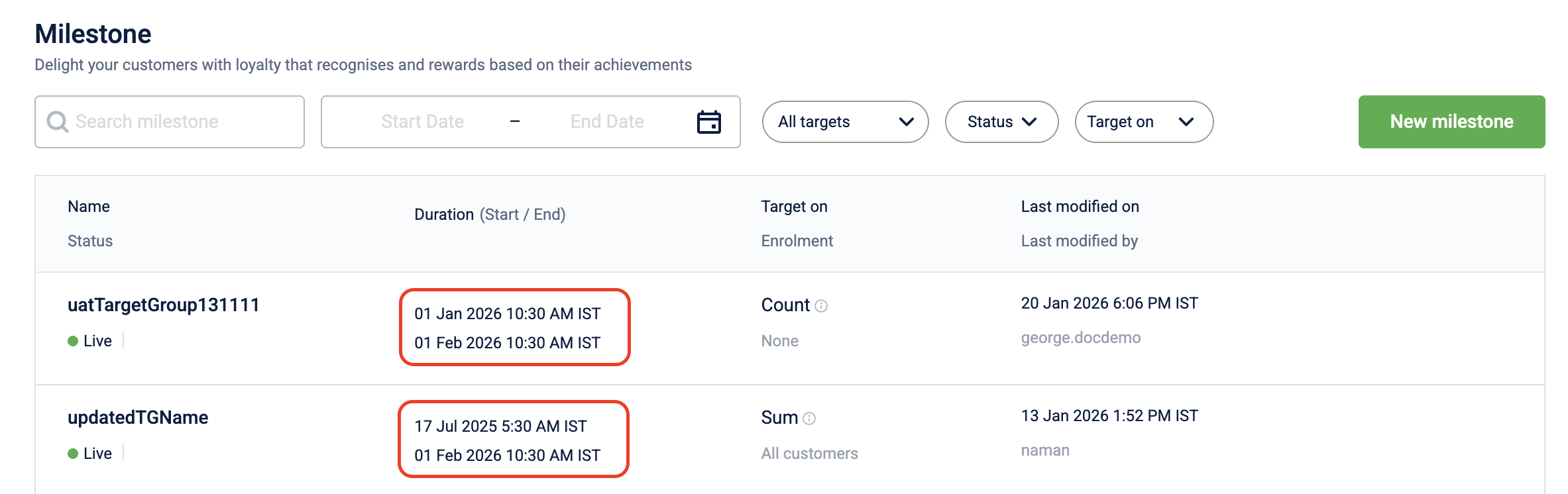
Milestone listing page
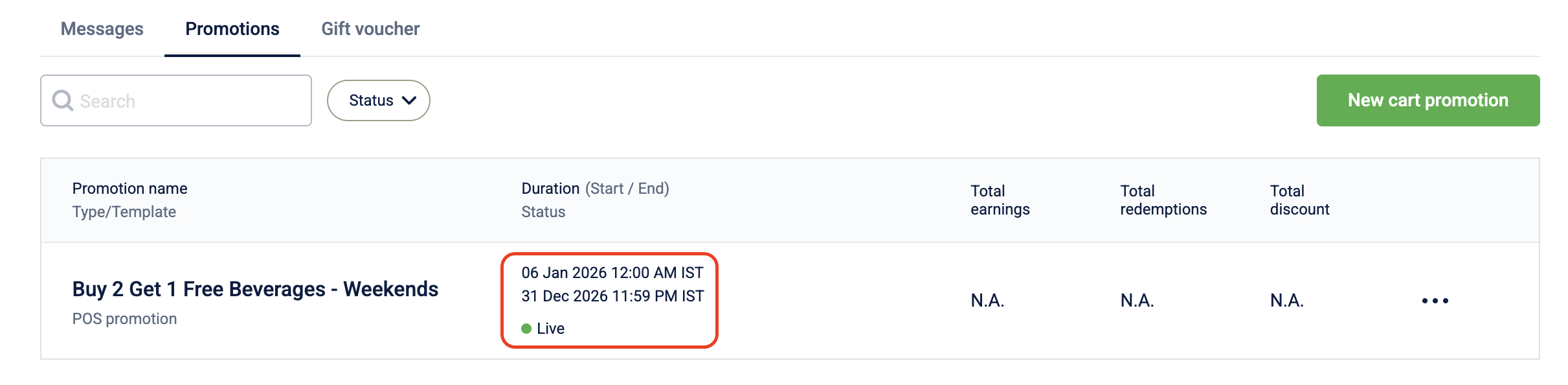
Cart promotion listing page
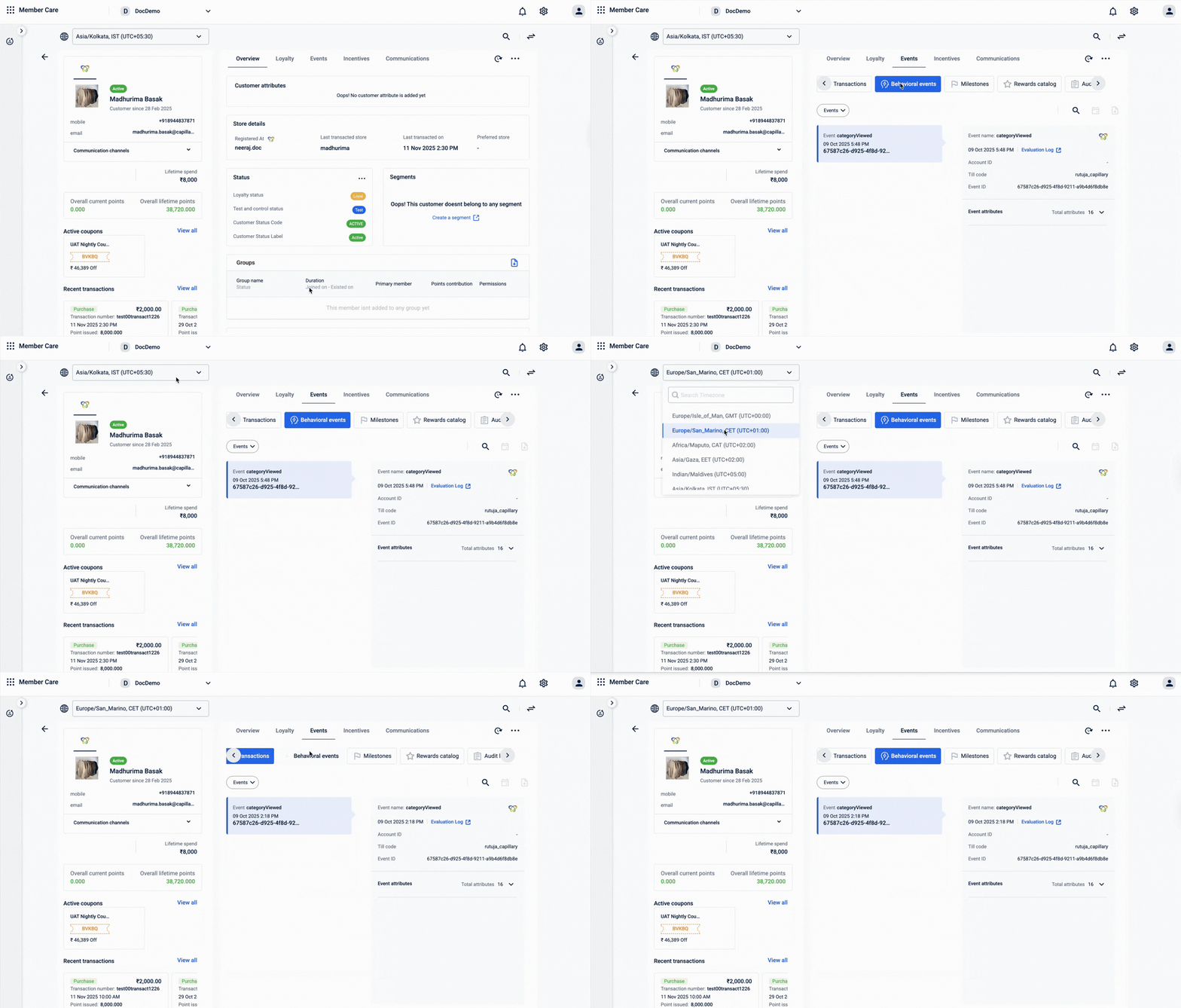
In addition, on Member care, you can also select a different timezone using the timezone dropdown during a session. Available timezones are populated from the supported timezones configured in your organization settings.
This allows support teams to view timestamps in the customer's local context when required.
Daylight Saving Time (DST) handling
Capillary supports timezone-aware scheduling and evaluation using IANA timezone identifiers (for example, America/New_York).
When a date and time are configured with an IANA timezone, Daylight Saving Time (DST) transitions are handled automatically.
How DST is handled
Capillary stores:
- The configured date and time
- The associated IANA timezone (for example,
America/New_York)
An IANA timezone represents a region, not a fixed offset. It includes:
- Historical timezone rules
- Future DST transition rules
- Exact dates when offsets change
During scheduling or evaluation, the system:
- Reads the configured date and time.
- Reads the associated IANA timezone.
- Determines the correct UTC offset for that specific date.
- Applies the correct offset when processing the event.
This ensures that time-based entities (such as promotions, campaigns, journeys, and rewards) run at the intended local wall-clock time, even when DST changes occur.
Example: DST-aware scheduling
A campaign is scheduled to start at:
- 1 November 2026, 9:00 AM
- Timezone:
America/New_York
If DST ends earlier that morning:
- The system applies the updated offset automatically.
- The campaign still starts at 9:00 AM local time.
- No manual adjustment is required.
What happens during DST transition hours
DST changes usually happen during early morning hours (for example, around 2:00 AM). During this time, one of two special cases can occur.
Spring Forward (Hour Skipped)
When DST starts, clocks move forward by one hour.
Example
Timezone: America/New_York
DST starts: 8 March 2026
At 2:00 AM, the clock jumps directly to 3:00 AM.
This means the time between 2:00 AM and 2:59 AM does not exist.
If you try to schedule something at:
- 8 March 2026, 2:30 AM
- Timezone:
America/New_York
That time is not valid because it never occurs.
In such cases, the system may:
- Prevent the configuration, or
- Automatically adjust it to the next valid time.
Fall Back (Hour Repeated)
When DST ends, clocks move back by one hour.
Example
Timezone: America/New_York
DST ends: 1 November 2026
At 2:00 AM, the clock moves back to 1:00 AM.
This means the time between 1:00 AM and 1:59 AM occurs twice.
Although both show the same clock time, they represent two different moments.
During this one-hour window, there may be minor timing differences depending on when the action occurred.
Note
These special cases affect only the exact hour when DST changes.
Outside that one-hour transition window:
- Scheduling works as expected.
- Time-based promotions and campaigns behave normally.
- No manual adjustments are required.
Best Practice
Avoid scheduling time-based configurations during the exact DST transition hour in regions that observe DST.
Scheduling outside that window ensures predictable behaviour.
Insights
For Insights, timestamps across fact tables are converted to server timezone before being stored in Databricks, ensuring events are correctly ordered and comparable across stores and regions, regardless of the till's local timezone. For organizations where this normalization is not yet enabled, Insights may apply inconsistent timezone resolution, falling back to store or org-level timezone depending on the data which can cause events to appear out of order in reports. This standardization is config-driven. Once enabled, it applies only to new data going forward. To correct historical data, a full re-sync is required. Contact the Capillary Product Support team for more information.
Exceptions
The following modules default to the organisation's timezone during creation.
- Streaks
- Milestones
- Gift voucher
- Cart promotion
- Campaigns
Promotions (New UI) — listing page uses split timezone references
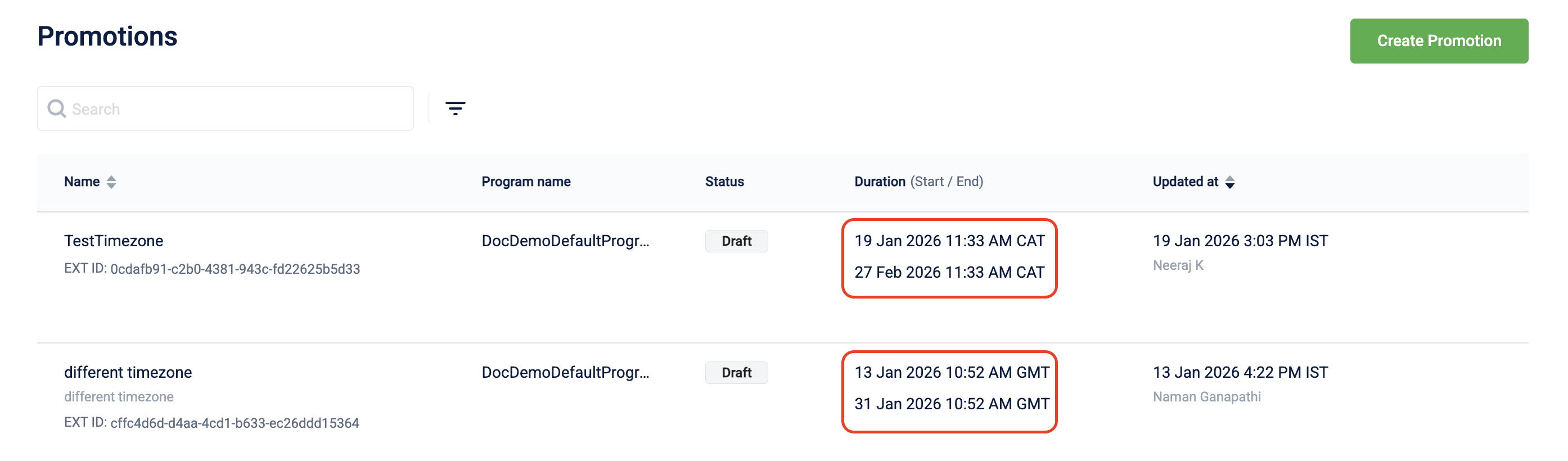
On the listing page, the two date fields use different timezone references:
- Duration is displayed in the timezone selected during creation.
- Updated at is displayed in the organization timezone.
This ensures that the scheduling context is preserved while maintaining consistent audit references.
Audience — date range filters use server time
The audience listing page displays all date and time values in the organization timezone. However, date range filters use server time rather than the organization timezone.

Modules not yet on the standardized model
The following modules do not currently follow the standardized timezone model. Existing timezone behavior remains unchanged, and legacy display or processing logic may still apply.
- Loyalty Programs
- Loyalty Promotions (Old UI)
- Rewards Catalog (also called Marvel Rewards)
- Offers / Coupons UI
- Data Import
- Badges UI
Timezone standardization for some of these modules is planned as part of ongoing revamp initiatives (for example, Loyalty, Rewards, Import, and Connect+). These modules are not being deprecated — they will adopt the standardized model in future releases.
Updated 3 days ago